
A sales team finishes the day by copying order details from its CRM into a billing platform. Someone misses a field, an invoice goes out late, and the team spends the next morning finding the mistake. The problem isn't that people aren't trying. The systems don't share the information they need.
Third party integrations connect those systems so data can move and actions can happen without someone re-entering every detail. But a connection that works today can become a source of risk tomorrow if no one owns its access, changes, or failures. Treating integrations as ongoing business infrastructure, rather than one-off technical fixes, helps keep them useful as your organization changes.
What Third Party Integrations Are and Why They Matter
Think of an integration as a shared kitchen pass. When one station finishes an order, it sends the relevant details to the next station, which can act without asking the customer to repeat the request. In business software, a CRM might send order information to a billing platform, which then creates an invoice and notifies the customer.
That connection can use an application programming interface, or API, a webhook, a data pipeline, or another method. The important idea is simple: systems exchange information and trigger actions under rules the organization defines. An integration might pass customer details from a sales platform to a service desk, or send a payment update from a billing provider to an accounting system.

These connections used to be treated as custom plumbing between two applications. That view no longer fits how many organizations build and operate software. A 2025 API industry summary reported that 82% of organizations had adopted at least some API-first development, while 35% managed more than 500 APIs (2025 API industry summary). When systems rely on APIs to exchange information, integration design affects more than whether a data field arrives. It can shape security, reliability, data governance, and product decisions.
From one connection to durable infrastructure
A working connection is only the start. The CRM may change its order fields, the billing platform may revise its API, or a security team may need to limit which records the connector can access. If no one monitors those dependencies, a previously dependable workflow can stop working.
That's why an integration needs an owner, an agreed purpose, and a plan for change. The goal isn't to connect every available tool. It's to remove friction from a defined business process while keeping the data and actions involved under control.
Practical rule: Start with the business event you want to improve, then choose the systems and connection pattern that support it.
Integration Patterns from APIs to Event Streaming
The right integration pattern depends on when information is needed, how much data must move, and what should happen when a system is unavailable. Consider one order traveling from a sales system through payment, fulfillment, and reporting. Different steps in that journey may need different kinds of connections.
Five ways systems exchange information
An API works well when one system needs to ask another for information or request an action. A sales app might ask the billing platform to create an invoice after a user confirms an order. The requesting system typically waits for a response, which makes APIs useful for direct interactions. The trade-off is that both systems need to be available and able to handle the request correctly.
A webhook sends a notification when something changes. When a payment provider marks an order as paid, it can notify the order system, which then starts fulfillment. Webhooks avoid repeated checking, but the receiving system needs to handle failed deliveries and repeated notifications safely.
ETL or ELT moves data in batches for storage, reporting, or analysis. A company might load order and payment records into a data platform on a schedule. This suits historical analysis, but it won't necessarily give an operations team an immediate update.
Event streaming carries a continuing flow of events, such as shipment location updates, to systems that need to react or analyze activity as it occurs. It can support timely processing at scale, but requires careful management of event schemas, consumer behavior, and interruptions.
Middleware sits between systems as a broker. It can translate formats, apply shared rules, and route data to the right destination. This helps when several applications need to communicate, though it adds another component to monitor and maintain.
Integration Patterns at a Glance
PatternTimingBest ForMain Trade-offAPIOn requestFetching data or asking a system to perform an actionSystems must manage availability, errors, and response timeWebhookWhen an event occursSending a notification after a state changeReceivers must handle retries and duplicate notificationsETL or ELTScheduled or batchedMoving data into analytics and reporting platformsData may not be current enough for immediate actionEvent streamingContinuousProcessing ongoing signals such as shipment updatesRequires strong schema and consumer managementMiddlewareDepends on connected patternsTranslating and routing between multiple systemsCreates another component to operate
Most enterprise programs combine patterns rather than choosing only one. An order may be created through an API, payment status may arrive through a webhook, and completed transaction data may move into an analytics platform in a batch.
Securing Integrations Without Slowing Delivery
An integration can be a useful route into systems that contain sensitive information. If a connector uses a broad credential and that credential is exposed, an external service may be able to access more than the workflow requires. Good controls limit what a connection can do and help teams see what happened when something goes wrong.
Put controls at the connection
Scope credentials to the job. Give each connector an identity with only the permissions it needs. A reporting feed that reads order totals shouldn't also be able to change customer records. Separate credentials make it easier to limit damage if one is compromised.
Encrypt data in transit and at rest. Encryption helps protect information as it moves between systems and while it is stored. It doesn't replace access controls, but it reduces exposure if traffic or stored data is accessed improperly.
Restrict destinations and manage secrets. Allowlist approved endpoints where the platform supports it, and keep credentials in a managed secrets store rather than embedding them in code or configuration files. Rotate secrets on an agreed schedule, and make sure teams know how to respond if a credential must be revoked quickly.
Keep useful audit logs. Logs should show which system accessed or changed a record and when. If an invoice is altered unexpectedly, those details help distinguish a user action from an automated process.
Match review to risk
A low-risk reporting feed can often use a lighter review path than an integration that moves payment details or patient information. Apply the same identity and compliance principles your organization already uses, then increase scrutiny when a connection can expose sensitive data or trigger consequential actions.
That doesn't mean every integration needs a long approval chain. Make the requirements clear early: who approves access, what data is involved, which destinations are permitted, and what evidence the team must retain. Security reviews move faster when the connector's purpose and boundaries are specific.
Security test: Ask what the integration could access or change if its credentials were misused. If the answer is “more than the workflow needs,” narrow its permissions before launch.
Who Owns an Integration After Launch
Go-live isn't the finish line. A vendor can revise an API, a business team can change the meaning of a data field, or a service can fail while its dependent workflow keeps retrying. Without a named owner, teams may discover those changes only after customers or employees are affected.
The broader challenge is real: 73% of organizations cite integration complexity as a barrier to digital transformation, and 88% of surveyed data leaders said retaining metadata ownership was very or extremely important in 2025 (Boomi World 2025 enterprise research). Metadata ownership matters because teams need to know what a field means, where it came from, and which systems depend on it.
A post-launch scorecard
For each production integration, record the details people need to operate it:
- Named owner: Identify the person or team accountable for health, changes, and escalation.
- Business-criticality tier: Make clear whether an interruption affects a core operation or a lower-risk convenience.
- Data classification: Document the sensitivity of the information moving through the connection.
- Failure and retry behavior: Define what happens when a request times out, fails, or arrives more than once.
- Vendor SLA: Record the service commitments that apply to the external dependency.
- Schema-change alerting: Make sure someone hears about changes that could break fields or data contracts.
- Tested rollback procedure: Confirm how to restore the prior behavior if a release causes a problem.
Central governance and team-level delivery don't have to compete. A central group can set shared standards for identity, observability, data contracts, and change approval, while business teams build connections close to their needs. That balance helps teams move without letting every department invent a different way to manage credentials, errors, or metadata.
Designing Integrations for AI Agents
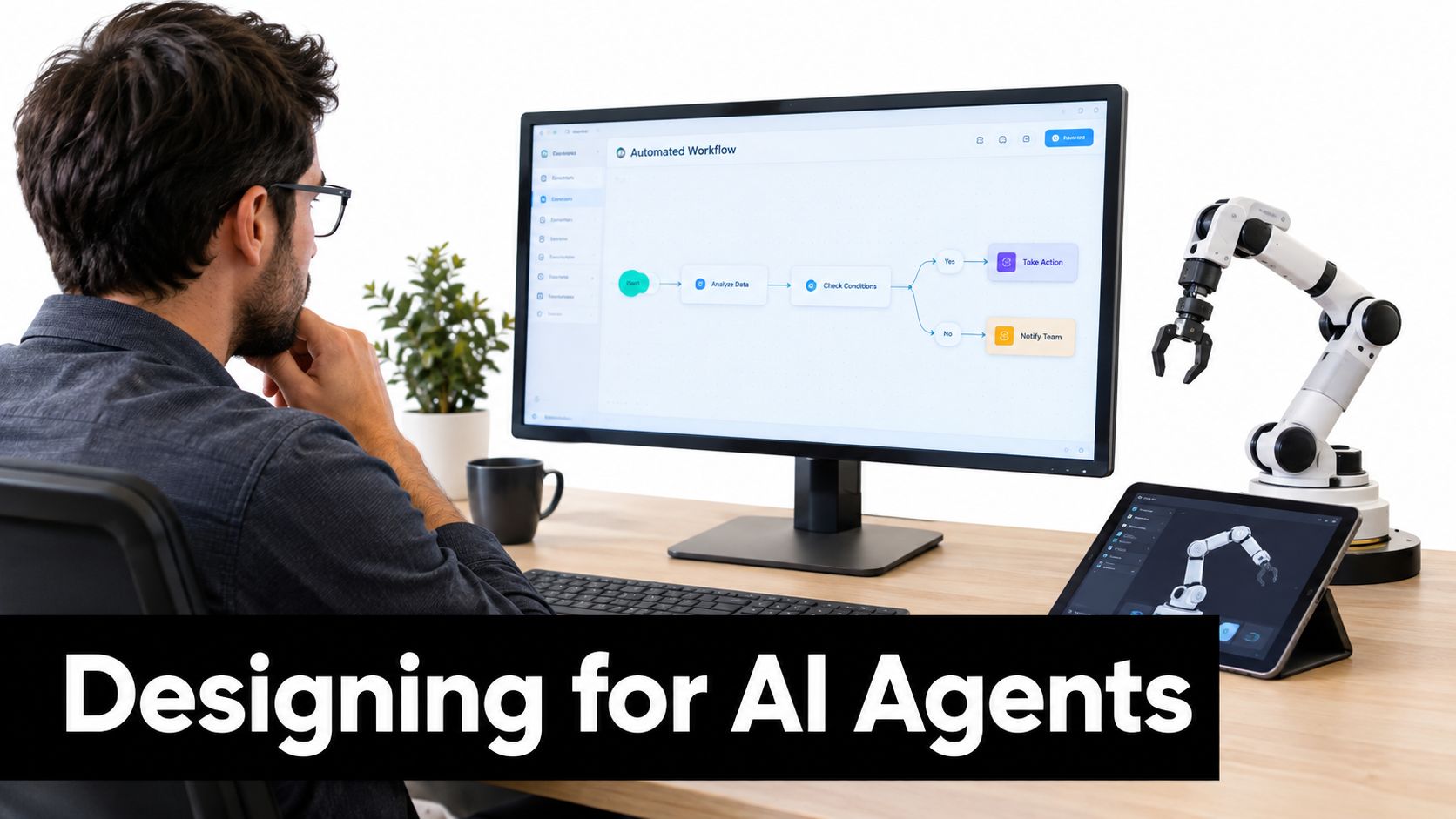
A conventional integration follows a rule someone defined in advance. For example, when an order ships, the system sends an invoice. An AI agent can make a different kind of decision: given a conversation or task, it may choose which tool to call and what information to pass.
That flexibility changes the risk. If an agent can access a CRM, ticketing system, or payment service, the organization needs to decide which operations it may perform, how it receives permission, and how humans can review its actions. A 2025 global survey of more than 5,700 developers, architects, and executives found that API strategy is increasingly becoming AI strategy (2025 State of the API report).
Bound the agent's actions
Give an agent scoped credentials for the specific task, not general access to every connected tool. Use allowlisted operations, typed inputs, and transaction limits so the agent can't improvise unsupported requests or submit unexpectedly large changes. Idempotency keys can help prevent duplicate actions when a request is repeated.
Test the agent in a sandbox before it can affect live systems. Set approval thresholds for actions that need human review, and retain replayable audit logs so teams can reconstruct what the agent saw, which tool it called, and what the system did. For examples of limiting what a social publishing agent can do, see this practical guide to content filters for social agents.
An agent is useful when interpreting context or choosing among safe, reversible options adds value. It shouldn't make irreversible financial, clinical, or infrastructure changes without deterministic controls and appropriate human oversight. For example, an agent might draft a support response or suggest a dispatch update, while a fixed rule or authorized person approves a payment or clinical record change.
The design question isn't whether an agent can call a tool. It's whether the organization can limit, inspect, and correct what happens when the agent chooses the wrong tool or supplies an invalid parameter.
Enterprise Use Cases with Measurable Outcomes
A logistics firm can connect fleet tracking with dispatch and billing. When a delivery is marked complete, the system can update the invoice and send a customer notification. The team can measure whether the workflow reduces manual updates, shortens the time between delivery and billing, or improves the timeliness of customer messages.

A telecom operator might route network events into its service management platform. Instead of staff copying details into a ticket, an event can create or update the record that the service team uses. The outcome to track is whether the connection reduces manual handoffs and helps staff act on incidents sooner.
An energy company can feed meter and sensor data into a Snowflake-centered analytics platform. Operations teams can use the information for dashboards, while analysts use the same governed data for forecasting. Useful measures include data freshness, fewer reconciliation issues, and whether teams can make decisions from a consistent view.
Tie the connection to a business result
A 2020 survey of nearly 400 integration professionals across 44 countries found that 83% considered API integration critical to business strategy, 59% saw increased productivity, and 43% reported a direct increase in revenue (2020 API integration survey findings). Those findings help explain why organizations connect systems, but they don't guarantee that any particular integration will produce the same outcome.
Before building, identify the process measure the connection is meant to change. That could be manual work, cycle time, customer experience, or the quality of operational data. Capture a baseline, then review the result after rollout so the team can distinguish a working connection from a valuable one.
A short visual overview can help teams discuss how a connected workflow fits together:
Choosing Between Custom Code, Platforms, and Partners
There isn't one right way to deliver every integration. The choice depends on how unusual the business logic is, how much control the organization needs, and who will maintain the connection when a vendor changes its service.
ApproachSpeed to First IntegrationControl Over Data and LogicLong-Term UpkeepTypical FitCustom codeCan be slower to buildHighThe team owns updates, testing, and supportSpecialized rules or tight control requirementsIntegration platformOften quick when a suitable connector existsDepends on platform featuresVendor changes and platform limits need attentionCommon applications and repeatable workflowsManaged partner deliveryDepends on scope and coordinationCan be defined in the engagementRequires clear ownership after handoffTeams that need outside implementation or specialist skills
Custom code suits teams with engineering capacity and requirements that off-the-shelf connectors don't handle well. The warning sign is a small, undocumented integration that only one developer understands.
An integration platform can help teams connect familiar applications without building every interaction from scratch. Before choosing one, check whether its connector supports the required fields, error handling, and access controls. A useful orientation to developer-centric API integration tools can help teams compare the tools available for API work.
A managed partner can provide implementation capacity, architecture input, and testing support. Faberwork LLC works on custom integrations and workflow mapping, including Snowflake-centered data solutions, and combines data expertise with test automation. For organizations evaluating a Snowflake partnership, Faberwork's approach to collaboration describes how responsibilities can be shaped around the work.

Use a simple decision test: choose custom code when control and specialized logic outweigh upkeep; choose a platform when its connectors and policies fit the workflow; consider a partner when your team needs delivery capacity or expertise. In every case, name the long-term owner before work begins.
Testing, Monitoring, and Your Rollout Checklist
A connection can pass a happy-path demo and still fail when a vendor times out, sends an unexpected field, or repeats a notification. Test the failure modes before the integration reaches customers or critical business processes.
Test the contract and the exceptions
- Contract tests: Check that requests and responses match the vendor's API expectations, including required fields and data types.
- Failure injection: Simulate timeouts and malformed payloads to verify that the integration fails safely and reports useful errors.
- Webhook replay tests: Send repeated notifications and confirm the workflow doesn't create duplicate invoices, tickets, or updates.
- Reconciliation checks: Compare records between systems to find missing or inconsistent data.
In production, watch error rates, latency, rate-limit hits, schema-change alerts, and data freshness. A 2022 survey of more than 300 IT and business decision-makers found that 71% had not achieved their planned business results from APIs, citing weak adoption and insufficient performance metrics (2022 API business-results survey). Monitoring should therefore answer both whether data moves and whether people use the resulting workflow as intended.
For teams that need to connect delivery quality with regulated workflows, this example of test automation in healthcare offers a relevant point of comparison.
Expand in measured stages
Start with a low-risk pilot and a small group of users. Confirm that the data arrives correctly, alerts reach the right owner, and the rollback procedure works. Then expand to more users or processes only after the team has reviewed errors, performance, and adoption.
Before selecting the first candidate, write down its business outcome, data sensitivity, owner, failure behavior, and success measure. Request a readiness review of that candidate with Faberwork LLC to assess the integration path, testing needs, and support model before moving from plan to production.


