
"Raise your coverage number. Automate every manual step. Keep adding tests until the suite is big enough." That's the standard advice about test automation with Python, and it's the reason so many Python suites end up large, slow, and ignored.
A failing test only has value if somebody acts on it. The moment engineers start rerunning red builds out of habit, or muting a test because it went flaky again, the suite stops being a quality gate and becomes background noise. The number that matters isn't how many tests you have. It's how many failures you can trust.
Everything below is about earning that trust: which tools to pick, how to set a project up so it survives contact with CI, where browser and API tests break, and what evidence a test needs before it's allowed to block a release.
Pick the Right Python Testing Stack for Your Job
Python test tools by job
ToolBest forInstallWatch out forpytestUnit, integration and API testspip install pytestShared state leaks between testsunittestTeams that cannot add dependenciesIncluded in the standard libraryMore boilerplate and fewer pluginsrequests with pytestAPI and contract testingpip install requests pytestSchema checks need an extra librarySeleniumCross-browser coverage and existing gridspip install seleniumExplicit waits are required to avoid flakesPlaywright for PythonModern web apps with heavy JavaScriptpip install pytest-playwright, then playwright installBrowser binaries must be installed in CI
The one-runner rule
The more common stack mistake isn't choosing the wrong tool. It's choosing four. A team ends up with pytest for units, unittest for a legacy module, a folder of requests scripts nobody owns, and Selenium for anything with a page. Within six months nobody can run the whole suite on a laptop, so nobody does.
Pick one runner, almost always pytest, and add browser and HTTP libraries as plugins or helpers around it. Selenium and Playwright both work fine under pytest. requests works fine under pytest. You get one discovery model, one reporting format, one exit code that CI can read.
- Pin the Python version your CI uses in a
.python-versionor the CI image, so a 3.12 laptop and a 3.9 runner don't disagree about syntax support. - Decide the stack before the first test exists. Migrating a 400-test Selenium suite to Playwright is a project; starting on Playwright is a decision.
- Keep one README line naming the runner and the command.
pytest -qas the canonical entry point saves every new hire an hour.
Two decisions cover most situations. A JavaScript-heavy web UI starts with Playwright, because auto-waiting locators and built-in tracing remove the two biggest sources of wasted debugging time. A service with no UI starts with pytest plus requests, and you may never need a browser at all.
Set Up a Python Test Project in Six Steps
A working first suite takes under an hour. The order matters, because each step removes a failure mode that costs far more to debug later.
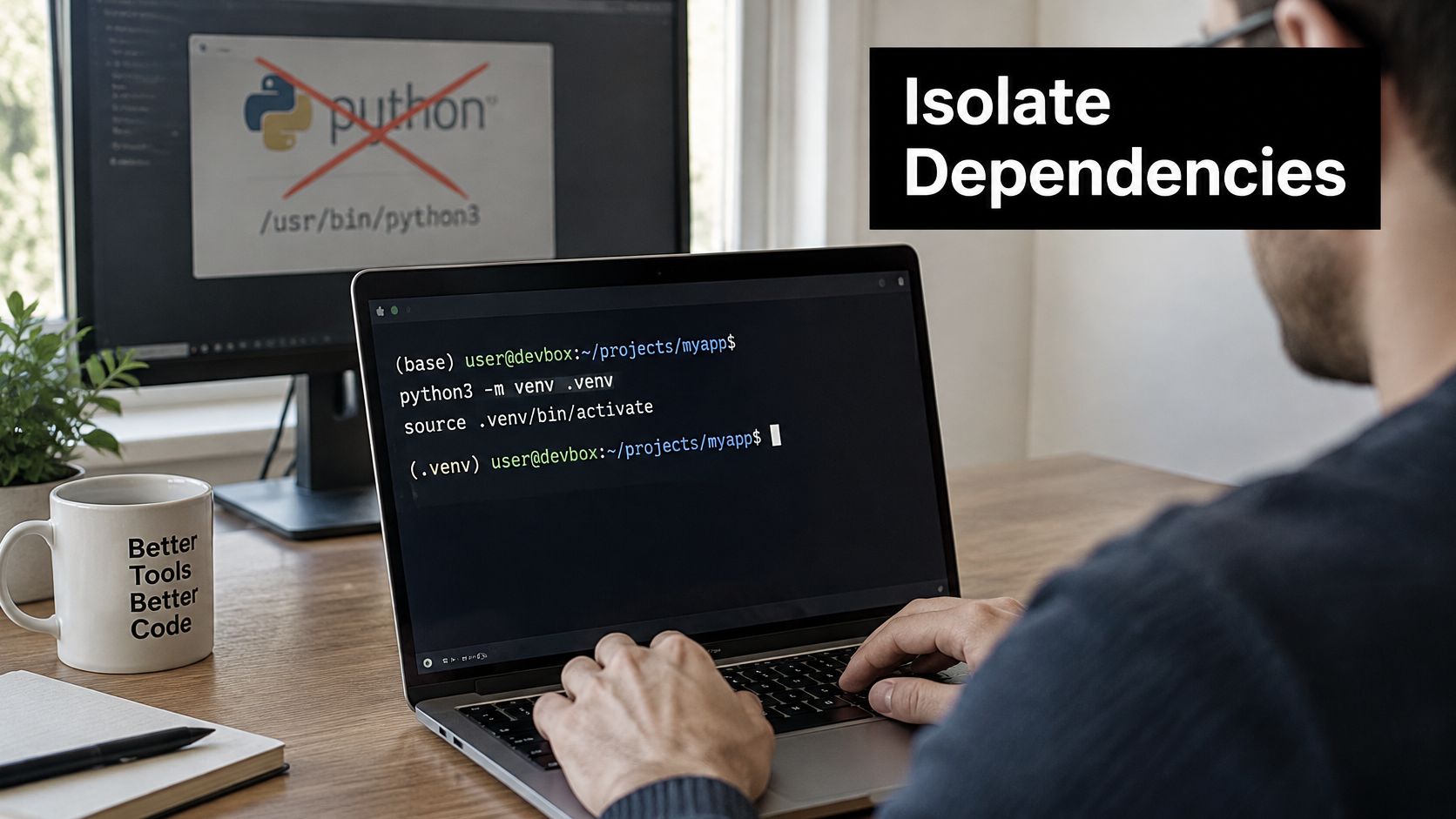
- Create and activate a virtual environment. Run
python -m venv .venvand activate it before installing anything, so test dependencies never mix with system packages. The usual slip is installing into the global interpreter, which hides a missing dependency until CI runs on a machine that doesn't have it. - Install pytest and pin it in
requirements-dev.txt. A pinned version means the laptop and the CI runner execute the same code. Leave it open and a transitive release will break your pipeline weeks later, on a day you had other plans. pytest is a mature, widely used runner, and that stability is what makes pinning worth doing. Upgrades become a deliberate choice, not a surprise the resolver delivers mid-sprint.
- Create a
testsfolder and aconftest.pyfor shared fixtures. Setup code then lives in one place instead of being copy-pasted into thirty files. Aconftest.pydropped in the wrong directory hides fixtures from the tests that expect them, and the error message points at the test, not the folder. - Write one test that asserts real behavior. A function that returns an order total should be checked against the expected total, including tax and shipping.
assert Truestays green forever and teaches you nothing. A test earns its place in the suite by being able to fail. - Run
pytest -qand read the output. pytest's assertion introspection prints expected and actual values side by side, which is usually the fastest route from red to the cause. Pay attention to what the failure looks like. A red test that fails identically on a clean checkout is probably a real regression. A red test that passes on rerun is a candidate for quarantine, not a release blocker, and learning to tell those two apart starts here. - Move pytest settings into
pyproject.toml. Markers, test paths and default flags belong in the repository, not in one engineer's shell history.
A healthy first run is short: a green summary, a passed count, and no warnings about unknown markers. Anything beyond that is noise, and noise is what teaches engineers to stop reading failures.
Browser and API Tests That Survive Real Traffic
Take a checkout flow as the worked example, because it's the one flow almost every team eventually automates and the one that flakes hardest.
The instinct is to script the whole journey in the browser, starting with the login form. Don't. Log in through the API in a session fixture, inject the resulting cookie or token into the browser context, and let the browser test cover only what a shopper does: add an item, pay, see the confirmation. That removes a form, a redirect chain, and a page load from the critical path.
In Playwright, locate elements by role and visible text (get_by_role("button", name="Pay now")) rather than CSS paths, and let auto-waiting handle timing. Traces give you a step-by-step recording with DOM snapshots when a run fails on CI. In Selenium, wrap every wait in WebDriverWait with a real condition such as element_to_be_clickable, and keep page logic inside a Page Object class so a UI change touches one file instead of forty.
For API tests, create a requests session fixture once, assert both the status code and the JSON fields that matter, and use @pytest.mark.parametrize to run one test across a list of endpoints. Then keep happy-path checks separate from error handling. A suite that only proves 200 OK will miss the 400, 401, 404 and 500 branches, which is precisely where services break under load or bad input.
Getting browser coverage that holds up at scale is a discipline in itself. Our work on high-speed browser testing with Wallaby came from the same principle: performance and reliability of the browser layer are what decide whether a large suite is usable.
- Never use fixed sleeps.
time.sleep(3)is a bet that the network is consistent, and it's a bet you lose in CI. - Keep API checks in separate files from UI checks. When a checkout fails, you want to know in one glance which layer broke.
- Tag slow browser tests with a marker and run them on a schedule rather than on every pull request.
Fixtures, Test Data and Design That Catch Real Bugs
A suite earns trust when a red build means something. Scope fixtures so that outcome is rare and sharp: function scope for state that changes per test, module scope for expensive setup such as a database connection or compiled fixture, and session scope only for read-only resources such as config. Mutable session state becomes shared state, and shared state turns one bad run into order-dependent noise.
Use yield for teardown so cleanup runs even when the assertion fails:
@pytest.fixture

def order(db):

    o = db.create_order(items=[("sku-1", 2)])

    yield o

    db.delete_order(o.id)
For test data, write small factories that return valid objects with named overrides, then let each test declare only the field under scrutiny. Push the edges with parametrize: zero, one, maximum, maximum plus one, negative, empty string, None. Boundary failures are usually deterministic, which makes them easier to classify as product defects rather than suite noise.
What automation can't write for you
Property-based testing with Hypothesis is strong for invariants, and it also shows the limit clearly. It can feed a discount rule many generated price and quantity pairs, but the expected result still has to come from someone who understands pricing. Generated inputs are cheap. A correct oracle is not.
Generated unit tests have the same shape. They can execute paths that hand-written tests miss, but execution is not the same as judgment: a generator can cover a branch while asserting only that no exception escaped. Treat generated cases as candidates until each one names the behavior it protects and the failure it would expose.
Mock only at true external boundaries: a payment gateway, a third-party API, an SMTP server. A mock that drifts validates yesterday's contract, and an AI-written mock can drift faster because it often optimizes for making the test pass. For a structured review of generated assertions and mocks before they enter CI, layered validation for AI-written code sets out the checks worth running. Faberwork's work designing new test cases and automating customer regression sets starts from the same question: would this assertion fail if the code were wrong?
Before a test may block release, make it fail once on purpose by breaking the rule it claims to protect. If it cannot prove that failure, it has not earned release-blocking authority.
Run Suites in CI/CD Without Hiding Flaky Tests
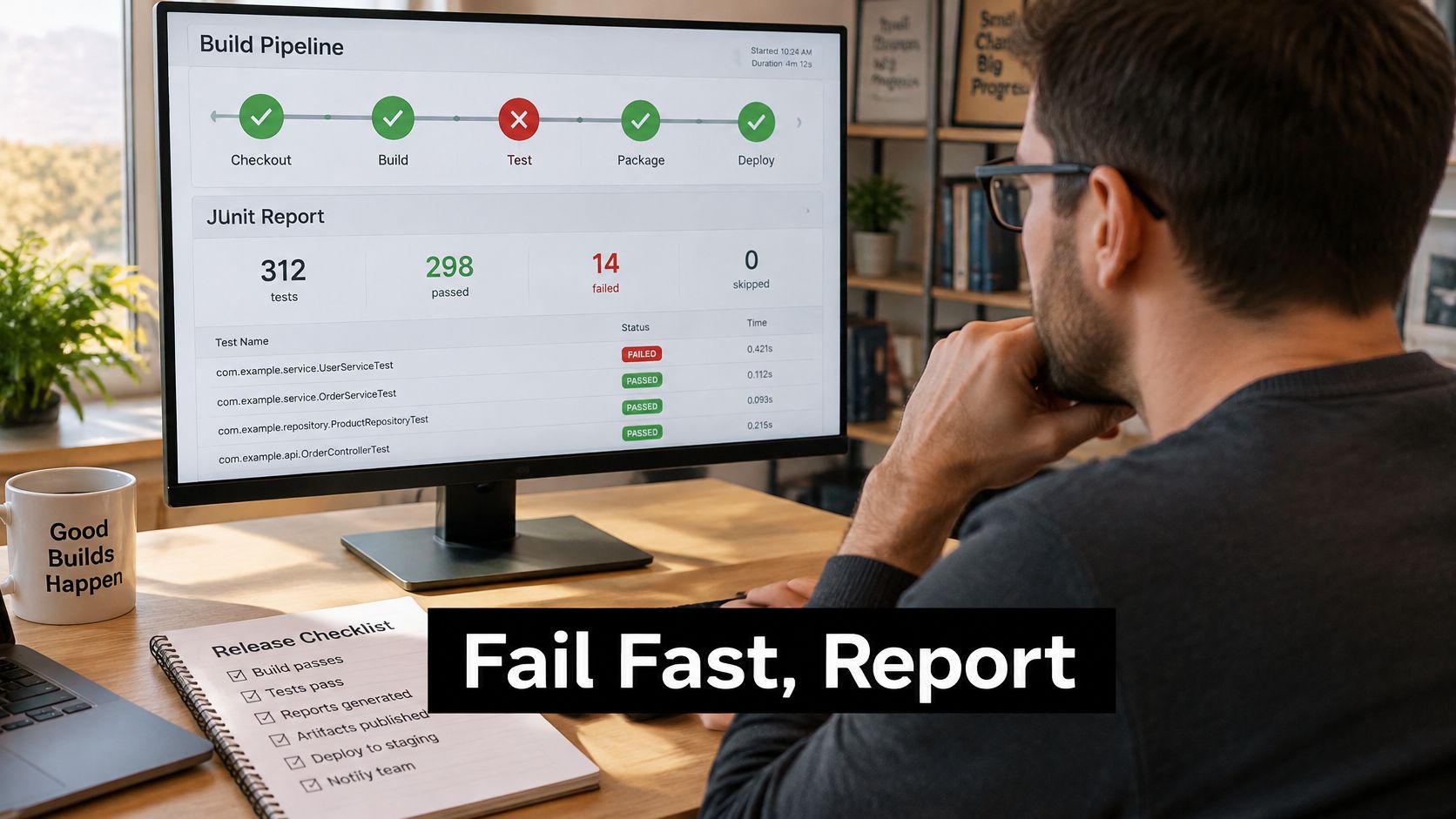
The pipeline itself is straightforward: install from the pinned dev requirements, run pytest with --junitxml=report.xml so the CI interface renders failures properly, add --maxfail to stop a broken build early, and split the suite into a fast smoke set on every pull request with the full run on merge.
The harder problem starts after that. The empirical study of 22,352 Python Package Index projects identified 7,571 flaky tests across 1,006 projects: 0.86% of all investigated tests were flaky, and 4.5% of projects contained at least one. Test-order dependency was the largest single cause.
A reliability workflow that produces evidence
- Record outcome metadata. Every run stores commit, environment, dependency versions and test order.
- Reproduce in isolation. Rerun the failing test alone, then in randomized order, in a clean process.
- Classify the failure as a product defect, an environment defect, or a nondeterministic test. Three buckets, no fourth.
- Quarantine only confirmed flaky tests, each with a named owner and an expiry date.
- Repair the root cause. Shared mutable state, uncontrolled time, live network calls, race conditions, incomplete teardown.
Retries feel like a shortcut and behave like a cover-up. Roughly 170 reruns were needed on average to reach 95% confidence that a passing test wasn't flaky, and a rerun-based detector caught the repaired issue in only 40% of 75 developer-repaired commits across 31 Python projects.
SymptomLikely causeFixPasses alone, fails in the full runTest-order dependency, the largest single cause in the studyRandomize order, isolate shared state, clean up in fixturesFails only on the CI runnerEnvironment or dependency driftPin versions and record environment metadata for each runIntermittent timeout on page loadRace condition or fixed sleepReplace sleeps with explicit waits or auto-waiting locatorsFails on a date or time checkUncontrolled clockInject or freeze time in the testFails only when the network is slowLive network dependenceVirtualize the dependency or mock at the boundaryPasses after a rerun with no code changeNondeterministic test, with the rerun hiding a defectQuarantine with an owner and expiry, then reproduce in isolation
Practical rule: a rerun never proves stability. It only tells you the failure is reproducible, which is the opposite of what you were hoping to hear.
If you want the visual walkthrough of wiring these checks into a pipeline, this session covers the mechanics well:
So what earns a test the right to block a merge? Three conditions, all measurable: it passes repeated runs in isolated and randomized order, it has a named owner, and it's been classified as a product defect check rather than an environment or nondeterministic one. Until a test clears that bar, it reports. It doesn't veto.
Scaling Python Test Automation Across Teams
Scaling is an organizational problem wearing a technical costume. The code is rarely the blocker; ownership and feedback time are.
A useful yardstick comes from the enterprise test automation survey reported by InfoWorld: 72% of midsize and large enterprises were automating software testing, and among organizations automating at least 50% of their tests, 88% saw faster testing cycles, 71% reported improved coverage and 68% said they caught bugs earlier. Those are organizational outcomes, not Python benchmarks, so use them to judge your program rather than your framework.
Build the structure before the suite grows
Three things make a suite scale past one team. A shared plugin package that teams import, holding common fixtures, markers and helpers, so every squad gets the same browser setup and the same report format. One owner per test module, recorded in a CODEOWNERS file, because an unowned test is a test nobody fixes. And a time budget per stage: pull-request checks under ten minutes, full regression on merge, nightly runs for the slow browser set.
Governance matters as much as speed in regulated environments. Record who approved each quarantine and each deleted test, with a date. When an auditor asks why a check disappeared, "the flaky list" is not an answer.
- Name an owner for every quarantined test and a hard expiry date, usually two weeks out.
- Review the quarantine list weekly, in a standing meeting with a decision each time: fix, replace, or delete.
- Retire tests that haven't caught anything in a year. Some cover compliance or security paths and must stay; most don't.
Track four metrics on one dashboard: pass rate, flaky-test rate, quarantine count, and mean time to diagnose a failure. The last one is the honest measure of whether your suite helps or just makes noise. It's also the discipline behind the work we did for a major healthcare company's test automation program, where auditability of every check mattered as much as speed.
Confirm the First Critical Flow Before You Automate
Pick the flow that would cost the most if it broke, and automate that one first. Not the easiest test to write, not the module with the most lines. Login, payment, or a data export. For an online store it's usually checkout, because a broken checkout loses sales while everyone is still reading dashboards.
The first week
- Write the flow and its expected result in one sentence. "A logged-in customer can buy one item and see an order confirmation with the correct total." If it takes two sentences, you haven't decided what you're testing.
- Choose the tool from the table and stay on one runner. Playwright and pytest for a JavaScript-heavy checkout, pytest and requests for a service with no UI.
- Write one browser test and one API test for the same flow. The API test proves the order was created; the browser test proves the shopper saw it.
- Add both to the pull-request pipeline inside the ten-minute budget. A check that slows every PR to twenty minutes gets disabled within a month.
- Record failures for two weeks before adding more tests, noting the commit, the environment, and whether each failure reproduces in isolation.
That two-week window is where the genuine information shows up. First runs expose shared state, timing assumptions and environment drift that a single green run on a developer laptop hides completely.
The first measured result decides what comes next, not the test count. If the checkout test fails for a genuine reason at least once in those two weeks and reproduced cleanly both times, you have proof the suite detects real regressions. Expand from there. If it never failed at all, either the code is unusually stable or the assertions are too weak, and both cases argue for reviewing the test before multiplying it.
The same sequencing applies at program level. Test automation is one of the services we deliver at Faberwork, alongside Software Development, Mobile App Development, Solutions Boost with AI and Database Solutions, and it always starts with a single named flow rather than a suite-wide rollout.
If your Python suite has grown past the point where anyone trusts a red build, don't start by adding tests. Pick your highest-cost flow, write one browser test and one API test for it, put them in the pull-request pipeline, and log every result for two weeks. If you'd rather have a partner do that first pass with you, including regression suites designed around your critical paths and wired into your CI/CD, talk to the Faberwork team about your test automation program.


