What if your sales, marketing, and operations teams could get answers from data in minutes, not weeks? That's the outcome of self-service BI. It’s a modern approach that transforms business intelligence from a slow, centralized service into a tool anyone can use. This shift fundamentally changes how your organization uses data to make faster, smarter decisions.
From Data Bottlenecks to Business Breakthroughs

In a traditional setup, the data team is a gatekeeper. A marketing manager needing to measure campaign ROI or a sales lead wanting to analyze regional performance has to submit a request and wait. This process creates a bottleneck, slowing down decisions and frustrating business users who need answers now. By the time a report finally arrives, the opportunity it was meant to address might have already passed.
Self-service BI removes this bottleneck. It empowers non-technical users with intuitive tools and access to reliable data, allowing them to find their own answers.
Real-World Use Cases: Faster Decisions, Better Outcomes
Instead of waiting for a report, teams can act immediately:
- Marketing: A campaign manager sees an ad underperforming on their live dashboard. They can reallocate the budget to a better-performing ad in real-time, instantly improving campaign ROI.
- Sales: A sales director explores a regional sales dip on their own. They can drill down into product-level data, identify the root cause, and develop a targeted sales strategy in a single afternoon.
- Operations: A supply chain analyst investigates inventory discrepancies by visualizing stock levels and transit times. They can pinpoint bottlenecks and prevent costly delays without filing a single IT ticket.
The goal isn't to turn everyone into a data scientist. It's to give them the tools to make smarter decisions in their own domains, leading to tangible business results.
Self-service BI is more than just a set of tools—it's a cultural shift. It moves an organization from reactive, report-based decision-making to a proactive culture of data exploration and immediate insight.
The Growing Importance of Self-Service BI
This shift from dependency to empowerment is a major market trend. Let's compare the two approaches.
Traditional BI vs Self-Service BI: A Quick Comparison
This table highlights the key operational differences and their impact on business outcomes.
AspectTraditional BISelf-Service BIPrimary UsersData analysts, IT specialistsBusiness users (sales, marketing, finance, operations)Report CreationCentralized IT/BI teamEnd-users create their own reports and dashboardsSpeed to InsightSlow (days or weeks)Fast (minutes or hours)FlexibilityRigid, requires formal change requestsHighly flexible, allows for ad-hoc explorationTechnical SkillRequires SQL, data modeling skillsLow-to-no code, drag-and-drop interfacesIT RoleGatekeeper and report creatorEnabler, focuses on data governance and platform managementBusiness ImpactReactive, answers known questionsProactive, uncovers new questions and opportunities
The demand for the speed and agility of self-service BI is reflected in market growth. The market, valued at USD 6.79 billion, is projected to hit USD 63.75 billion by 2037, a compound annual growth rate of roughly 18.8%. You can explore the full market research to see the drivers behind this growth.
Organizations that embrace self-service BI are better equipped to respond to market changes and optimize operations. They transform data from a resource locked away with a few experts into a company-wide asset that drives a real competitive edge.
The Real-World Impact of Self Service BI
What does a self-service BI strategy actually do for a business? The most immediate outcome is a massive acceleration in decision-making. The gap between asking a question and getting a reliable answer shrinks from weeks to minutes.
This isn't just about moving faster; it's about being more precise. When business users can access data directly, their insights are sharper and more relevant. They're no longer playing a game of telephone with the technical team, which cuts the risk of miscommunication and ensures the analysis hits the real business challenge.
From Ad-Hoc Reports to Real-Time Action
Let's look at how teams use it day-to-day. A marketing team can monitor metrics like click-through rates and cost-per-acquisition on a live dashboard instead of waiting for a weekly report. If they spot a campaign underperforming, they can pivot their ad spend to better assets in real-time, turning marketing into a proactive, data-fueled engine for growth.
Here’s a glimpse of what that kind of self-service environment, in this case, Tableau, looks like for a typical business user.
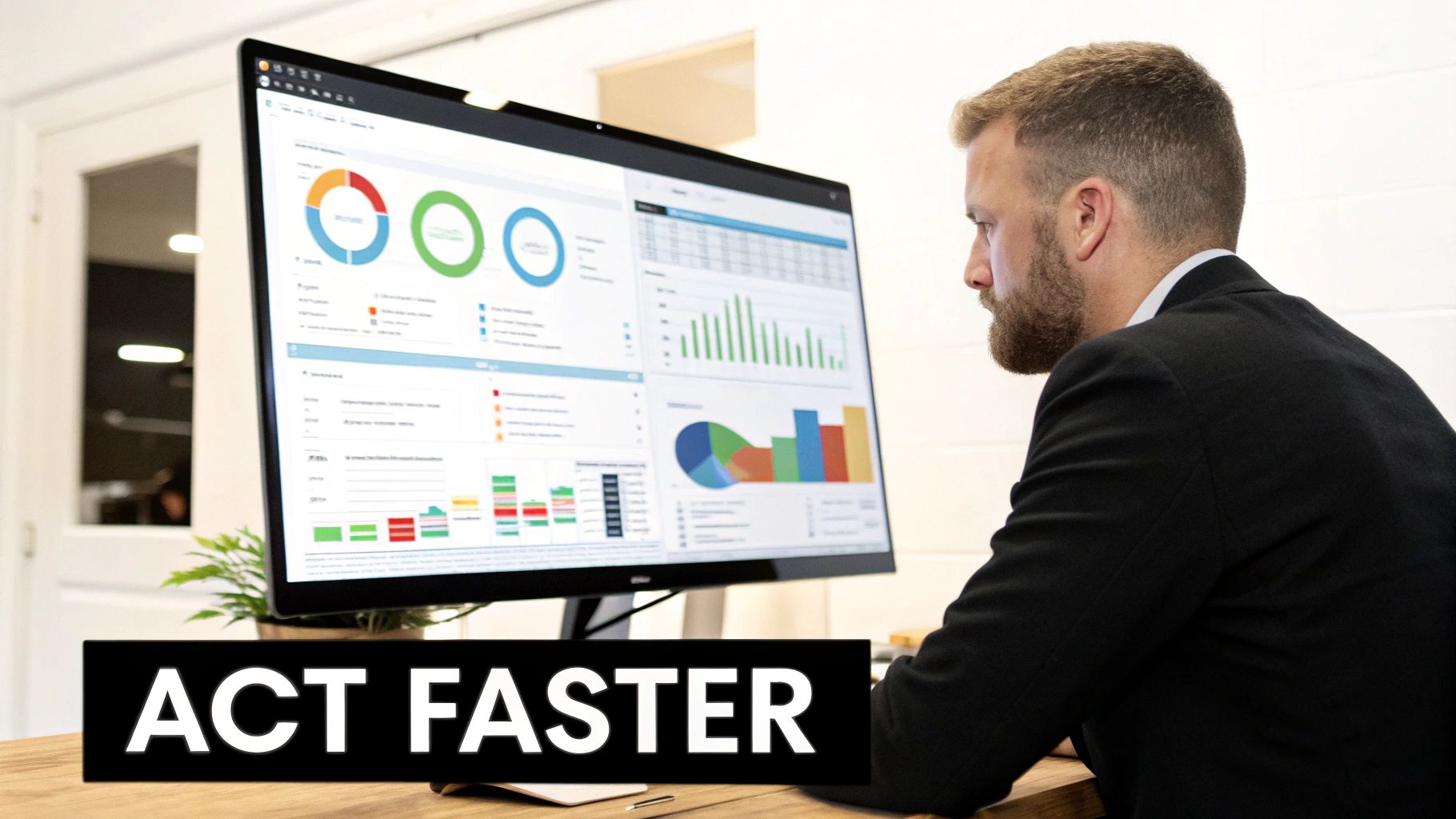
The simple drag-and-drop interface empowers people to explore data without ever needing to write a line of code.
Similarly, a supply chain manager can use self-service BI to instantly investigate logistical issues. By visualizing shipment routes, warehouse inventory, and delivery times on one screen, they can pinpoint the exact location of a bottleneck and take immediate corrective action, preventing costly delays.
Liberating Your Technical Talent
The outcome for your data team is just as profound. A well-executed self-service BI program drastically reduces the flood of ad-hoc reporting requests, freeing them from routine tasks.
Instead of being report factories, data teams are elevated to strategic enablers. They can shift their focus to higher-value projects like building robust data models, optimizing data pipelines, and tackling complex predictive analytics challenges.
This shift maximizes the return on your investment in technical expertise. By empowering business users to handle their own routine analytics, you free up your experts to drive deeper, strategic innovations.
A Unified View and Maximized ROI
Ultimately, self-service BI gets the entire organization looking at the same numbers from a single source of truth. When sales, marketing, and operations all pull from the same governed datasets, departmental silos crumble.
Conversations shift from questioning whose numbers are correct to focusing on what the numbers mean for the business. This alignment drives efficiency and unlocks the full value of your data. Organizations that democratize data this way see a 30% higher business impact within two years. You can learn more about the impact of democratized analytics to dig into these findings. It’s about putting the power of your data directly into the hands of the people who can turn it into action.
Designing Your Self-Service BI Architecture
A successful self-service BI program is built on a strong technical foundation that balances empowerment with control. The goal is to create a reliable environment where a marketing manager feels confident in the sales numbers they’re pulling, while your data teams maintain security and data integrity.
Think of it like a well-run supermarket. Your data teams are the managers, stocking the shelves with high-quality, certified products (your trusted datasets). Your business users are the shoppers, free to pick the ingredients they need to create their own analytical recipes, like a simple report or a complex forecast.
The Foundational Layers Of A Modern Stack
A modern self-service BI architecture is an interconnected system designed to turn raw data into actionable insights for business users.
- Data Sources and Ingestion: This is where data from your CRM, ERP, and other platforms is reliably pulled into one central place.
- Data Storage and Processing: A cloud data platform sits at the core, storing and processing massive volumes of data for analysis.
- Data Transformation and Modeling: Raw data is cleaned, combined, and structured into logical business models. This is where you define critical metrics to establish a single source of truth.
- Analytics and Visualization: This is the user-facing layer with intuitive BI tools, letting users build dashboards and explore data on their own, no code required.
A well-designed architecture means when a user drags "Total Sales" into their dashboard, they are pulling from a pre-approved, governed metric that the entire company has agreed upon. This ensures consistency and trust in the data.
The Central Role Of Cloud Data Platforms Like Snowflake
Modern self-service BI needs a powerful and flexible engine, which is why cloud data platforms like Snowflake have become the centerpiece of many architectures. Snowflake’s design separates storage from compute, allowing you to run a massive data transformation job without slowing down the dashboards your finance team relies on. This ability to support many users querying data simultaneously is crucial for any enterprise-wide BI initiative.
Here’s a glimpse of the Snowflake platform, which functions as the core engine for many modern data stacks.

This kind of architecture can handle everything from heavy-duty data engineering to snappy, interactive analytics within a single, governed environment. By centralizing data in a capable platform, organizations can manage complex datasets more effectively. For a concrete example, see how we managed time-series data with Snowflake to understand how these capabilities deliver real-world outcomes.
Key Components Of A Modern Self-Service BI Stack
To bring it all together, here are the essential technology layers for a scalable self-service analytics platform.
LayerPurposeExample TechnologiesData IngestionMoves raw data from source systems into the data platform.Fivetran, Stitch, AirbyteData PlatformStores, processes, and secures all organizational data at scale.Snowflake, Google BigQuery, Amazon RedshiftTransformationCleans, models, and prepares data for business consumption.dbt (Data Build Tool), MatillionAnalytics LayerProvides the user-facing interface for data exploration and visualization.Tableau, Power BI, Looker
Building this stack creates a robust pipeline that delivers trusted, analysis-ready data straight into the hands of your business users, turning data into a genuine organizational asset.
Implementing Governance Without Killing Agility

How do you give business users the freedom of self-service BI without inviting chaos? Unchecked access can lead to inconsistent metrics and a loss of trust in the data. The solution is to build freedom within a framework, balancing user autonomy with centralized control. IT's role shifts from being a gatekeeper to an enabler of confident, secure data exploration.
Building The Governed Data Foundation
The strategy hinges on establishing a single source of truth. Your data teams curate and certify core data models, embedding pre-approved business logic and standardized metrics. For example, a "certified" sales dataset would have one undisputed definition for "Net Revenue." Business users can then connect to this trusted source to build reports, knowing the foundational numbers are solid.
It’s like a professional kitchen. The head chef (your data team) preps high-quality ingredients (certified data models). The line cooks (your business users) can then creatively combine those ingredients to make their own unique dishes (reports and analyses) without questioning the quality of the base components.
Essential Governance Practices In Action
With a certified data foundation in place, you can layer on controls to manage access and protect information. These are guardrails that make widespread data access safe and scalable.
- Role-Based Access Control (RBAC): This ensures people only see data relevant to their role. A regional sales manager sees their territory's data, while an executive gets the global view. This prevents unauthorized access and keeps dashboards focused.
- Data Masking and Anonymization: When dealing with sensitive information like PII, this technique automatically hides or swaps out sensitive fields. This protects privacy while still allowing for critical analysis.
- Data Catalogs for Discoverability: A data catalog acts as a searchable library for your company's data, providing context, definitions, and ownership for every certified dataset. This cuts down on confusion and stops people from creating redundant or incorrect reports.
By combining a single source of truth with these governance measures, you create a self-service BI environment that just works. Business users get the speed they need, and technology leaders maintain the security and consistency required at an enterprise scale.
Your Roadmap to a Successful Rollout
Deploying self-service BI is a strategic mission, not just a software installation. A successful rollout is a phased journey that builds momentum by treating it as a cultural shift, not just a technical project. The key is to start small, prove value quickly, and create internal champions.
Phase 1: Launch a Targeted Pilot Project
Instead of a risky, big-bang rollout, begin with a small, focused project. Identify a single department, like marketing or sales, that is hungry for data. The goal is to score a quick, visible win that solves a real business problem.
Work with this pilot group to identify their biggest analytical challenge, such as tracking campaign ROI or understanding regional sales performance. Build the pilot around delivering a direct solution to that pain point.
By solving a real problem for a specific team, you create your first internal champions. Their success stories become your most powerful marketing tool for driving adoption across the organization.
Phase 2: Develop a Robust Training Program
With a successful pilot complete, prepare for a broader launch by investing in education. User adoption is the make-or-break factor, and it depends on how comfortable your people are with the tools and the data.
Your training must focus on building data literacy—the ability to read, work with, analyze, and communicate with data.
- Tool-Specific Training: Run hands-on workshops on the basics of your BI platform, such as connecting to data, building a dashboard, and applying filters.
- Data Interpretation Skills: Host sessions on the fundamentals of data analysis, teaching teams how to spot trends, identify outliers, and avoid common misinterpretations.
- Best Practices: Share guidelines for building clear, effective dashboards that tell a compelling story and are easy for others to understand.
This educational push empowers your teams, builds confidence, and turns them into active participants in the analytical process.
Phase 3: Establish a Center of Excellence
As your self-service BI program scales, create a central hub to offer support and maintain standards. This Center of Excellence (CoE), staffed by experts from IT, data, and business teams, acts as an enabler, not a gatekeeper.
The CoE’s main jobs include:
- Providing Ongoing Support: Acting as the go-to resource for users with questions or who need help with a tricky analysis.
- Sharing Best Practices: Highlighting exceptional dashboards and creative use cases from around the company to inspire other teams.
- Maintaining Data Governance: Working with IT to certify new data sources, ensuring the foundational data remains trusted and secure.
Phase 4: Measure Outcomes, Not Just Activity
To prove the investment was worthwhile, you must track metrics tied directly to business outcomes and operational efficiency.
Focus on KPIs that show a clear return on investment:
- Reduction in Time-to-Insight: How much faster are users getting answers compared to waiting for IT-led reports?
- Decrease in Ad-Hoc Report Requests: A steep drop in routine reporting tickets to your data team is a great sign that self-service is working.
- Specific Business Improvements: Draw a direct line from dashboard usage to tangible results, such as a 15% increase in marketing campaign conversion rates or a 10% reduction in supply chain costs.
By measuring these outcome-focused KPIs, you can demonstrate the strategic value your self-service BI program brings to the entire organization.
Choosing the Right Self Service BI Platform
Picking the right self-service BI platform is a critical decision. You are investing in the engine that will power your company's daily decisions. The goal is to find a tool that business users love but that also meets the governance and scalability needs of your technical teams.
The market for these tools is booming, with projections showing the global self-service BI space hitting USD 54.9 billion by 2035. This growth is fueled by major players like IBM, Microsoft, Tableau, SAP, and Qlik Technologies.
Essential Features for Business Users
If a tool is complicated, your team won't use it. For most employees, the platform must be intuitive from the start.
- Intuitive Drag-and-Drop Interface: Users need to build reports by simply dragging data fields onto a canvas. This visual approach makes data exploration feel natural.
- Natural Language Query (NLQ): When someone can type a question like "show me top 10 products by sales last quarter" and get a chart, you've removed a massive barrier to adoption.
- Pre-Built Templates and Visualizations: A library of chart types and dashboard layouts gives users a running start, helping them create clear and effective reports from day one.
An interface built for business users lets people navigate complex information and uncover insights on their own, without filing a ticket with IT.
Key Considerations for Technical Teams
While a user-friendly front end is essential, the platform's backend must be rock-solid. Your technical leaders will focus on power, security, and compatibility with your existing data architecture.
The best self-service BI platform acts as a seamless bridge between your complex data infrastructure and your curious business users. It must empower exploration while enforcing the rules of governance you've carefully established.
Here's what your tech team will evaluate:
- Broad Data Source Connectivity: The tool must connect effortlessly to your data sources, especially modern cloud data platforms. Native connectors are vital for a responsive user experience. For companies building on a cloud warehouse, collaborating with a Snowflake partner can ensure your BI tool is optimized for performance.
- Scalability and Performance: As you add more data and users, the platform cannot slow down. It needs to handle thousands of simultaneous queries against terabytes of data and return answers in seconds.
- Enterprise-Grade Security and Governance: The platform must inherit and enforce the security rules defined in your data sources. Look for features like row-level security, data masking for sensitive columns, and integration with your identity provider for single sign-on (SSO).
By carefully weighing both the user experience and the technical foundation, you can select a self service BI platform that truly empowers everyone in your organization.
Common Questions About Self-Service BI
As leaders consider shifting toward data autonomy, a few key questions always come up. Addressing these concerns early builds confidence and helps ensure a smooth transition.
How does self-service BI differ from traditional reporting?
The main difference is who is in control. Traditional reporting is a passive experience where business users receive a static report built by a data team.
In contrast, self-service BI is an active, hands-on process. It puts business users in direct control, allowing them to explore governed data, ask follow-up questions, and build their own visualizations. The focus shifts from consuming information to actively exploring it.
A modern self-service BI strategy isn't about creating a data free-for-all. It's about establishing freedom within a secure, well-governed framework, ensuring you get agility without sacrificing data integrity.
Will this create a security risk for our data?
No—not when implemented correctly. A solid self-service BI program is built on a strong governance foundation managed by IT and data teams. They maintain full control over the backend, implementing essential practices like role-based access controls, data masking for sensitive information, and certified datasets to ensure a single, trusted source of truth.
Do our employees need to be data scientists?
Absolutely not. The goal is to make data accessible to everyone, not to turn every employee into a technical expert. The best self-service BI tools are designed for non-technical users, with intuitive drag-and-drop interfaces and plain-language queries. This approach truly democratizes data, letting anyone find insights relevant to their role.


