
Your team shipped an internal AI assistant. On day one, a supply-chain planner asks it for a Snowflake query to explain late deliveries. The model returns polished SQL, a neat summary, and a confident recommendation to reroute drivers. None of it is usable. The SQL references tables that don't exist, the summary ignores today's fleet exceptions, and the recommendation crosses an approval boundary the tool was never meant to touch.
That failure usually isn't about model intelligence. It's about missing operating discipline. The prompt didn't define the role tightly enough. The system lacked validated business context. The output had no enforceable contract. Security and approval rules stayed implicit. Nobody set up a test set to catch the drift before users saw it.
That's why prompt engineering best practices in enterprise settings go beyond clever phrasing. They connect prompt design to business outcomes, approved data sources, safety controls, observability, and sustainable runtime cost. Recent survey literature also frames prompts as first-class control interfaces for AI systems, which is why clear instructions, context, and output guidance matter so much in production according to this systematic survey on prompting and foundation models.
The eight practices below treat prompts as operational assets. They cover how to shape model behavior, how to feed the right context, and how to keep outputs reliable after model, policy, and workflow changes. The examples stay grounded in enterprise work: Snowflake analytics, fleet operations, healthcare workflows, and energy management. If you want a complementary primer before diving in, this overview of practical prompt engineering techniques is a useful companion.
1. Specificity and Role Definition
The fastest way to improve enterprise output quality is to remove ambiguity from the first sentence. Tell the model what it is, what job it's doing, and what it must not do.
If you're building a fleet geofencing agent, “analyze this route data” is weak. “You are a route optimization engine for fleet exception handling. Return structured JSON with coordinates, ETA impact, and geofence violation type” is much harder to misread. OpenAI-aligned guidance summarized by LaunchDarkly recommends placing instructions first and being specific about the desired outcome and output format in this prompt guidance summary.

What strong role prompts look like
In Snowflake workflows, role definition is often the difference between runnable output and cleanup work for engineers. A useful prompt says, “You are a SQL query generator for time-series IoT data in Snowflake. Use only approved schemas. Return executable SQL only.” That prompt narrows the task, the platform, and the output contract.
Healthcare prompts need even tighter boundaries. A workable instruction is closer to “You are a HIPAA-conscious clinical summarizer. Remove direct identifiers, summarize only the supplied record, and return a short assessment plus follow-up questions.” The model now has a domain role, a privacy posture, and a formatting rule.
Practical rule: Put the role, task, and output format in the opening lines. Don't hide critical constraints in the last paragraph of the prompt.
A short structure usually works best:
- Role: Define the operating identity, such as Snowflake analyst, geofencing engine, or care-summary assistant.
- Scope: Name the exact job, such as optimize one query, classify one alert, or summarize one encounter.
- Constraints: State business rules, approval limits, or privacy restrictions explicitly.
- Output contract: Require JSON, SQL, XML, or a fixed narrative template.
Specificity doesn't mean writing longer prompts. It means writing narrower ones. A concise prompt with a crisp role and a strict deliverable usually beats a long prompt full of mixed goals.
2. Few-Shot Examples and In-Context Learning
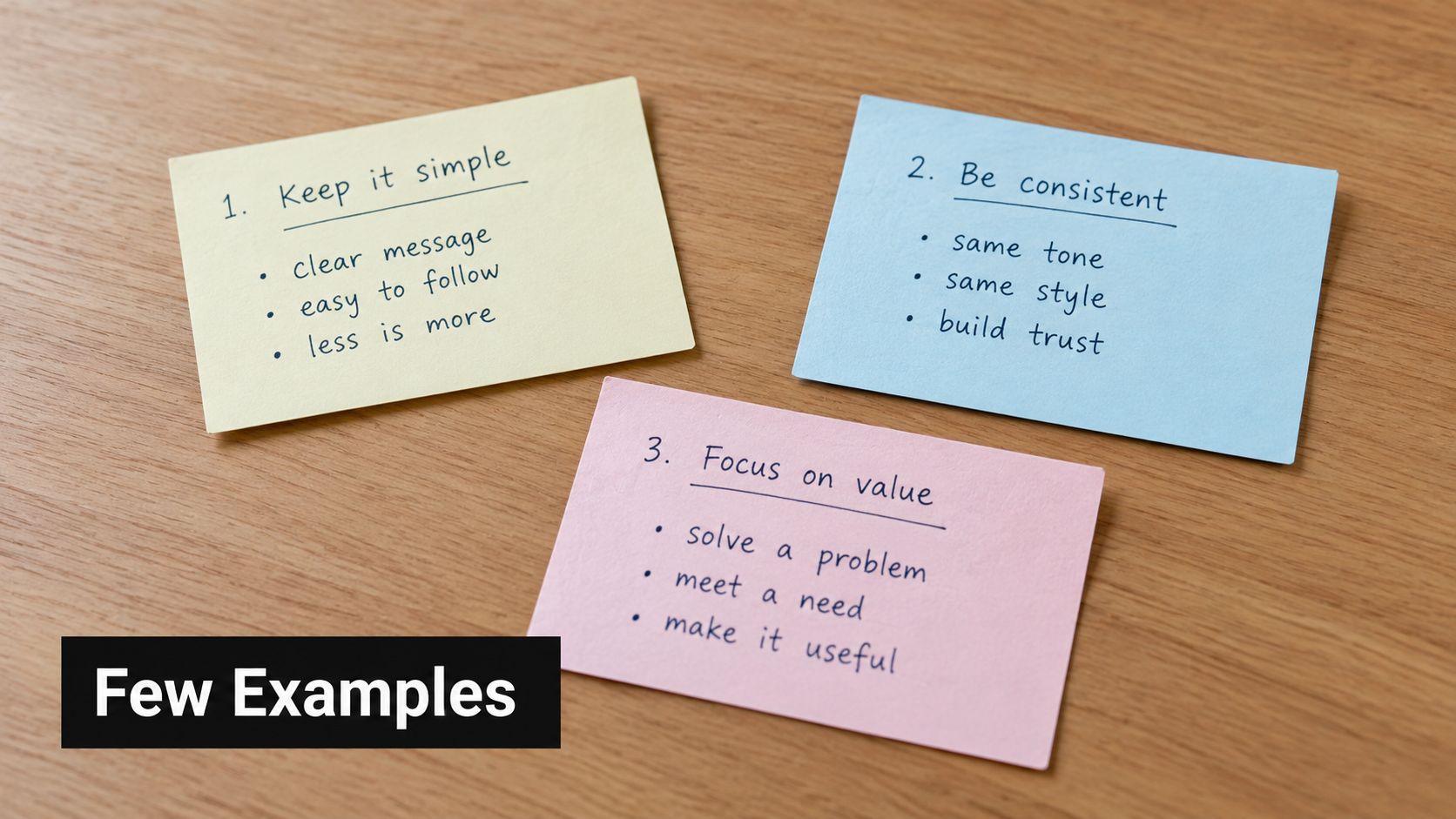
When a task has nuance, examples beat explanation. Instead of telling the model what “good” looks like, show it.
That's especially true in enterprise environments where formatting, exception handling, and domain vocabulary matter more than generic fluency. Benchmarked prompting research has given few-shot methods their authority. A 2026 statistical roundup reports that few-shot prompting improved zero-shot performance by 18% to 30% on GLUE tasks in this benchmark summary of prompting methods.
Use examples to teach edge behavior
In an energy management system, raw sensor streams often produce alerts that are technically correct but operationally noisy. A few-shot prompt can teach the model which combinations of sensor readings should become an alert, which should be ignored, and how severity should be worded for the operations team.
For geofencing, examples can show the model how to map GPS coordinates and timestamps into a normalized violation event. In Snowflake query generation, examples can show the difference between a slow query pattern and an approved optimized version using your team's naming conventions.
Good few-shot sets usually include:
- Typical cases: The most common inputs your team sees in production.
- Boundary cases: Near-threshold events, missing values, or conflicting fields.
- Failure cases: Inputs that should trigger clarification, abstention, or escalation.
Show examples taken from sanitized production traffic when you can. Synthetic examples often look clean in testing and weak in production.
A common mistake is stuffing too many examples into one prompt. After a point, examples compete with the actual task and consume context budget that should hold live data. In practice, a compact set of representative examples is easier to maintain and usually easier for the model to follow than a giant library pasted into every request.
3. Chain-of-Thought Prompting for Complex Logic
Some enterprise tasks aren't simple classification or extraction jobs. They require ordered reasoning across multiple conditions, and that's where stepwise prompting helps.
If a smart-building assistant needs to review occupancy patterns, identify peak usage windows, suggest HVAC changes, and explain the recommendation, a one-line instruction often produces a shallow answer. Asking for a staged process improves the odds that the model handles each dependency in order.
Why stepwise reasoning matters
Chain-of-thought prompting gained influence because it improved benchmark performance. A 2026 statistical roundup reports that chain-of-thought prompting improved accuracy by about 25% on average across benchmarks in this statistical review of prompting techniques. In regulated settings, the value isn't only accuracy. It's also traceability.
Healthcare claims review is a good example. A claims assistant may need to extract demographics, check policy coverage, identify coding requirements, and then recommend approval, denial, or human review. Breaking that reasoning path into explicit stages makes errors easier to catch before downstream action.
A better enterprise pattern
Use process markers directly in the prompt. For example:
- Step 1: Extract relevant fields from the source record.
- Step 2: Compare them against policy or operating rules.
- Step 3: Identify exceptions, conflicts, or missing evidence.
- Step 4: Return a final recommendation and confidence notes.
Telecom and energy use cases benefit from the same structure. A network optimization assistant can analyze current bandwidth usage, identify congestion patterns, simulate topology changes, and then recommend one action with a rationale. An energy assistant can move from occupancy forecast to peak usage interpretation to HVAC recommendation in a controlled sequence.
Ask for intermediate reasoning when humans need to review the logic. Skip it when the task is simple extraction and latency matters more than explanation.
There's a trade-off here. More explicit reasoning can improve reliability on complex tasks, but it can also increase response length and runtime cost. Use it where logic quality matters, not by default for every prompt in the stack.
4. Iterative Refinement and Prompt Versioning
Most prompts don't fail because they were written badly the first time. They fail because nobody treated them like production artifacts after the first draft.
Enterprise teams change policies, schemas, tool permissions, and model versions. A prompt that worked last month may degrade after any of those changes. That's why prompt engineering best practices need version control, review history, and measured revisions rather than one-shot editing in a chat window.

Prompt changes need a release process
A 2025 enterprise survey found that more than 55% of respondents said they frequently or occasionally revise prompts, and it also recorded strong use of structured prompting patterns such as role prompting, chain-of-thought, and instruction prompting in this enterprise prompting survey. That aligns with what engineering teams see in practice. Good prompts rarely stay frozen.
Treat prompt updates the way you treat API changes:
- Version each prompt: Track prompt text, model target, owner, and release date.
- Record the reason: Note what failed, what changed, and what behavior the revision is meant to improve.
- Test before rollout: Run the candidate prompt against a stable set of representative scenarios.
- Keep rollback simple: If a revision degrades output, restore the previous version quickly.
In Snowflake analytics, one version may generate correct SQL but ignore cost discipline. A later version may add warehouse or partition-awareness. In fleet alerts, one version may be concise but omit the driver context dispatchers need. Versioning makes those trade-offs visible instead of anecdotal.
What doesn't work
Teams often keep prompts in documents, tickets, or copied snippets across services. That makes review difficult and rollback messy. It also breaks auditability when someone asks which prompt generated a customer-facing recommendation.
Prompt refinement works best when the team agrees on success criteria before editing. Otherwise, every revision becomes a style debate instead of an output-quality decision.
5. Constraint-Based Prompt Engineering for Security and Compliance
Many teams still treat security controls as middleware around the prompt. That's incomplete. The prompt itself should carry security and compliance boundaries in plain language.
If the model handles healthcare records, financial data, or infrastructure instructions, it needs explicit rules for masking, abstaining, escalating, and logging. Vague safety wording isn't enough when the output could expose private data or trigger the wrong action.
Guardrails belong in the prompt
A useful healthcare prompt says, “Never output patient names, MRNs, or dates of birth. Summarize only the minimum necessary clinical detail. If consent status is missing, flag for review.” For a telecom or financial workflow, the prompt may require masking account numbers, checking user role, and refusing to expose contract terms without authorization.
A 2025 benchmarking study found that a security-focused prompt prefix reduced the occurrence of security vulnerabilities by up to 56% for GPT-4o and GPT-4o-mini in this study on secure prompt engineering. That's actionable. Security language in the prompt can materially change model behavior.
AI escalation flows for customer support offer a helpful adjacent pattern when a system needs to defer risky cases to a human.
Separate business logic from safety logic
Don't bury security rules inside workflow instructions. Keep them distinct so reviewers can inspect them quickly.
- Privacy constraints: What data must never appear in output.
- Action constraints: What the model may suggest but may not execute.
- Approval constraints: Which cases require human review or two-step approval.
- Audit constraints: What the system must log for later review.
Security prompts work better when they're tested against adversarial inputs, not just normal traffic.
Energy management is a good example. A model can help summarize anomalies by region while being prohibited from revealing facility-specific vulnerabilities or recommending changes to critical systems without approval. That's a prompt design decision, a governance decision, and a production-risk decision at the same time.
6. Structured Output Schemas and Validation
A support bot closes a ticket with a fluent answer, but the billing system cannot use it because one field is missing and another arrives as free text instead of a status code. That is a prompt engineering failure, but it is also an interface design failure.
Structured output matters when model responses trigger workflows, update records, or feed another service. In those cases, the prompt is only one layer of the contract. The application also needs a defined schema, validation rules, and a recovery path when the model returns something close to correct instead of correct.
Set the contract before writing the prompt. For a fleet management API, that could mean latitude, longitude, timestamp, geofence_id, violation_type, and driver_id. For Snowflake ingestion, the output should match the approved table structure before anything reaches an INSERT step. For an EMS alert feed, define fields such as severity, facility_id, metric_name, threshold, current_value, and recommendation.
That design work belongs with the team that owns the downstream system, not just the person tuning prompts.
A good prompt names the fields, the allowed types, and the expected behavior for missing values. It should also tell the model to return valid output only. Microsoft guidance, summarized in this overview of prompting guidance, points to the same practical goal: reduce interpretation space so the model has fewer ways to be almost right.
Schema work also changes how teams document AI-enabled processes. The same machine-readable discipline shows up in technical documentation modernization work, where documentation has to serve both human operators and software systems.
Prompts alone will not enforce the contract every time. Validation has to live in the application layer.
Use a validator to check:
- required keys
- field types
- enum values
- date and timestamp formats
- null handling rules
- confidence or escalation flags, if the workflow requires them
Then decide what happens on failure. Retry with a repair prompt. Drop the response and request regeneration. Route the case to a human queue. Log the invalid payload for review. Different workflows need different choices. A customer-facing chat reply can tolerate a retry. An automated finance or operations action usually needs stricter rejection rules and fuller audit logs.
The trade-off is real. Tight schemas reduce flexibility and can make prompts feel less natural to write. They also make production systems easier to test, monitor, and trust. That is the better bargain when prompt engineering is part of software delivery, governance, and measured operational performance.
7. Context Window Optimization and Retrieval-Augmented Generation
A claims assistant returns a confident answer using last quarter's policy language. The prompt was clear. The system still failed because the model received the wrong supporting context.
That is the operational side of prompt engineering. Prompt quality depends on how the application selects, filters, and delivers business context at runtime. Teams that treat this as a prompt-writing exercise usually overfill the window with manuals, tickets, and policy dumps. Costs rise, latency grows, and answer quality often drops because the model has to sort through noise.
A systematic survey of prompting and foundation models describes prompt engineering as a practical method for steering behavior without updating model parameters, including across domains and tasks in this survey on prompting interfaces. In production, that steering depends as much on retrieval design as on prompt phrasing.
Consider the difference between three enterprise workflows. A Snowflake optimization assistant needs the current schema, approved query patterns, and a small set of relevant performance notes. A healthcare eligibility workflow needs the member's current coverage state, applicable policy rules, and recent claim context. A fleet dispatch assistant needs live vehicle status, route constraints, and recent dispatch history. In each case, the hard part is not asking better. It is supplying only the context that matters now.
This explainer on productivity tips for LLM context windows is useful if you're tuning how much context to pass into each call.
A short walkthrough helps here:
The practical design question is simple: what should enter the context window, in what form, and under what retrieval rules?
Use four checks:
- Relevance. Retrieve documents tied to the current task, not the whole knowledge base.
- Freshness. Prefer current policies, schema definitions, status records, and tool outputs.
- Granularity. Store and retrieve content in chunks small enough to be useful on their own.
- Coverage. Include enough surrounding detail to avoid false assumptions, but not so much that the model misses the governing instruction.
Those checks affect software delivery decisions. Chunk size changes retrieval accuracy. Metadata design affects filtering by customer, policy version, geography, or business unit. Caching can reduce cost, but stale caches can spread outdated instructions. Governance matters here too. If retrieval can pull superseded SOPs or cross-tenant data, prompt engineering has already failed before generation starts.
A 2025 enterprise-focused source argues that context engineering is becoming more important than prompt phrasing alone, and also notes weak prompt management practices across teams in this enterprise prompt operations article. That matches what shows up in production systems. Retrieval quality, source hygiene, and release controls often have more impact than another round of wording edits.
The trade-off is straightforward. Narrow retrieval lowers token use and sharpens outputs, but it can miss edge-case context. Broad retrieval improves recall, but it increases latency, cost, and distraction inside the prompt. Strong teams measure that balance at the workflow level, then tune retrieval, ranking, and context assembly as part of the application, not as a one-time prompt tweak.
8. Monitoring, Evaluation, and Continuous Learning
A prompt ships cleanly on Friday. On Monday, the model provider updates a model family, legal publishes a revised policy, or an upstream tool changes its response format. The prompt text may be unchanged, but the workflow output is not. Production prompt engineering depends on detecting that drift early, attributing it to the right layer, and deciding whether to tune the prompt, the retrieval logic, the tool contract, or the release process.
The unit of measurement is the business task.
A support triage flow should be judged on routing accuracy, escalation quality, and whether agents can act on the output without cleanup. A SQL generation workflow should be judged on execution success, schema compliance, and downstream review burden. A dispatch workflow should be judged on false positives, operator trust, and policy alignment. Teams that monitor only prompt wording or model style miss the operational failure modes that create cost.
Good evaluation works at three levels:
Offline checks catch regressions before release. Keep a fixed set of real tasks, expected outputs, and edge cases. Re-run them whenever you change prompts, models, retrieval settings, tool definitions, or validation rules.
Online monitoring shows what changed in production. Log prompt version, model version, retrieved context, tool calls, validator failures, latency, and the final business outcome where available. Without that record, root-cause analysis turns into guesswork.
Human review covers what automated scoring cannot. Review a sample of routine outputs, not just severe failures. Small formatting drift, softer policy language, or a change in confidence wording can create rework long before a hard failure appears in dashboards.
This is also where prompt engineering stops being a writing exercise and becomes an operating model. Product owners define success criteria. Engineers instrument the workflow. Domain reviewers score nuanced outputs. Compliance teams set approval thresholds for high-risk use cases. Release managers decide what can auto-deploy and what needs a gate.
One useful pattern is a simple decision table:
SignalLikely causeActionFormat failures increasePrompt drift, model behavior change, validator mismatchCheck schema instructions, parser assumptions, and model release notesAnswer quality drops, retrieval looks normalPrompt regression or model updateCompare prompt versions on the same test setHallucinations increase after content updatesSource quality or retrieval ranking issueReview indexing, metadata, and source freshnessLatency rises with stable qualityContext assembly or tool overheadInspect retrieval breadth, tool calls, and timeout settings
The trade-off is practical. Broader monitoring gives better visibility, but it adds logging cost, review time, and governance overhead. Narrow monitoring is cheaper, but teams often discover issues through customer complaints or manual rework. For higher-risk workflows, that is a poor bargain.
A good reference point comes from production vision systems in logistics. The evaluation discipline described in this AI model evaluation approach for truck visual identification workflows maps well to prompt-driven systems too. Use representative test cases, inspect edge conditions, and compare versions before rollout.
Continuous learning should change the system, not just the prompt. If reviews show frequent failures on one policy type, add missing examples, tighten retrieval filters, revise tool constraints, or update escalation rules. If operators keep correcting the same output pattern, feed that signal into backlog prioritization and release criteria. That is how prompt engineering supports production reliability over time.
8-Point Prompt Engineering Best Practices Comparison
Technique🔄 Implementation Complexity⚡ Resource Requirements⭐ Expected Outcomes📊 Ideal Use Cases💡 Key Advantages / TipsSpecificity and Role DefinitionModerate, upfront prompt design and testingLow–Medium, design time; minimal tokens20–40% fewer prompt iterations; more consistent responsesProduction agents, SQL/query generators, constrained workflowsDefine role first; specify output format/schema; test across modelsFew-Shot Examples and In-Context LearningLow–Moderate, curate representative examplesMedium, consumes token budget per prompt60–70% accuracy uplift on domain tasks (no fine-tuning)Structured outputs (queries, schemas), domain-specific transformsProvide 2–5 high-quality examples; order simple→complex; refresh periodicallyChain-of-Thought PromptingHigh, needs stepwise scaffolding and parsingHigh, increases token usage and latency30–50% improved reasoning and explainabilityMulti-step decisioning, regulated workflows (healthcare, finance)Use explicit step markers; request assumptions; log intermediate stepsIterative Refinement & Prompt VersioningModerate–High, requires process, A/B testing infraMedium, tooling for tests, tracking, and CI15–25% quality improvement per quarter with systematic optimizationLong-lived deployments, teams managing model drift and rolloutVersion prompts (Git), define success metrics, run A/B tests and document deltasConstraint-Based Prompting (Security & Compliance)Moderate, needs legal/compliance collaborationLow–Medium, review, monitoring, and enforcementPrevents data exposure; enables regulatory compliance (near zero incidents)Healthcare, finance, critical infrastructure, privacy-sensitive appsEmbed non-negotiable guardrails; test adversarial inputs; include audit loggingStructured Output Schemas & ValidationModerate, schema design + validation logicMedium, validators, schema maintenance, fallback handling99%+ successful integrations; minimal parsing errorsAPIs, data ingestion (Snowflake), automated pipelinesProvide schema and examples in prompt; validate client-side; version schemasContext Window Optimization & RAGHigh, retrieval pipeline and ranking tuningHigh, vector DB, embeddings, caching, extra latency25–35% accuracy gain; 50–60% token cost reduction when done wellLarge knowledge bases, dynamic document grounding, up-to-date answersBuild embeddings, use semantic+keyword search, limit top 3–5 docs, cache resultsMonitoring, Evaluation & Continuous LearningHigh, observability, analytics, feedback loopsHigh, logging, dashboards, human review, alertingSustained 95%+ production accuracy; 15–20% quarterly improvementsProduction AI, SLA-driven systems, compliance/audit requirementsDefine KPIs, sample logs, set alerts, schedule reviews and prompt refinements
Turn Prompt Quality Into Production Reliability
Strong prompts aren't enough on their own. Enterprise reliability comes from an operating sequence. Define the role and hard constraints first. Supply only the context the model needs. Require a validated output contract. Store prompts as versioned assets. Evaluate them against representative scenarios before release. Then watch production outcomes closely enough to catch drift, policy mismatch, and context failures before users do.
That sequence matters because enterprise AI usually fails at the seams. A model may reason well but use stale context. It may produce the right answer in the wrong format. It may respect the task but ignore the approval boundary. It may work in a demo and degrade after a model revision. Prompt engineering best practices only create business value when they connect language design to data integration, application logic, governance, and production measurement.
A practical starting point is smaller than many expect. Pick one workflow that already has a visible business owner. Good candidates include Snowflake query assistance for analysts, geofencing exception summaries for dispatch, care-summary drafts for internal healthcare review, or alert triage in an energy management console. Document the success metrics and the failure modes in plain language. Decide what the model must do, what it must never do, what context it needs, and what output shape the rest of the system can accept.
Then build a small evaluation set from real examples. Keep it representative rather than huge. Include routine cases, edge cases, and a few failure cases where the correct behavior is to abstain, ask for clarification, or escalate. Make one controlled prompt revision at a time so your team can tell which change helped. Once that loop is stable, expand carefully into more agentic workflows, where tools, approvals, and side effects raise the stakes.
This is also the point where outside implementation help can make sense. Organizations that need support connecting Agentic AI to custom software and Snowflake-centered data solutions may find Faberwork LLC relevant. Faberwork LLC works in Agentic AI, custom software, and Snowflake-centered data solutions, and the company background notes more than 20 years of experience, 50 dedicated engineers, and over two million project hours. For teams moving from experimentation to production, that kind of engineering support is often less about writing better prompts and more about building the systems around them so the prompts remain reliable.


