
A customer calls to ask where the technician is. Your dispatcher doesn't know the job is running late, the technician's last update sits in a text thread, and the next appointment is already at risk. That gap between what's happening in the field and what the office can see is where mobile workforce management earns its keep, or fails to.
What Mobile Workforce Management Actually Coordinates
Start with that late job. The crew found a bigger fault than expected, needed a part that wasn't on the truck, and stayed to make the site safe. The work was sound. The information wasn't. Dispatch learned about the delay from the customer, not from the crew.
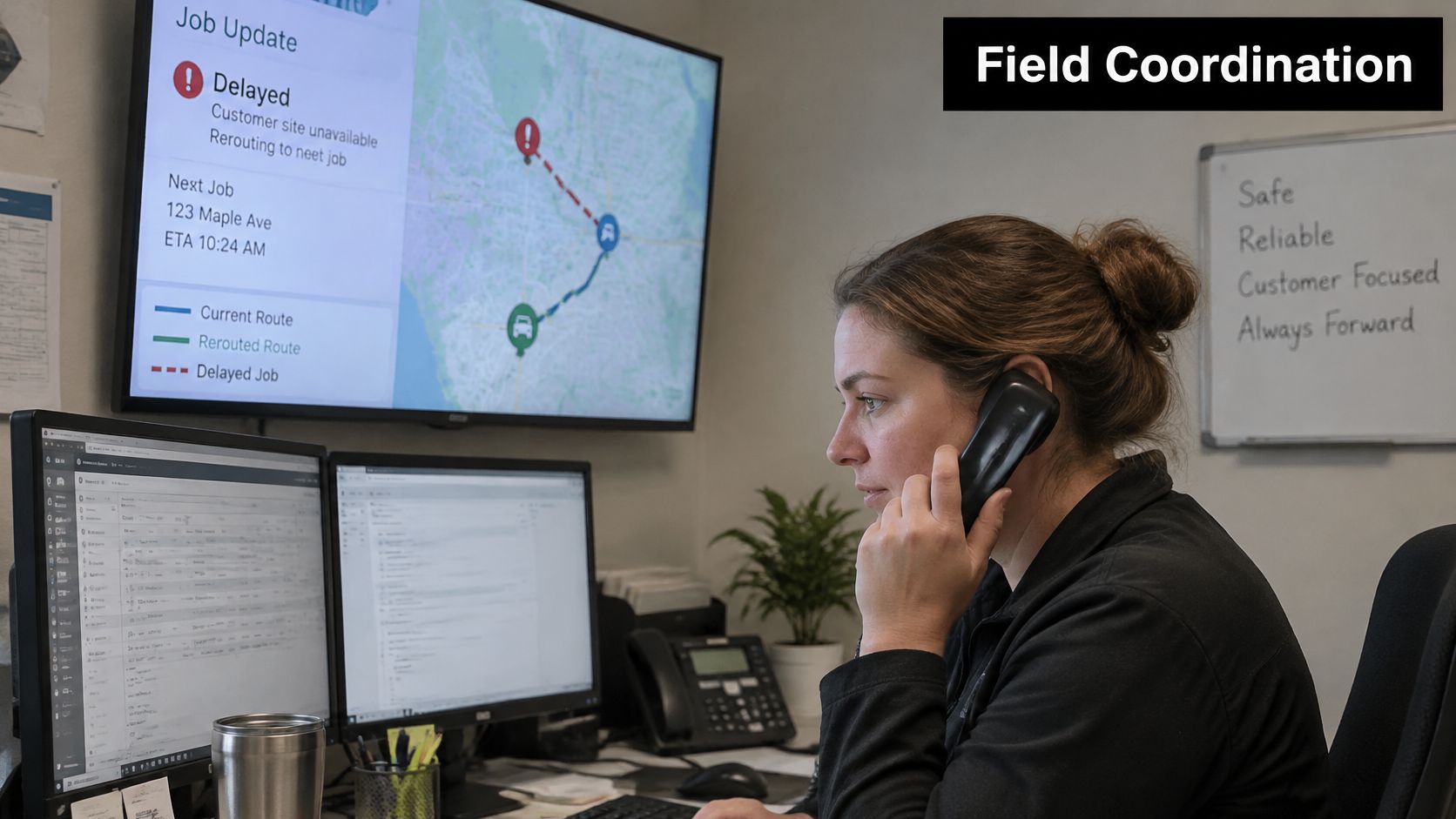
Mobile workforce management is the system that coordinates people who work away from a desk. It decides who is sent, gives them the job record they need on site, follows where work stands, and returns completion to planning without a phone relay. It works as a radio net. The phone is only the handset. Management is the channel plan that tells everyone who speaks, what they report, and how the next decision gets made.
Older Than the Smartphone App
This isn't a remote work idea that drifted into field operations. In a 2008 report, the International City/County Management Association stated that virtually every city and county in the United States had a mobile workforce, meaning employees conducting government business away from a traditional office, cubicle, or meeting room. It treated mobility as operations, not a perk. Its four aims were improving service delivery, reducing costs, supporting sustainability goals, and increasing employee productivity.
That public sector origin still fits. Inspectors, utility crews, drivers, repair technicians, store staff, and workers in customer homes all need the same coordination. Some organizations call it field service, others fleet operations. Teams coordinating volunteers or canvassers face a version of it too, which is why it's useful to compare political campaign field management software when the mobile team is spread across neighborhoods rather than job sites.
A standalone time clock doesn't do this work. It records hours after decisions have already gone wrong. The outcome question is sharper. Did the system shorten the delay between dispatch, worker, and customer enough to change the day?
Outcome Benchmarks Worth Baselining First
A benchmark earns its place only if it measures the delay between dispatch, worker, and customer. Pick two or three rows from this scoreboard that match your operation, measure where you stand now, and leave the rest until those move.
OutcomeWhat changesDocumented benchmarkMission accessWorkers reach records outside the office82% called mobile devices critical to the missionWeekly productivityMore completed work from the same crewAbout 3 extra hours a week; 81% reported a productivity gainAfter-hours spilloverWork no longer waits for the next office day63% worked more at home or after hoursLabor capacityDispatcher and technician time freed for other work5.9 million dollars labor reassignment in a Forrester compositeEnabled marginBetter completion quality and add-on work2.6 million dollars additional margin in the same compositeStop timeFaster handling at pickup and delivery pointsShorter pickup and delivery handling reported in deployed routing programsLocation-tracking savingsGPS visibility plus navigation and routingRecurring savings reported once tracking data feeds routing decisions
What the Early Productivity Numbers Mean
The top rows come from a 2013 survey of 300 U.S. federal employees covered by Nextgov, where 82% considered mobile devices critical to carrying out their agencies' missions and 81% said those devices increased productivity. Respondents reported an average of 3 additional productive hours per week, and more than half claimed at least 5 additional hours weekly. Treat that as a capacity claim you can test locally. Count completed jobs per crew per week before and after a pilot. Logins and app opens prove nothing.
The same survey doubles as a warning. If 63% were working more at home or after normal hours because of mobile devices, part of the gain is spillover rather than efficiency. Track overtime alongside output. A system that produces more completed work by lengthening the day has moved the cost onto workers, and it will resurface later as turnover instead of savings.
Capacity and Margin in the Composite Case
A Forrester Total Economic Impact analysis of a composite organization reported $5.9 million in labor reassignments resulting from productivity gains and $2.6 million in additional margin from enabled revenue opportunities. The modeled organization used route and assignment optimization, mobile applications, and automation covering more than 50% of scheduling requirements. The mechanisms matter more than the totals. Less time per work order, fewer no-shows, and higher first-time-fix rates free people for additional customer work instead of repeat visits.
Where AI-assisted scheduling touches pay, safety, or shift assignments, keep it as governed decision support. A dispatcher who can see why the system recommended a reassignment can override it. A black box that rewrites someone's hours cannot be audited, and a benchmark built on it cannot be trusted either.
Read the composite as a chain you can audit. If automation doesn't reduce repeat rolls or dispatcher handling time in your pilot, the composite total says nothing about your return.
The stop-time and location rows work the same way. Shorter stops only create value if the saved minutes become another completed stop, less overtime, or a tighter arrival window you can keep. Measure travel time between jobs, time at stop, and schedule adherence separately. Blending them hides which lever moved.
Baseline four things this quarter before you buy anything. Travel time, first-time fix, schedule adherence, and overtime tell you more than any vendor demo.
Underneath every row sits one mechanism. A systematic literature review analyzing 1,899 contributions and 94 papers found that appropriately deployed mobile work support can increase responsiveness, reduce costs and errors, improve information access, and raise service quality. The gain comes from cutting information latency. Workers receive schedules, work orders, customer history, and parts data at the point of work, and status flows back while dispatch can still act. An extra app with another login raises latency instead of lowering it, which is why this scoreboard measures outcomes and never tool counts.
Six Capabilities That Close the Field Loop
Treat these six as one circuit. A break anywhere sends the dispatcher back to phone calls.
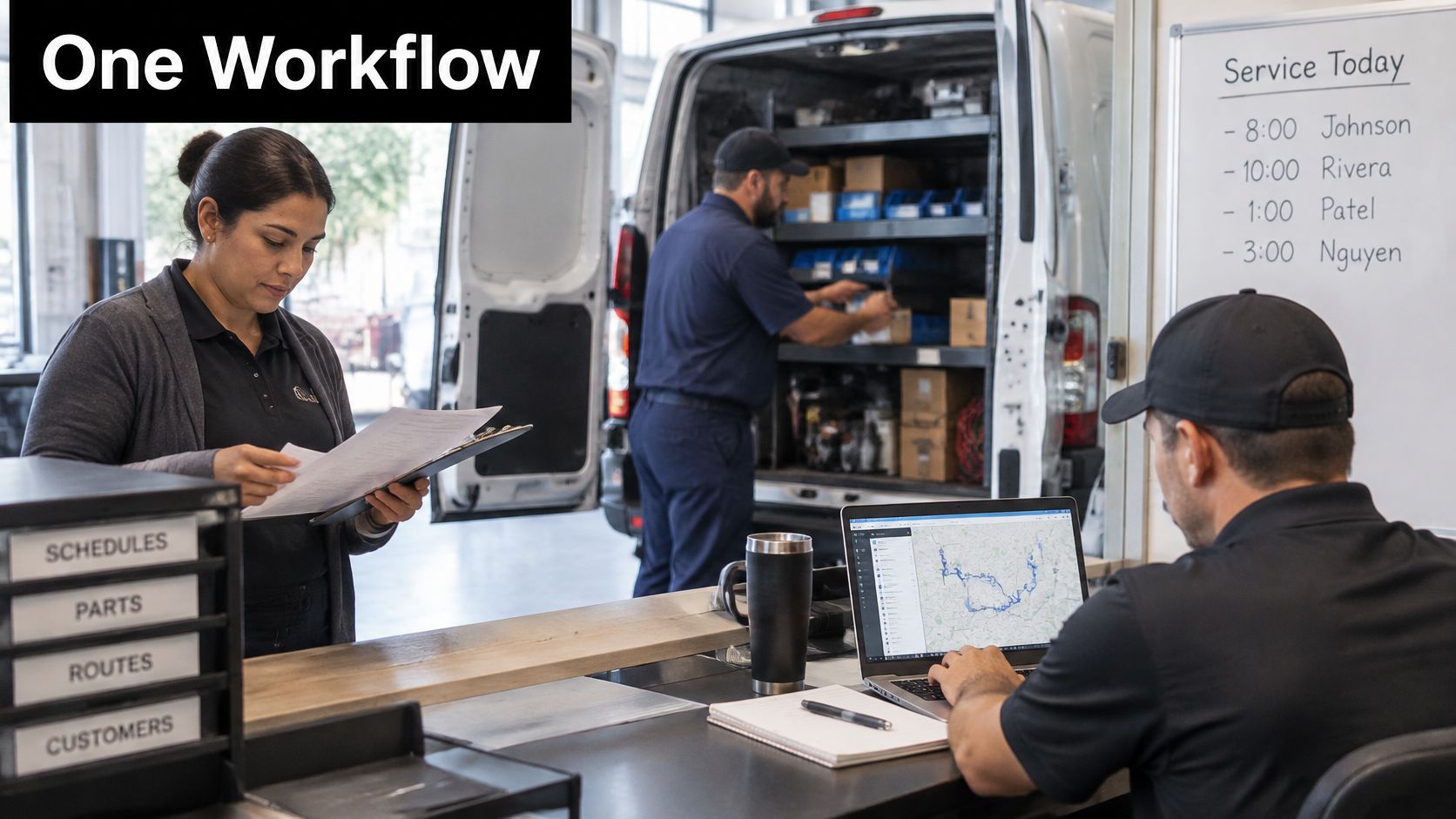
- Scheduling sets the day. It matches skills, parts, promised windows, and travel before anyone leaves. A good schedule isn't the fullest one. It's the one that survives the first overrun.
- Dispatch changes the plan. When a job runs long, a worker calls out, or urgent demand lands, the new assignment reaches the device with address, history, and access notes attached.
- Tracking reports status, not just position. En route, on site, blocked, and complete tell dispatch what to do next. A dot on a map doesn't.
- Compliance happens before departure. The checklist, photo, reading, signature, and timestamp get captured while the worker is still at the asset, not reconstructed at the depot.
- The mobile app works offline. Basements, plants, and rural routes drop signal. The worker still opens the job, completes the form, and syncs work-order state transitions when coverage returns.
- Reporting closes the circuit. Overdue jobs, repeated blockers, and overloaded crews become visible while the day can still be corrected.
Geofencing as a Control Layer
Geofencing turns location into an event. The U.S. Federal Highway Administration describes geofencing as creating a software-defined boundary that can be used to monitor, collect, and share location information, with work-zone awareness for workers and drivers as a documented safety application. In practice, crossing that boundary can confirm arrival, start a safety checklist, warn a supervisor about a restricted area, or flag an unplanned departure.
Raw coordinates don't do that reliably on their own. Pair position with timestamp, device identity, accuracy radius, and job context. Add a dwell-time threshold so a truck waiting near a boundary edge doesn't fire repeated alerts. Keep only the location history you need for safety, payroll, or proof of service, because continuous monitoring carries privacy and cybersecurity risks.
That design discipline is where safety tooling belongs too. Before bolting on a separate alert product, work through workplace safety app integration considerations so a zone alert reaches the same dispatch view as the job itself. We've improved a fleet management company's geofencing applications by following this pattern, and our account of improving geofencing applications for a fleet management company shows how raw telematics becomes an arrival or zone event a dispatcher can act on.
A time-clock app alone doesn't close this loop. Neither does a map. The loop closes when the planned job, the field status, and the completed record are the same record.
An Architecture That Cuts App Sprawl
Many field programs don't stall because workers resist phones. They stall because each new problem arrived as a new app. The VDC Research report hosted by Honeywell found that frontline mobile workers use an average of five separate applications, representing an increase of more than 80% in two years. A separate survey of 605 deskless workers and 102 enterprise leaders in that research found 53% of deskless workers lacked an easy, reliable way to communicate with peers and managers.
Read those two findings together. Workers have more tools and worse communication. Adding a sixth app, however polished, can deepen the problem it was bought to solve.
One Clipboard Every System Writes On
Picture a warehouse clipboard that every system reads and updates. The mobile client, dispatch board, and back office share that clipboard through APIs to ERP, CRM, inventory, and maps. There's one work-order state, so a completion entered in the field doesn't get retyped for billing, and a parts update from inventory reaches the crew before they leave the depot.
Underneath the clipboard, you need a store built for history. Telematics streams, time-series readings, and years of job records don't belong trapped inside the field app. A Snowflake-centered platform gives utilization, travel time, and SLA reporting a place to run across regions and job types, while the mobile app stays focused on the next action.
Security follows the same logic. Role-based access decides who sees customer records, device identity confirms which phone sent an update, and short retention limits how long location trails accumulate. These aren't compliance decorations. They're what let workers trust that tracking serves the job.
AI That Recommends Instead of Deciding
Agentic AI earns a place here by drafting routes, spotting likely overruns, and suggesting the next assignment. It should never change pay, safety stops, workload scores, or who gets a shift without notice. Those decisions affect people's income and safety, so they need a human override and a record of which data drove the suggestion.
Check the pattern of alerts, too. If one region or crew receives more false warnings than another, the model has an operational problem even if average travel time improves. Evaluate AI on acceptance by dispatchers, override rates, and auditability alongside speed.
Evaluation test: Can a worker finish the common tasks of a shift without switching apps, re-entering a login, or calling the office for context?
Count apps per shift, authentication prompts, and tasks completed offline. If those don't improve, you've moved fragmentation onto smartphones rather than removing it.
How to Roll Out Without Adding Chaos
Run this sequence in one region, on one job type, with one crew. Each step has a failure mode we've seen stall otherwise sound programs.
- Count the current burden. Shadow one real shift and list every app, login, and paper handoff. Retire duplicates before adding a screen. Failure mode: a new app stacked on top of the existing five.
- Baseline one crew. Record travel time, first-time fix, schedule adherence, SLA misses, and overtime for that crew only. Failure mode: no baseline, so nobody can prove the pilot changed anything.
- Put one work-order record on an offline-capable app. Status flows back to planning in near real time when coverage allows. Skip the chatbot at this stage. Failure mode: GPS pings with no job context, which gives dispatch movement without meaning.
- Connect the surrounding systems. APIs carry scheduling, customer history, parts, and payroll data so completion is never retyped. Failure mode: double entry returns, and workers rightly conclude the new system created work.
- Add geofence rules with governance. Start with arrival confirmation and safety zones, set dwell time, and write down who sees location data and for how long. Failure mode: alerts fire so often that supervisors ignore them while planners optimize labor cost alone.
- Pilot AI suggestions with a dispatcher override. Let the system propose routing and rescheduling changes. Expand only if the step two baseline moves. Failure mode: measuring adoption through logins instead of completed jobs.
Keep the Pilot Narrow on Purpose
One job type sounds modest, and that's the point. A planned inspection, an urgent reassignment, and a job completed offline will expose most workflow gaps within weeks. Rolling every trade in at once spreads the same gaps across the whole company before anyone has fixed them.
Train on the end-to-end job, not on screens. Dispatchers practice reassigning under pressure. Workers practice completing a form with no signal. Managers practice finding overdue work and reviewing the finished record. When the pilot crew stops keeping a parallel notebook or side spreadsheet, the workflow is ready to widen.
Use Cases From Roads to Clinical Sites
The same capabilities produce different outcome chains depending on where the delay lives. Start with the chain, not the feature.

IndustryOperational jobResult to expectLogistics and fleetTracking, navigation, and route planningShorter stops and higher daily utilizationEnergy and utilitiesDigital plan, execute, and complete for crewsFewer handoffs; about £1.2 million in one water program while still deployingField repairPhone work orders instead of paperFaster billing and sales follow-up, shown with 50 heavy-equipment techniciansTelecomShared status across OSS tickets and crewsFewer repeat rolls and clearer alarm-to-job handoffHealthcareTask and record at the point of careRole-limited access and fewer delayed updates
Roads, Water, and Repair Shops
In logistics, the win happens at the stop itself. A global survey documented by Infosys found that companies expected mobile tools to reduce pickup times by 30% and delivery times by 29%, with each shortened by approximately 2 minutes and 40 seconds. Location tracking and navigation were each used by 77% of organizations, followed by route optimization at 72%, and organizations using location tracking reported average savings exceeding $280,000 over the preceding 12 months. We've enhanced the operations of several large trucking concerns through mobile apps, and our work on mobile applications for large trucking operations follows that same chain from visibility to shorter, better-used days.
Utilities chase a different delay. Paper moves between planner, crew, and the person closing the job, and each handoff adds error. A Northumbrian Water field-service modernization program generated approximately £1.2 million in financial benefits while still being deployed, through improved productivity, lower processing costs, fewer opportunities for errors, and greater visibility into crew activity. The pattern connects to energy work more broadly. We've also built a large, web-based EMS to enhance HVAC management, where field and building data only help if they reach the people scheduling the work.
Field repair shows the revenue side. In a case involving 50 heavy-equipment repair technicians, smartphone applications replaced paper work orders to automate technician work orders, accelerate the billing cycle, support follow-up on sales leads, and improve customer service. Billing starts when the job ends, not when the form reaches the office.
Telecom and healthcare aren't covered by the cases above, so treat their rows as baselines to collect rather than results to expect. We've helped a Telecom Operations Support System (OSS) Framework, where the practical target is a clean handoff from network alarm to crew job. In healthcare, start with one workflow, such as home visits, and limit record access by role instead of opening the full clinical record to a mobile rollout.
Choose Build or Buy for the Pilot
Circle one row from the outcome table that you can't measure today. Then name the crew that creates that gap. Delivery drivers, one utility district, a network repair team, or home-health visitors each point to a different pilot, and that specificity matters more than any platform shortlist.
If your internal team can integrate mobile clients, telematics, and the data platform, stay in-house and run the six-step rollout there. You'll move faster with people who already know your scheduling rules and your crews.
If the gap is custom software, offline-capable apps, or a Snowflake-centered store for field events, a specialist build is usually the shorter path. We build that kind of scoped system. Our services include Software Development, Mobile App Development, Solutions Boost with AI, Database Solutions, and Test Automation, and we offer Agentic AI solutions to help businesses optimize workflows, improve customer engagement, and pursue new growth opportunities. We customize systems to meet each customer's unique current demands by leveraging Snowflake's data warehousing capacities, so operational history can scale beyond the pilot region.
The next conversation shouldn't start with a feature demo. It should start with the crew, the current app count, and the one outcome you've chosen to move.
Bring us that crew, that app count, and that outcome, and we'll scope a pilot that proves itself against your baseline before it expands. Start the conversation with Faberwork and leave with a build-or-buy decision you can defend with numbers.


