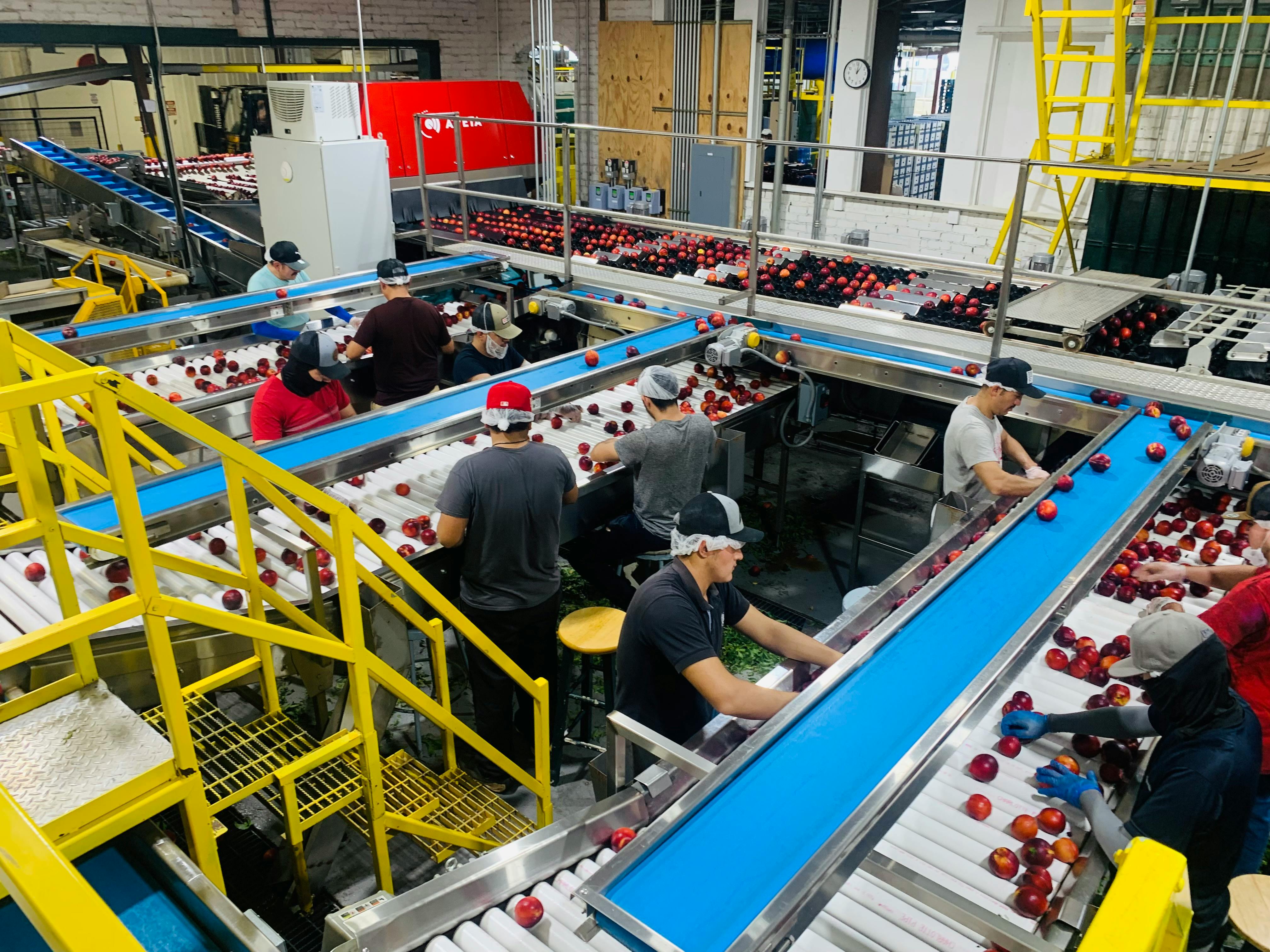
To automate workflows, start by identifying high-impact, repetitive business processes. Then, map the process from start to finish, select the right technology—whether RPA, an orchestration engine, or agentic AI—and integrate it with your existing systems. The outcome is enhanced efficiency, fewer errors, and a clear path to scalable operations.
Why Enterprise Workflow Automation Is No Longer Optional
In today's market, manual processes are a direct threat to growth. Enterprise workflow automation has shifted from a "nice-to-have" to a core strategic imperative. Companies learning how to automate workflows are not just cutting costs; they are gaining a significant competitive advantage.
Relying on people for manual data entry, approvals, and reporting invites costly delays and errors. A single typo can disrupt a supply chain. A slow approval can stall a critical sales deal. Automation directly solves these problems.

Moving Beyond Simple Cost Reduction
While cost savings are a common starting point, the true value of automation lies in increased productivity, improved data accuracy, and faster decision-making.
Consider the potential outcomes:
- Accelerated Business Cycles: Automating the order-to-cash process can reduce collection times by up to 40%, directly improving cash flow.
- Strategic Employee Focus: Freeing teams from repetitive tasks allows them to concentrate on high-value, innovative work, boosting both engagement and output.
- Flawless Data Integrity: Automation eliminates human error in data handling, providing leaders with reliable information for mission-critical decisions.
The goal isn't to perform old tasks faster. It's to redesign how work is done, building more resilient, intelligent, and responsive operations. This is how market leaders create distance from their competitors.
Manual vs. Automated Workflows: A Strategic Comparison
The difference between manual and automated operations is stark when viewed through key business metrics. This comparison highlights the outcomes for enterprise leaders.
MetricManual WorkflowAutomated WorkflowBusiness OutcomeError RateHigh (5-10% common)Near-zero (<0.5%)Improved data integrity and compliance.Process SpeedDays or WeeksMinutes or HoursFaster service delivery and decision-making.ScalabilityLimited by headcountVirtually unlimitedAbility to handle growth without linear cost increases.Employee Time60-80% on repetitive tasks<10% on repetitive tasksFrees up talent for strategic initiatives.Audit TrailFragmented, paper-basedCentralized, digitalSimplified compliance and governance.
As shown, the gap widens over time, impacting everything from customer satisfaction to market agility. Investing in workflow automation is a direct investment in operational excellence and a foundation for scalable growth.
Designing Your Automation Blueprint for Scalability
Many automation projects fail by rushing to tools without a solid plan. A blueprint is essential. Without it, teams waste resources on low-impact tasks that don't move the business forward.
An effective automation strategy begins with discovery—identifying repetitive, rule-based processes that are prone to human error. These are your prime candidates for automation.

Prioritizing with the Value-Complexity Matrix
A value-versus-complexity matrix is a simple tool for plotting opportunities based on the business value they deliver versus the technical effort required.
It creates four clear quadrants:
- High Value, Low Complexity (Quick Wins): Start here. Automating new client onboarding is a classic example. The process—collecting documents, setting up system access, sending welcome emails—is repeatable and directly impacts revenue and customer satisfaction.
- High Value, High Complexity (Major Projects): These are game-changers requiring significant planning. A use case is automating complex supply chain logistics that span multiple systems and decision points.
- Low Value, Low Complexity (Fill-In Tasks): Address these when time allows. Automatically archiving old project files is a typical example.
- Low Value, High Complexity (Avoid): These are resource drains with little return. Steer clear.
Mapping your projects provides an instant visual roadmap. Start with quick wins to build momentum, demonstrate ROI, and earn the trust to tackle more ambitious projects.
Documenting Workflows: From Current to Future State
You cannot automate a process you don't fully understand. Documenting it is a critical step.
First, map the current-state workflow. Observe the process as it runs today. Who does what? Which systems are used? How long does each step take? Use flowcharts to visualize every touchpoint and bottleneck.
With this baseline, design the future-state workflow. This is your vision for how automation will solve existing problems. It should be entirely outcome-focused. Borrowing principles from a DevOps for startups playbook can provide a solid framework for continuous improvement and scalable design.
The future-state design is a chance to rethink the process entirely. Can you eliminate redundant steps? Can you capture new data? This is where true innovation happens.
Defining Success with Measurable KPIs
To secure leadership buy-in and prove your automation's effectiveness, set clear, measurable Key Performance Indicators (KPIs) from the start. Vague goals like "improving efficiency" are insufficient.
Tie your goals to quantifiable business outcomes:
- Time Reduction: Cut new client onboarding time from 5 business days to 4 hours.
- Error Rate: Decrease data entry errors in invoice processing by 95%.
- Throughput: Increase the number of support tickets resolved daily by 30% without adding staff.
- Cost Savings: Lower the cost per transaction for claims processing by $1.50.
These KPIs provide a clear target for your team and concrete data for leadership, transforming automation from a technical task into a strategic business initiative.
Choosing Your Automation Tools: RPA, Orchestration, and Agentic AI
With a strategy in place, the next phase is tool selection. Focus on the outcome by matching the tool to the specific job. Effective automation requires a full toolkit, including Robotic Process Automation (RPA), workflow orchestration engines, and Agentic AI.

This comparison clarifies which technology to use for different scenarios.
Comparing Automation Technologies: RPA vs. Orchestration vs. Agentic AI
TechnologyBest ForTypical Use CaseScalabilityImplementation ComplexityRPARepetitive, rule-based UI tasks in stable environments.Data entry, invoice processing, legacy system integration.High for individual tasks, but can be brittle.Low to ModerateOrchestrationComplex, multi-system workflows connecting APIs and human tasks.Order fulfillment, customer onboarding, supply chain management.High, designed for enterprise-scale processes.Moderate to HighAgentic AIDynamic, goal-oriented problems requiring real-time decisions.Intelligent resource allocation, autonomous customer support.Very High, adapts to changing conditions.High
This table is a starting point. True power comes from knowing when to deploy each tool.
When to Deploy Robotic Process Automation (RPA)
RPA bots act as a digital workforce, perfectly mimicking repetitive human actions on a computer. If your team is stuck copying and pasting between applications, an RPA bot can do it faster and without errors.
RPA is ideal for processes that are:
- Highly Repetitive: Tasks performed hundreds or thousands of times daily.
- Rule-Based: Logic follows a clear "if this, then that" pattern.
- Stable: Applications and process steps rarely change.
A classic use case is invoice processing. An RPA bot can monitor an inbox, open attachments, extract data like invoice numbers and amounts using OCR, and enter it into an ERP. The bot handles 90% of the volume, flagging exceptions for human review. The outcome is immediate and significant time savings.
The Role of Workflow Orchestration Engines
While RPA bots are specialists, orchestration engines are the general managers. They coordinate long-running, complex processes that span different systems, APIs, and human decisions. While RPA does a task, orchestration coordinates the end-to-end flow. Understanding Orchestration in cloud computing is key to weaving disparate systems into a cohesive process.
A supply chain logistics workflow provides a clear use case:
- An orchestration engine receives a new order via an e-commerce API.
- It triggers an RPA bot to check inventory in a legacy system without an API.
- If stock is low, it calls the procurement system's API to create a purchase order.
- For orders over $10,000, it routes an approval request to a manager.
- Once approved, it connects to the shipping provider’s API to schedule pickup.
Orchestration connects the dots, providing resilience and control for mission-critical operations. If a step fails, the entire process doesn't crash.
Leveraging Agentic AI for Dynamic Decisions
Agentic AI operates differently. Instead of following strict rules, an AI agent can reason, plan, and act autonomously to achieve a goal. It excels at handling ambiguity and making real-time decisions. The dynamic capabilities seen in fields like harnessing the power of AI in interactive media production are now transforming enterprise workflows.
Think of an AI agent as an autonomous team member. A prime use case is intelligent resource allocation for a field service company. An agent can monitor live data—GPS trackers, customer demand, and employee schedules—to minimize customer wait times. It can dynamically assign technicians, optimize routes, and predict parts needed for a job. If an emergency occurs, it can instantly re-prioritize the entire fleet. This is outcome-driven automation.
Building and Scaling Workflows with Snowflake and CI/CD
Transitioning from a design to a production-grade automation requires treating your automation as code. This approach begins with a solid data foundation and a disciplined, repeatable development cycle.
To build scalable automations, you need two key components: a powerful data platform like Snowflake to act as the central data hub, and a Continuous Integration/Continuous Deployment (CI/CD) methodology to ensure reliability and governance.

Making Snowflake Your Automation Data Backbone
Automations need clean, real-time data to make intelligent decisions. Snowflake serves as a single source of truth that can both trigger and enrich your workflows, making data an active participant in your processes.
A pricing optimization workflow is a great use case. An automation queries Snowflake for real-time inventory levels, competitor pricing, and historical sales data. It feeds this information into a pricing model and uses an orchestration engine to push updated prices to an e-commerce site.
The results from your automations—cycle times, success rates, and exceptions—should be written back into Snowflake. This creates a powerful feedback loop, providing clear performance insights and enabling continuous improvement. For massive datasets, managing time-series data with Snowflake can unlock even more sophisticated analytics-driven automations.
Adopting a CI/CD Mindset for Automation
Many automations fail because they are treated as one-off projects. When a business process changes, the fragile automation breaks, leading to a cycle of firefighting and repairs. The solution is to manage your automations with the same discipline you apply to core software applications.
With a CI/CD mindset, every change to a workflow is versioned, automatically tested, and deployed through a controlled pipeline. This builds the reliability and governance that business leaders trust.
This "Automation as Code" approach relies on a few key practices that will transform how you manage workflows.
Practical Steps for "Automation as Code"
- Version Control with Git: Store all workflow definitions, scripts, and configurations in a Git repository. This provides a full audit trail and allows you to instantly roll back to a stable version if a deployment fails.
- Automated Testing Pipelines: Before deployment, every workflow must pass automated tests. These include unit tests for logic, integration tests for system compatibility, and end-to-end tests that simulate the full business process in a staging environment.
- Staged Deployments: Never deploy directly to production. A CI/CD pipeline pushes new versions through development, testing, and staging environments first. This catches bugs and integration issues long before they can impact the business.
Here’s a real-world use case: updating an automated employee onboarding workflow. A developer commits changes to Git, which triggers a test pipeline. The pipeline runs the new workflow in a test HR system, verifying that the user account is created correctly. Only after all tests pass can the change be merged and deployed to production. This structured process turns automation from a risky art into a reliable science.
Governing Automation with Security and Observability
Once your automated workflows are live, the focus shifts to governance. An automation running in a black box is a liability. To gain trust and pass audits, you need a solid framework for security and observability to prove your automations are reliable, compliant, and delivering ROI.
Building trust requires total visibility into performance, ironclad security for credentials, and a smart governance model to manage your automation portfolio.
Building Comprehensive Observability
You cannot manage what you cannot see. True observability is about understanding the why behind every result.
- Structured Logging: Every action an automation takes should generate a structured log with details like workflow ID, step, duration, and relevant data. Pushing these logs to a central hub like Snowflake creates a rich dataset for analysis.
- Real-Time Monitoring: Dashboards should provide a live view of key metrics like success rates, cycle times, and error counts. This helps you spot performance dips instantly.
- Proactive Alerting: Set up alerts that notify the right team when a critical workflow fails or performance drops. This shifts your team from reactive to proactive.
Use Case: An automated invoice processing workflow suddenly hits a 50% failure rate. Proactive alerts notify the finance team. Observability tools trace the problem to a vendor changing their invoice format. The team fixes the parsing logic and re-runs failed jobs with minimal disruption.
This level of insight makes your automation platform a transparent, auditable system.
Securing Workflows and Managing Access
Automated workflows inevitably touch sensitive systems, making security a non-negotiable priority. A single compromised credential can expose your entire enterprise.
A centralized secrets management system, like AWS Secrets Manager or HashiCorp Vault, is essential. Never hardcode passwords or API keys. Workflows should fetch credentials at runtime using an IAM role with the minimum required permissions.
Follow this security checklist:
- Use a Secure Vault: Store all credentials in an encrypted, managed vault.
- Principle of Least Privilege: Grant each workflow only the permissions it needs. If it only needs to read data, it should not have permission to delete it.
- Regular Credential Rotation: Automate the rotation of passwords and API keys to limit exposure.
- Audit Access Logs: Monitor who—or what—is accessing your secrets and systems. Alert on any suspicious activity.
These practices are critical for handling PII, financial records, or other regulated data, ensuring your automations are both powerful and safe.
Common Questions on Enterprise Workflow Automation
Here are answers to common questions about automating workflows in large organizations, helping you avoid pitfalls and accelerate progress.
Where Should We Start with Workflow Automation?
Start with a process that delivers high impact for low complexity. A quick win builds momentum and demonstrates the value of automation to the organization. Target tasks that are known bottlenecks or sources of human error.
Excellent starting points include:
- Accounts Payable Processing: Automating invoice receipt, data extraction, and entry into your accounting system provides an immediate and measurable return.
- Employee Onboarding Paperwork: The repeatable process of setting up new hires—granting system access, sending documents, creating accounts—is a perfect first automation project.
A successful first project serves as a compelling case study to secure buy-in for more ambitious initiatives.
How Do We Measure the ROI of Automation?
Measure ROI by looking beyond labor cost savings. The biggest financial gains often come from measurable operational improvements. Build a business case that tracks a mix of direct and indirect metrics to show the full business benefit.
Compelling ROI stories often come from "soft" metrics with hard financial impacts. A faster customer response or a reduction in compliance errors can save far more than reassigning an employee's tasks.
Focus on tracking these KPIs:
- Processing Time Reduction: Measure the time saved per transaction (e.g., cutting order processing from 24 hours to 15 minutes).
- Error Rate Decrease: Quantify the reduction in human errors (e.g., slashing data entry mistakes in financial reports from 5% to <0.1%).
- Compliance Adherence: Track improved adherence to regulations, which lowers the risk of costly fines.
- Customer Response Times: Measure how quickly automated systems acknowledge and act on customer requests, a key driver of satisfaction.
Can We Automate Processes That Require Human Decisions?
Yes. Modern automation platforms excel at this with a "human-in-the-loop" design. This approach combines the speed of machines with the judgment of your experts.
The automation handles the heavy lifting—gathering data, validating information, and summarizing it. It then pauses and presents the package to a designated person for a final decision.
A great use case is a loan application process:
- The automation gathers applicant information from a web form.
- It runs a credit check via an API.
- It verifies employment details.
- It packages all findings into a simple dashboard.
- It routes the package to a loan officer for an "approve" or "deny" decision.
After the decision, the automation notifies the customer and updates backend systems. This frees your experts to focus on the high-value decision itself.
How Do We Avoid Creating Fragile Automations?
The primary cause of fragile automations is a lack of software development discipline. To build robust and maintainable workflows, adopt an "Automation as Code" mindset from day one.
This means applying modern software development practices to every automation project:
- Use Version Control (Git): Track all workflow changes in a Git repository. This provides a complete audit trail and allows for instant rollbacks if an update fails.
- Implement Automated Testing: Create a test suite that automatically verifies your workflow's logic before it reaches production, catching bugs early when they are cheap to fix.
- Establish a CI/CD Pipeline: Use a Continuous Integration/Continuous Deployment (CI/CD) pipeline to manage releases. This ensures every change moves through a structured process of testing and approvals, building reliability and trust.


