Data mapping software is your business's universal translator. It’s the critical technology that enables different systems—like your CRM and your warehouse inventory—to communicate seamlessly. Without it, you're left with disconnected data, leading to inaccurate reports and flawed strategies. Nailing data mapping is the key to unlocking a single, reliable view of your business and making decisions with confidence.
What Is Data mapping and Why Does It Matter?

Imagine merging with a competitor. Your system tracks customer addresses in a field called Cust_Address, while theirs uses Client_Location_String. If you try to combine this data for a sales report, the result will be a mess of incomplete, unusable information. Data mapping is the process of building the bridge between those two fields so they can be unified correctly.
Data mapping software automates this process. It lets you define rules for how a field in one system corresponds to a field in another, transforming siloed information into a unified, trustworthy asset. This eliminates costly manual errors and mismatched formats, ensuring your data is ready for analysis.
The Business Outcome of a Common Data Language
Ultimately, data mapping delivers a single source of truth. When sales, marketing, and finance all work from the same standardized data, decision-making becomes faster and more reliable. This ends debates over whose numbers are correct and resolves discrepancies that undermine strategic initiatives.
As businesses recognize the high cost of disconnected data, the demand for these tools is surging. The global data mapping software market is projected to reach USD 6.87 billion by 2033, a clear signal of its importance in modern data architecture. You can explore the complete market analysis to see these trends firsthand.
Data mapping shifts your organization from debating whose numbers are correct to making strategic decisions based on data everyone trusts. It’s the foundational step toward becoming a truly data-driven enterprise.
From Technical Problems to Business Solutions
Effective data mapping software converts a complex technical chore into tangible business improvements in efficiency, accuracy, and insight. By fixing the root cause of data chaos, these tools unlock new opportunities for growth and operational excellence.
The table below illustrates how this technology provides direct solutions to common business headaches, translating technical features into business outcomes.
Business Problems Solved by Data Mapping Software
Common Business ProblemHow Data Mapping Software Solves ItResulting OutcomeInaccurate and unreliable reportingStandardizes data fields and formats from all sources into a consistent model.Decision-makers trust the dashboards and reports they use, leading to faster, more confident strategies.Slow and error-prone data migrationsAutomates the process of mapping thousands of fields from legacy systems to new platforms.Reduces migration project timelines by weeks or months and eliminates costly manual data-entry errors.Inefficient manual data consolidationCreates automated workflows that transform and load data from multiple systems without human intervention.Frees up data teams from tedious, repetitive tasks to focus on higher-value analytics and insights.Poor customer experience due to siloed dataUnifies customer information from sales, support, and marketing systems into a single comprehensive view.Enables personalized customer interactions and a consistent experience across all touchpoints.Compliance and governance risksProvides clear data lineage, showing exactly where data came from and how it was transformed.Simplifies audits and regulatory reporting (like GDPR or CCPA) by making data flows transparent and traceable.
The right tool doesn't just move data; it fundamentally improves how your business operates by creating a trustworthy data foundation.
Exploring the Core Features That Drive Results
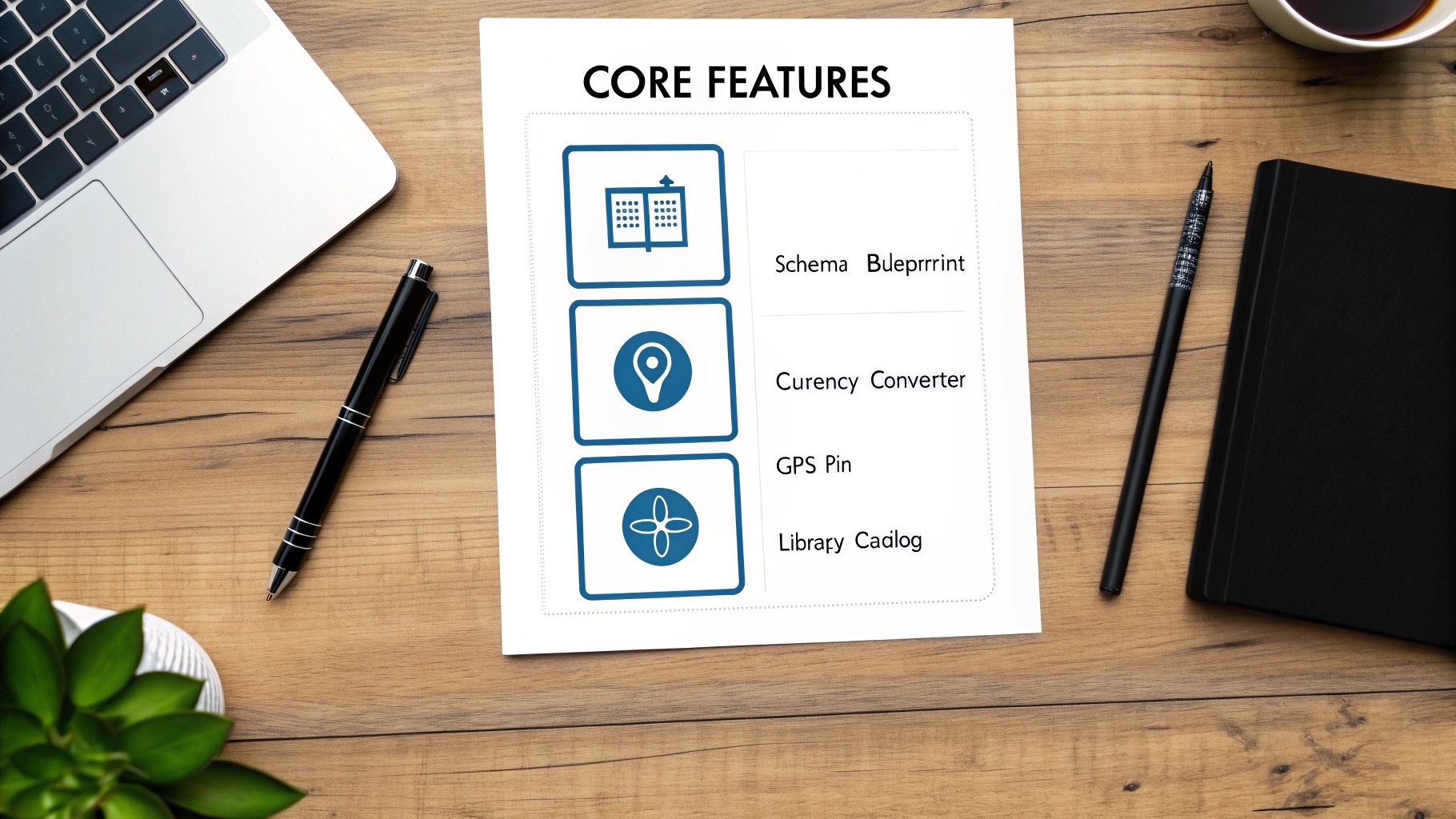
Effective data mapping software is a suite of tools designed to turn tangled information into a strategic asset. Understanding these core features means focusing on the business problems they solve and the outcomes they produce. Each capability addresses a specific—and often costly—data challenge, ensuring your information is accurate, traceable, and ready for action.
Schema Mapping: The Blueprint for Data Integrity
Use Case: Two companies merge their customer databases. One uses a numeric CustomerID, while the other uses a text-based Client_ID. Without a plan, combining them would create a jumbled, unusable mess.
Schema mapping acts as the architectural blueprint that prevents this chaos. It provides a visual interface to draw direct lines between source and target fields, ensuring every piece of data has a designated home. This eliminates the guesswork that leads to lost information during a migration. The primary outcome is data integrity—your information's meaning and context are preserved as it moves, preventing costly errors that invalidate reports and dashboards.
Data Transformation: The Universal Converter for Consistency
Use Case: A global company's European sales system logs dates as DD/MM/YYYY, while its US system uses MM/DD/YYYY. A consolidated sales report would be impossible to calculate accurately.
Data transformation functions like a universal converter, applying rules to clean and standardize data on the fly. It can convert currencies, reformat dates, or split a FullName field into "First Name" and "Last Name." This feature is central to many modern data transformation tools. The outcome is data consistency. With uniform data formats, you can perform accurate calculations, generate reliable global reports, and ensure your analytics compare apples to apples.
Data Lineage: The GPS for Transparency and Trust
Use Case: A manager reviewing a critical sales report asks, "Where did this number come from?" Proving its accuracy requires tracing it back to the original source.
Data lineage acts as a GPS for every data point, creating an auditable trail of its origin, transformations, and final destination. This visibility is a game-changer for troubleshooting errors and passing compliance audits. The key benefits are transparency and compliance. Developers can instantly find the root cause of an error, and auditors can see the complete lifecycle of sensitive data, satisfying regulations like GDPR or HIPAA. This builds essential trust in your data.
Metadata Management: The Library Catalog for Discoverability
Use Case: A business analyst needs to find a reliable dataset for customer purchase history but doesn't know where it's stored or what the field names mean.
Metadata management serves as the essential catalog for your data assets, organizing "data about your data"—such as field definitions, data types, and ownership. It makes information searchable and understandable for everyone, from data scientists to business analysts. The outcome is data discoverability and governance. Team members can quickly find the exact datasets they need, understand their context, and use them confidently, accelerating the pace of insight generation across the organization.
Integrating with Modern Platforms Like Snowflake

In a modern data stack, a platform like Snowflake is the central hub for analytics and business intelligence. However, its value depends entirely on the quality of the data flowing into it. Data mapping software acts as the intelligent gatekeeper, ensuring your cloud data warehouse doesn't become a "data swamp" filled with inconsistent and unreliable information. It guarantees that every piece of data is clean, standardized, and analysis-ready upon arrival.
From Raw Data to Actionable Insights
Data mapping software prepares raw data from your CRM, ERP, and marketing tools for clean ingestion into Snowflake. This pre-processing step is critical for several outcomes:
- Improved Data Quality: It catches and fixes inconsistencies—like different date formats (
2024-03-15vs03/15/2024)—before they can corrupt your warehouse. - Faster Analytics Performance: Standardized data schemas allow queries in Snowflake to run more efficiently, reducing compute costs.
- A Single Source of Truth: It ensures that a query for "customer revenue" returns an answer calculated from one consistent, trusted dataset.
This global need for data consistency is driving significant investment. North America's market share is projected to hit USD 727.906 million by 2025, while Europe is expected to reach USD 570.5 million, highlighting the critical role of data integration. You can explore global mapping software market trends for a complete overview.
Synchronizing Your Data Ecosystem
Integration is a two-way street. Data mapping tools also push enriched data from Snowflake back into operational systems, creating a powerful feedback loop.
Data mapping software ensures that valuable insights generated in Snowflake don't stay locked away. It pushes that intelligence back out to the tools your teams use every day.
Use Case: An analytics model in Snowflake identifies high-value customers at risk of churning. A data mapping workflow can automatically update a field in your CRM, flagging these customers for the success team to proactively engage them, preventing revenue loss.
Real-World Integration Scenarios
Scenario 1: Ingesting Third-Party Market Data
A retail company needs to combine its internal sales data with external market trends, but the vendor uses different product codes and regional names.
- Source: A daily CSV file from the third-party vendor.
- Mapping: The software automatically translates the vendor's product codes to internal ones and standardizes regional names.
- Outcome: The clean data is loaded into Snowflake, ready for immediate analysis against internal sales records, enabling more accurate market positioning.
Scenario 2: Bidirectional CRM Synchronization
A B2B company wants its Salesforce CRM and Snowflake data warehouse to remain perfectly in sync.
- Snowflake to CRM: When a data team adds a "propensity to buy" score to a lead in Snowflake, a mapping workflow pushes that score to the correct lead in Salesforce, arming the sales team with actionable intelligence.
- CRM to Snowflake: When a sales rep updates a customer's contact information in Salesforce, the change is automatically reflected in Snowflake’s master customer table, maintaining data consistency across the organization.
Achieving this level of sophisticated integration requires expertise. As a Snowflake Partner, we specialize in building these robust data pipelines. Discover our approach by collaborating with Faberwork, a Snowflake Partner, to maximize the value of your entire data stack.
How to Choose the Right Data Mapping Software
Selecting the right data mapping software is a strategic decision. The best platform is one that fits your existing systems, supports your growth, and is user-friendly for your team. The key is to focus on what the tool will achieve for your business rather than getting lost in a long list of features. You are looking for a solution that solves your specific data problems reliably and efficiently.
Key Evaluation Criteria for Enterprises
Before scheduling a demo, assess potential tools against these core criteria to create a solid shortlist.
- Connectivity and Integration: Does the tool have pre-built connectors for your key systems, like on-premise databases and cloud platforms (Snowflake, Salesforce)? Lacking these means costly custom development.
- Scalability and Performance: Can the software handle your current data volumes and scale to support your growth over the next three to five years without performance degradation?
- Automation and Intelligence: Does the tool use AI to suggest schema matches or recommend transformations? This automation reduces manual effort and minimizes human error, freeing up your team for higher-value tasks.
- Security and Governance: Does the platform meet compliance standards like GDPR or HIPAA with features like data encryption, role-based access, and detailed audit trails? This is non-negotiable for protecting sensitive data.
Answering these questions first will quickly eliminate solutions that aren't a good fit for your enterprise needs.
Comparing Different Types of Data Mapping Tools
Data mapping tools come in different categories, each designed for specific use cases. Understanding these categories helps you match a tool's capabilities to your business objectives.
The best data mapping software for your company is the one that strikes the right balance between power and usability, providing the features you need without overwhelming your team with unnecessary complexity.
Let's break down the main categories in the market.
Comparison of Data Mapping Tool Types
Tool CategoryBest ForKey StrengthsPotential LimitationsStandalone ETL/ELT PlatformsCompanies needing to move large volumes of data into a central data warehouse like Snowflake or Redshift.Highly optimized for bulk data movement and complex transformations. Often includes powerful scheduling and workflow orchestration.Can be overly complex for simple point-to-point integrations. May require specialized data engineering skills to operate effectively.Integration Platform as a Service (iPaaS)Businesses looking to connect various cloud applications (e.g., CRM, marketing automation, finance) with real-time data synchronization.User-friendly, often with low-code interfaces. Offers a vast library of pre-built API connectors for popular SaaS applications.May struggle with very high-volume data batch processing. Transformation capabilities can be less robust than dedicated ETL tools.Data Preparation and Wrangling ToolsData analysts and business users who need to clean, standardize, and prepare datasets for specific analytics projects.Strong focus on interactive data exploration and cleansing. Visual interfaces make it easy to spot and fix data quality issues.Not designed for ongoing, automated data pipelines. Primarily built for ad-hoc analysis rather than operational integration.Embedded Mapping Features in ApplicationsTeams using a specific enterprise platform (like an ERP or a large CRM) that offers built-in data import and export mappers.Seamlessly integrated into the existing application workflow. No need to purchase or manage a separate piece of software.Functionality is typically limited to the parent application. Cannot be used to integrate data between other external systems.
By matching your primary needs to this table, you can identify the right category of data mapping software and focus your search on the top vendors in that space.
Seeing Data Mapping in Action Across Industries

The true value of data mapping software becomes clear when you see its real-world applications. It acts as the central nervous system that connects disparate business operations, transforming siloed data into a source of efficiency and competitive advantage. Let's explore how data mapping drives tangible outcomes in different sectors.
Logistics and Fleet Management
Challenge: A logistics firm struggles with inefficiency. Dispatchers must manually check three different systems—fleet management, warehouse inventory, and customer orders—to plan a single delivery route. This process is slow and prone to costly errors.
Solution: Data mapping software is used to create an automated workflow that unifies these data streams. It maps GPS data from trucks, shipping manifests from the warehouse, and delivery addresses from the order system into a single, real-time dashboard.
Outcome: Dispatchers gain a cohesive operational view. They can make smarter routing decisions on the fly, optimize fuel consumption, and proactively notify customers of potential delays. This is a core component of enhancing logistics with Python data analytics and modernizing operations.
Telecommunications Network Monitoring
Challenge: A telecom operator's network operations center (NOC) is overwhelmed. Engineers monitor dozens of screens, each tied to a different type of network equipment that uses its own proprietary data format. When a service issue arises, correlating the problem across systems is a time-consuming manual hunt.
Solution: The software acts as a universal translator, mapping performance metrics like Signal_Strength and Packet_Loss_% from all network devices into a standard schema.
Outcome: All data feeds into a unified dashboard. Engineers can spot performance degradation trends in seconds, identify the root cause of an issue, and resolve it before customers are impacted. This proactive approach has been shown to cut the mean time to resolution by over 40%, moving from reactive troubleshooting to proactive network management.
Energy Sector and Smart Grids
Challenge: An energy utility needs to predict equipment failures to prevent blackouts but is drowning in sensor data from a mix of old and new grid components. The incompatible data formats make any meaningful analysis impossible, forcing reliance on inefficient, schedule-based maintenance.
Solution: Data mapping software translates sensor readings from every source—from legacy transformers to modern smart meters—into a consistent format that can be fed into a central analytics platform.
Outcome: The utility builds a predictive maintenance model. The system analyzes real-time performance data to detect signs of wear and automatically generates work orders for technicians before equipment fails. This shift resulted in a 25% reduction in equipment-related outages and significantly improved operational efficiency.
Best Practices for a Successful Implementation
Deploying data mapping software is a strategic initiative, not just a technical installation. A successful implementation depends on strong governance, close collaboration with business users, and rigorous testing. Following key best practices ensures your investment delivers reliable, high-quality data that drives business value.
The foundation of any data mapping project is a robust data governance framework. Before mapping a single field, define data ownership, establish quality standards, and create clear management protocols. This prevents inconsistencies and ensures the project's long-term success.
Establish a Governance and Quality Foundation
Involve business users from the very beginning. They understand the context behind the data and are essential for defining accurate transformation rules. Their input helps prevent costly errors that arise from a purely technical approach.
Simultaneously, address data quality at the source. Use data profiling tools to identify and clean up issues like duplicate records, missing values, and incorrect entries before you begin mapping.
Data mapping software can standardize and transform data, but it can't fix fundamentally broken information. Trying to map poor-quality data is like building a house on a shaky foundation—the entire structure is at risk.
Adopt a Phased and Test-Driven Approach
Avoid a "big bang" approach. Start with a small, high-impact pilot project, such as syncing customer data between your CRM and ERP. This allows you to demonstrate value quickly, learn from mistakes in a low-risk environment, and build momentum for a broader rollout.
Thorough testing is non-negotiable and should include:
- Unit Testing: Verifying individual field mappings and transformations work correctly.
- Integration Testing: Ensuring the end-to-end data workflow runs smoothly.
- User Acceptance Testing (UAT): Having business users validate that the final data meets their real-world needs.
Adhering to modern Data Engineering Best Practices is crucial for building scalable, reliable, and secure data systems. Ultimately, a successful implementation is not about deploying a tool but about building a sustainable process for managing your company's data as a strategic asset.
A Few Common Questions
Here are clear, direct answers to some of the most common questions about data mapping software.
How Is Data Mapping Different from ETL?
Think of data mapping as the architectural blueprint. It defines the specific rules for how data from a source system should be changed to fit a target system.
ETL (Extract, Transform, Load) is the construction crew that executes that blueprint. It performs the actual work of pulling the data (Extract), applying the mapping rules (Transform), and delivering it to its new location (Load).
In short, mapping is the "how-to" guide, while ETL is the process of getting it done.
Can AI Automate the Entire Data Mapping Process?
AI is an excellent co-pilot, but it can't fly the plane solo. Modern AI can dramatically accelerate mapping by suggesting field matches and transformation rules, automating much of the manual effort.
However, a human expert is still essential to validate complex business logic and ensure the mappings comply with governance standards. AI handles the heavy lifting, allowing your team to focus on strategy and final validation. This combination of AI-driven speed and human oversight delivers the best results.
AI automates the tedious 80% of data mapping, freeing your human experts to apply critical thinking to the strategic 20% that ensures data truly aligns with business needs.
What Is the First Step in a Data Mapping Project?
Always start with the business objective. Before you touch any data, clearly define what you want to achieve. Are you consolidating systems for a merger, migrating to a new cloud CRM, or creating a single view of the customer?
Once your goal is clear, identify your source and target systems and profile the source data to assess its quality. I recommend starting with a small pilot project—map just a few key data fields to prove the concept. This approach delivers a quick win, demonstrates value early, and provides valuable lessons for more complex integrations.


