
Custom automation solutions can turn disconnected systems into a workflow that completes routine work, routes exceptions to people, and gives teams new operational capabilities. The OECD found employers reported AI automating more than half of repetitive tasks about twice as often as they reported AI creating such tasks.
Custom automation solutions are workflows built around one organization's own systems, data, rules and exceptions, connecting tools that off-the-shelf software leaves disconnected. If your teams still copy information between an ERP, inbox, CRM and reporting platform, the problem may not be a lack of software. It may be that no single system owns the whole process.
For a CTO, the design question isn't just whether a task can be automated. It's which architecture will handle the normal path reliably, how exceptions will reach the right person, and whether the resulting capability is worth its full operating cost.
What Custom Automation Solutions Actually Do
Think of off-the-shelf software as a ready-made jacket: it fits many people roughly. Custom automation is cut to match your approvals, databases and handoffs, so work can pass between systems without employees repeatedly re-entering the same information.
A useful way to understand any automation is to break it into three parts:
- Trigger: An event starts the workflow, such as a new order, support ticket or sensor reading.
- Logic: Rules, a model or an agent evaluates what happened and decides what should happen next.
- Action: The system updates a record, notifies a team or routes an exception to an owner.
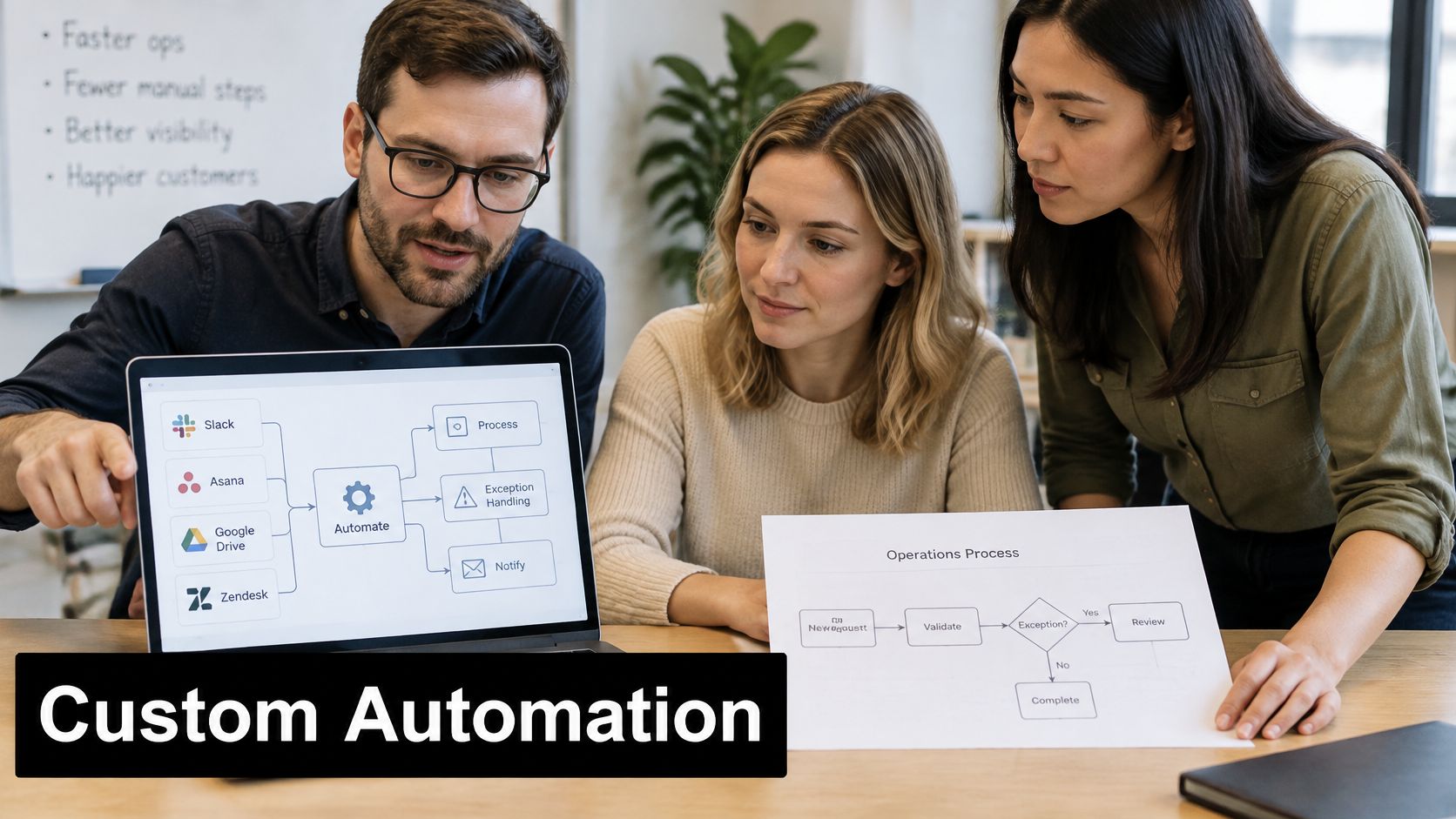
Consider an invoice sent to a shared finance inbox. The arrival of the email is the trigger. The workflow extracts the supplier, invoice number, amount and line items, then compares them with the purchase order in the ERP. Its logic applies the organization's matching rules: a clean match can proceed automatically, while a variance above the approved tolerance goes to a buyer for review. Posting the invoice and notifying the right person are the actions.
That design targets recurring work without pretending every case is identical. The OECD's 2023 Employment Outlook reports that employers across sectors said AI had automated more than half of repetitive tasks about twice as often as they said AI had created such tasks. That finding supports a practical focus on repeatable work, not a blanket assumption that automation replaces entire jobs.
Custom doesn't mean building everything from scratch. Most solutions combine existing workflow platforms, databases and AI services with specific rules, integrations and exception handling. The value is in fitting those pieces to the actual process.
Typical Architectures and When Each Fits
Choose the simplest architecture that can handle the workflow's inputs, decisions and failure cases. A fixed approval path doesn't need an autonomous agent; a task involving messy documents may need more than a rules engine.
ArchitectureBest forTypical componentsHuman control pointRules-based workflow engineFixed approvals and routingWorkflow engine, API connectors, database triggersException queue for rule failuresRPA botsLegacy screens with no APIBot runner, UI selectors, credential vaultBot logs and supervised restartsEvent-driven integrationReal-time updates across systemsMessage queue, webhooks, stream processorAlert thresholds and dead-letter reviewData pipeline automationScheduled validation and reportingOrchestrator, transformation jobs, data quality testsData steward sign-off on failed checksAgentic AI orchestrationUnstructured, multi-step tasksLanguage model, tool APIs, policy layer, memory storeApproval gates for high-impact actionsHybrid human-in-the-loopHigh-stakes decisionsAny of the above plus a review interfaceReviewer approves, edits or overrides each case
When a source system has clean APIs, event-driven integration is usually more dependable than copying information from its screens. For a legacy application without an API, RPA can bridge the gap, but treat it as a temporary adapter with a planned retirement date. Screen changes can break a bot, so keep monitoring and a recovery path in place.
Use an agentic layer when the inputs are unstructured or the next step requires judgment, but restrict its tools and require approval for consequential actions. If a process makes long-running calls or needs to respond later, it may help to understand when to use asynchronous API calls. Most production designs combine patterns: a data pipeline validates inputs, a rules engine routes cases, and an agent drafts a response for a person to review.
Architecture rule: Start with rules when rules are enough. An agent can cost more to build and operate, change less predictably, and be harder to audit.
Before choosing, answer three questions: How many systems does the workflow touch? How often do its rules change? How costly would a wrong action be? Those answers usually narrow the architecture quickly.
Benefits and the Success Metrics That Prove Them
Efficiency gains don't automatically become revenue. In Deloitte's 2026 global survey of 3,235 leaders, 66% reported productivity or efficiency gains, while 20% reported increased revenue. Deloitte also describes a shift toward measuring “Return-on-Autonomy,” or what the enterprise can do because of automation, not only what it saves. See the Deloitte State of AI in the Enterprise report.
That distinction matters. An automated process might let a service team resolve more cases without expanding its queue, help an operations group react sooner to equipment signals, or let finance close the books with fewer manual reconciliations. Those are capabilities. A reduction in labor hours is only one possible outcome.
Capture a baseline four to six weeks before launch, then report each measure separately for each workflow. If cycle time improves while quality and compliance improve too, don't blend them into one score. Side-by-side reporting makes it possible to see which benefit changed and whether the automation caused it.
MetricWhat it showsReporting ruleCycle timeElapsed time from trigger to completed actionMedian captured 4–6 weeks before launchStraight-through processing rateShare of cases completed with no human touchReported weekly per workflowError or rework rateCases corrected after completionTracked by reason codeSLA attainmentShare of cases finished within service targetsCompared against baseline SLAException volumeCases routed to peopleTracked with queue time and escalation rateProcessing cost per transactionTotal run cost divided by volumeIncludes maintenance, monitoring and human reviewRevenue or capability effectNew volume or decisions the team can now makeReported separately, never blended into an efficiency score
Calculate payback only after you include maintenance, data engineering, monitoring, exception handling and human review, not just the build and license costs. Watch queue time and escalation rates, too: faster document generation isn't a real improvement if it creates a larger review backlog downstream.
Some processes shouldn't be automated, even if a team can make the software work. Low transaction volume, unstable rules, poor data quality or expensive failure consequences can make ongoing oversight cost more than the benefit. In those cases, first simplify the process, improve the data or leave the work with a person.
How Agentic AI and Snowflake Work Together
A deterministic workflow follows a fixed sequence. An agent can interpret less structured input, select from approved tools and choose its next step within set limits. It works more like an experienced coordinator than an assembly line, which repeats the same steps for every case.
For example, a sales team might use Snowflake to bring together account history and recent activity, with checks to keep the records usable. An agent can use that approved context to rank leads, draft a summary and update the CRM when a lead meets the team's score threshold. A person can review results that fall below the threshold or trigger a policy gate. The value is not only time saved: the team can also prioritize leads using context assembled across its data.

An agent's decisions are only as reliable as the information it receives. A governed Snowflake environment can hold shared tables, use streams and tasks for pipeline work and quality checks, apply Snowpark for transformations, and restrict access by role. This project overview of time-series data work with Snowflake illustrates how the data layer can support analytical workloads.
LayerRole in the automationExample workloadsControl pointSource systemsWhere events and records originateCRM, ERP, ticketing, IoT feedsSource-of-truth ownership and access scopeSnowflake data layerStores, cleans and governs shared dataTables, streams, tasks, data quality testsRole-based access and data maskingContext layerSupplies the facts an agent may useAccount summaries, shipment status, policy documentsOnly approved sources reach the agentAgent and decision layerPlans steps and calls approved toolsLead ranking, claim triage, order checksConfidence thresholds and approval routesAction layerWrites results back to systemsRecord updates, notifications, ticket creationLeast-privilege service accounts and rollbackMonitoring layerTracks outcomes and human overridesDashboards, override logs, drift alertsRelease gates and periodic evaluation
Keep provider connections controlled. Give each service its own least-privilege credentials, rotate them regularly and monitor how each connection is used. An agent's model is only one component: the data context, integrations, permissions and controlled write-back all shape how the workflow behaves in production.
McKinsey's analysis of AI and operational excellence reports that nearly 90% of organizations are at least experimenting with AI, while only 7% say they have scaled it across the enterprise. The gap highlights why a promising demo is not enough. A production design must account for the operating environment, including what happens when an agent lacks enough context or reaches a decision it is not authorized to make.
The following video offers another view of agentic automation in an enterprise workflow.
Security and Governance Controls to Require
A workflow that updates a customer record can save time, but a mistaken update can also create real costs. Governance therefore belongs in the design from the start. A 2026 SAP–Oxford Economics study of 2,600 businesses across 13 countries found that only 12% considered their skills or processes fully ready to govern AI effectively. The SAP–Oxford Economics study also found that only about one-third had strong engineering guardrails for AI-generated code.
Build controls into the workflow:
- Least-privilege service accounts: Give each automation only the access its task requires.
- Sandboxed test environments: Test integrations and agent behavior with non-production systems and approved test data.
- Approval gates: Require human approval for actions such as issuing a refund or changing a consequential customer record.
- Versioned audit trails: Log inputs, outputs, prompts, policies, tool calls and the model version used.
- Injection and leakage tests: Check whether malicious input can redirect an agent or expose sensitive information.
- Rollback paths: Document how to reverse an incorrect update and recover a failed transaction.
- Kill switch: Make it possible to stop execution directly, without waiting for a deployment cycle.
Set autonomy according to impact and reversibility. A routine shipment-status update may run automatically when its source data is consistent. A refund can require approval above a defined amount threshold. Credit or clinical decisions need stricter review because errors can have serious consequences. For healthcare, finance and other regulated data, document access and apply tighter review practices.
Use the NIST AI Risk Management Framework's GOVERN, MAP, MEASURE and MANAGE functions to organize controls. NIST recommends continual monitoring as data, usage and operating conditions change. Record each human override with its workflow, reason code, model version and data source, then review the records at release gates. Overrides can reveal unclear rules, missing context or unreliable recommendations. They also show where the system still needs human judgment, an important measure of what the enterprise can safely do after automation is introduced.
Practical rule: If an action can't be explained, stopped and reversed, don't let an agent perform it unattended.
Implementation Roadmap From Pilot to Production
A pilot should produce evidence the next stage can use. Begin with the workflow and its handoffs, then select technology to fit the process rather than choosing a model first.
Research on workflow interfaces finds that coordination activities such as alignment, verification, reconciliation, waiting and handoffs consume 35–60% of total work time in knowledge-intensive organizations. It reports cycle-time reductions of 50–90% for interface-focused redesign, and an investment split of roughly 70% for people and process changes, 20% for technology and data integration, and 10% for AI-model development. Those findings from McKinsey's analysis of coordination costs point to a basic lesson: automation is an operating-model project as much as a software project.
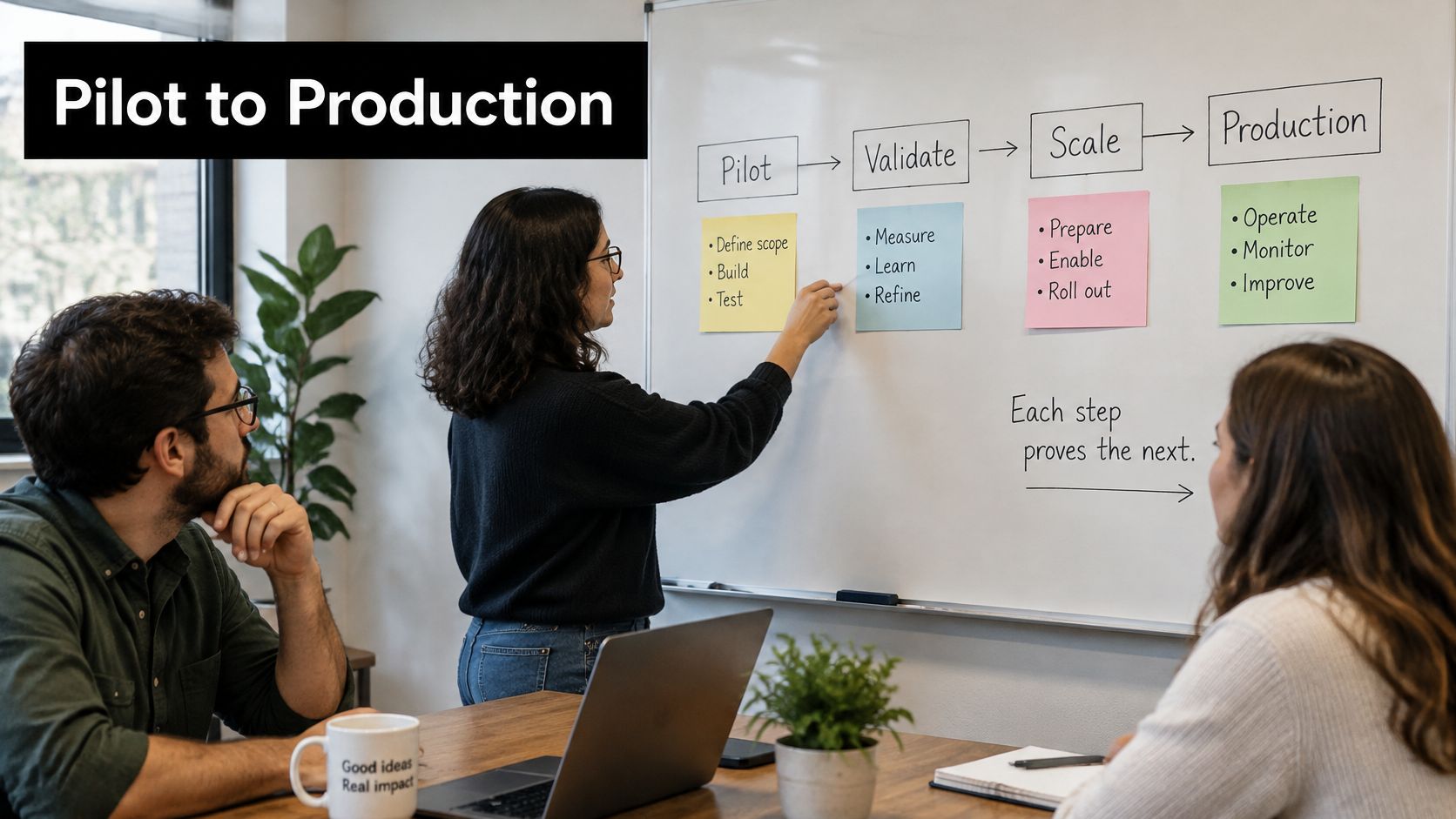
- Select a bottleneck with steady volume. Choose a repeatable process, such as invoice intake or support-ticket routing, where teams can compare performance over time. Unpredictable volume makes it difficult to tell whether a result came from the automation or a change in demand.
- Map every handoff and wait. Record who receives each case, what information they need, where work pauses and where rework occurs. The common slip is to automate one task without measuring coordination time, leaving the baseline little better than guesswork.
- Define exceptions before choosing technology. Name an owner for each exception, specify data-quality checks and decide where unresolved cases go. If those paths are missing, automation may move errors to a downstream team.
- Build connections in a sandbox. Use least-privilege credentials and turn on event logging from the first test. This gives engineers a traceable way to inspect failures before any production record is affected.
- Run a four-to-eight-week pilot with human review. Require approval for consequential actions and compare results with the original baseline. Don't judge success by the number of outputs alone; check cycle time, rework and whether cases are accumulating in a review queue.
- Set autonomy by risk. Let low-impact, reversible tasks run unattended only when the controls work as designed. Keep reviewers in decisions that could affect customer access, safety or significant value.
- Release with an owner and an exit plan. Name the business owner, document rollback steps and make the kill switch available to the people responsible for operations. Production readiness includes knowing who responds when the automation behaves unexpectedly.
- Expand after the first workflow is stable. Once the measures remain steady for about 90 days, consider a neighboring process that shares the same systems or data. Reuse tested components, but reassess the new workflow's rules, exceptions and risk.
Representative Enterprise Use Cases and Outcomes
Custom automation is useful across industries when it connects routine steps and leaves judgment-heavy cases with people. The World Economic Forum's Future of Jobs Report 2025, based on more than 1,000 employers representing over 14 million workers across 55 economies, found that 73% of employers plan to accelerate process and task automation through 2030. That's a projection of employer plans, not a guarantee that every workflow will benefit.
- Logistics: A shipment event can trigger an automatic status update, while conflicting location signals or high-value exceptions go to an operator. Geofencing can trigger fleet-routing rules when a vehicle enters or leaves a defined area. The result is a clearer distinction between routine updates and cases that need investigation; no specific performance figure is established here.
- Energy and telecom: A Snowflake-centered platform can consolidate energy-management or network telemetry, run quality checks and surface operational alerts. Teams then use the same governed data for dashboards and follow-up actions. For a smart-building example using TensorFlow and time-series data, see Faberwork's smart-building project. The workflow pattern is concrete, but no quantified outcome is claimed here.
- Facilities: Sensor readings can feed a model that helps adjust building operations, with staff retaining control over unusual conditions. This connects recurring monitoring to operational response without assuming that every recommendation should be applied automatically.
- Finance and insurance: Document extraction can capture invoice or claim details, rules can check required fields and coverage information, and exceptions can go to an adjuster or buyer. Clean cases move forward without repeated data entry; disputed or incomplete cases remain visible for review.
- Software delivery: Browser tests can run in a delivery pipeline, with generated test artifacts and failures routed to QA. The automation can repeat checks consistently, while engineers decide whether a flagged result indicates a product defect or a test that needs updating.
- Customer service: Incoming tickets can be classified by intent and routed to the right queue. An agent might draft a reply or gather account context, while a person approves refunds and other consequential customer actions.
Across these examples, the desired outcome isn't always fewer staff hours. It may be faster routing, clearer exceptions or a workflow the organization couldn't operate consistently before.
Choose a Partner and Confirm Your First Use Case
Confirm one first workflow and its success criteria before committing to a build or vendor. A pilot without a measurable baseline and a clear exit condition can produce a convincing demo without proving business value.
Start with this go/no-go checklist:
- Steady volume: The workflow runs often enough to evaluate.
- Stable rules: Owners can explain the normal path and common exceptions.
- Usable data: The source systems are known, accessible and owned.
- Measurable baseline: The team can record current time, error rates, queueing or cost.
- Tolerable failure cost: A mistake can be detected and handled safely.
- Named business owner: One person is accountable for decisions and outcomes.
Then evaluate the proposal against the operating reality, not just the demo.
CriterionWhat to ask forRed flagProcess fitNamed workflow with volume and baselineDemo built on generic sample dataArchitecture ownershipDiagram of data flow and failure pathsBlack-box agent with no logsSnowflake and integration depthCertified engineers and referenceable integrationsPrototype connectors onlyMeasurement planBaseline, targets and payback modelSavings claimed with no baselineRun costMaintenance, monitoring and model-change costsLicence price onlyExit and portabilityCode, prompts and configurations delivered to youProprietary runtime with no export pathSupport modelIncident response times and on-call coverageSupport limited to business hours
Deloitte's Global Intelligent Automation Survey found respondents expected an average 24% cost reduction over the following three years in business areas being automated. Treat that as a target to measure, not a promise. The Deloitte survey also supports tracking processing cost, cycle time, error rate, escalation volume and employee time released for higher-value work.
A fair pilot contract should fix success metrics, data ownership, support expectations and exit terms before work begins. Teams seeking outside help with scoping can speak with Faberwork LLC, which works across Agentic AI, custom software and SnowPro-certified data engineering; evaluate it with the same criteria as any other partner.
Use the next 30 days to capture the baseline, map the process, assign its risk tier, write pilot criteria and set a decision date. Bring the workflow owner and technical lead together, choose one bottleneck, and agree on what evidence will justify scaling it.


