
A claims adjuster opens the morning queue and sees a clean summary beside every new loss report. The language model has classified documents, extracted policy references, and routed straightforward cases without the usual delay. Six months later, the same system approves a high-value claim provisionally, because a refreshed Snowflake table introduced a new loss-run schema and the workflow never noticed.
The model didn't fail in isolation. It interpreted an ungoverned join, treated an incomplete policy context as authoritative, and returned an output that the orchestration layer accepted without checking. No schema contract blocked the downstream action. No approval gate caught the mismatch. The company had automated a process, but it hadn't made that process safe to run.
When the Smart Bot Quietly Breaks the Process
The failure usually starts innocently. A team connects an LLM to an existing intake pipeline, gives it access to documents and policy data, and asks it to classify each case. On day one, the results look persuasive. Triage becomes faster, summaries become easier to scan, and adjusters spend less time copying information between systems.
The problem appears when the surrounding data changes. A new loss-run feed lands in Snowflake with a revised field name. A join returns multiple policy versions instead of one. A secure view still exposes the same column names, but the underlying business meaning has shifted. The LLM sees plausible text and fills the gaps with an inference that sounds reasonable.
In the insurer's case, the model performed semantic interpretation on top of an ungoverned data relationship. It found language resembling a coverage clause, but it couldn't establish that the clause belonged to the active policy or applied to the reported loss. The agent produced a confident classification because confidence was treated as a writing quality signal, not as evidence that its inputs satisfied business rules.
Production rule: An agent output isn't a valid business decision until the workflow has validated its structure, provenance, permissions, and side effects.
The orchestration layer made the second mistake. It accepted free-form agent output and passed it directly to a claims service. There was no contract requiring a policy identifier, effective date, source document, confidence band, and exception reason. There was also no schema check before the provisional approval action fired.
That distinction matters. AI automation workflow design is primarily an orchestration and data-readiness problem, not a model-selection exercise. A stronger model might produce a more persuasive answer to the same bad context. It won't repair an ambiguous join or create an approval boundary that the workflow never defined.
A production architecture needs six cooperating layers: a governed data substrate, event and trigger handling, orchestration, agent decisioning, action and integration controls, and human governance. It also needs a redesign-first approach. The rest of this guide applies those principles to Snowflake-centered workflows where data contracts, agent boundaries, retries, and human escalation are designed before the agent receives production access.
Why Most AI Workflow Projects Stall at Pilot
An agent can classify a clean sample correctly and still fail once it meets production conditions. Schemas change, records arrive incomplete, events repeat, permissions vary, timeouts interrupt execution, and policy exceptions require judgment. A pilot measures whether an answer looks useful. Production measures whether the workflow can act safely, recover from failure, and explain each decision.
Adoption reporting that cites a 2025 survey found that 72% of U.S. enterprises with at least 1,000 employees were using or testing AI agents, while 30% of leaders identified routine workflow automation as the highest-value opportunity (workflow automation adoption data). The demand is operational, but interest alone does not create a dependable process.
A separate 2026 industry report says only 21% of organizations run AI workflows at enterprise scale, while 79% haven't reached that level (enterprise AI workflow scaling findings). The same reporting says 37% of automating firms have implemented AI in workflows, rising to 55% among large enterprises, and that 60% recover automation investment within 12 months. These figures point to a practical gap: teams can find value in isolated workflows, yet struggle to establish the controls and operating discipline needed to scale them.
A proof of concept can rely on manual cleanup, undocumented assumptions, and an engineer watching every run. A production workflow needs named ownership for source data, stable tool contracts, recoverable state, exception queues, and an explicit answer to one question: who may approve the action?
The pilot-to-production drop-off
SourceFindingImplicationEnterprise AI adoption reporting (docsumo.com)72% of large U.S. enterprises were using or testing AI agents, and 30% saw routine workflow automation as the greatest-value use caseBuyers want operational automation, not only generated contentEnterprise scaling research (ringly.io)21% run AI workflows at enterprise scale, while 79% remain below that levelScaling requires controls, integrations, and operating disciplineWorkflow automation failure analysisFinding: roughly 60% of businesses have automated at least one workflowImplication: failures cluster around change management, legacy integration, and unrealistic ROI expectations
The organizations that scale are not necessarily the ones with the largest model budgets. They define the agent's decision boundary, restrict actions that require deterministic approval, and separate recommendations from side effects. That design treats AI workflow automation as an orchestration and governance problem rather than a tooling purchase.
Snowflake supports that approach when teams treat it as a governed data product. Curated data, clear ownership, lineage, and permissioned access give the agent usable context. The orchestration layer then determines when the agent runs, which tools it can call, how failures are retried, and when a human must take over.
The Core Architecture of an AI Automation Workflow
An accounts payable workflow provides a useful reference architecture because it combines documents, structured records, approvals, and irreversible actions. A production design separates the components so each one can be tested and governed independently.
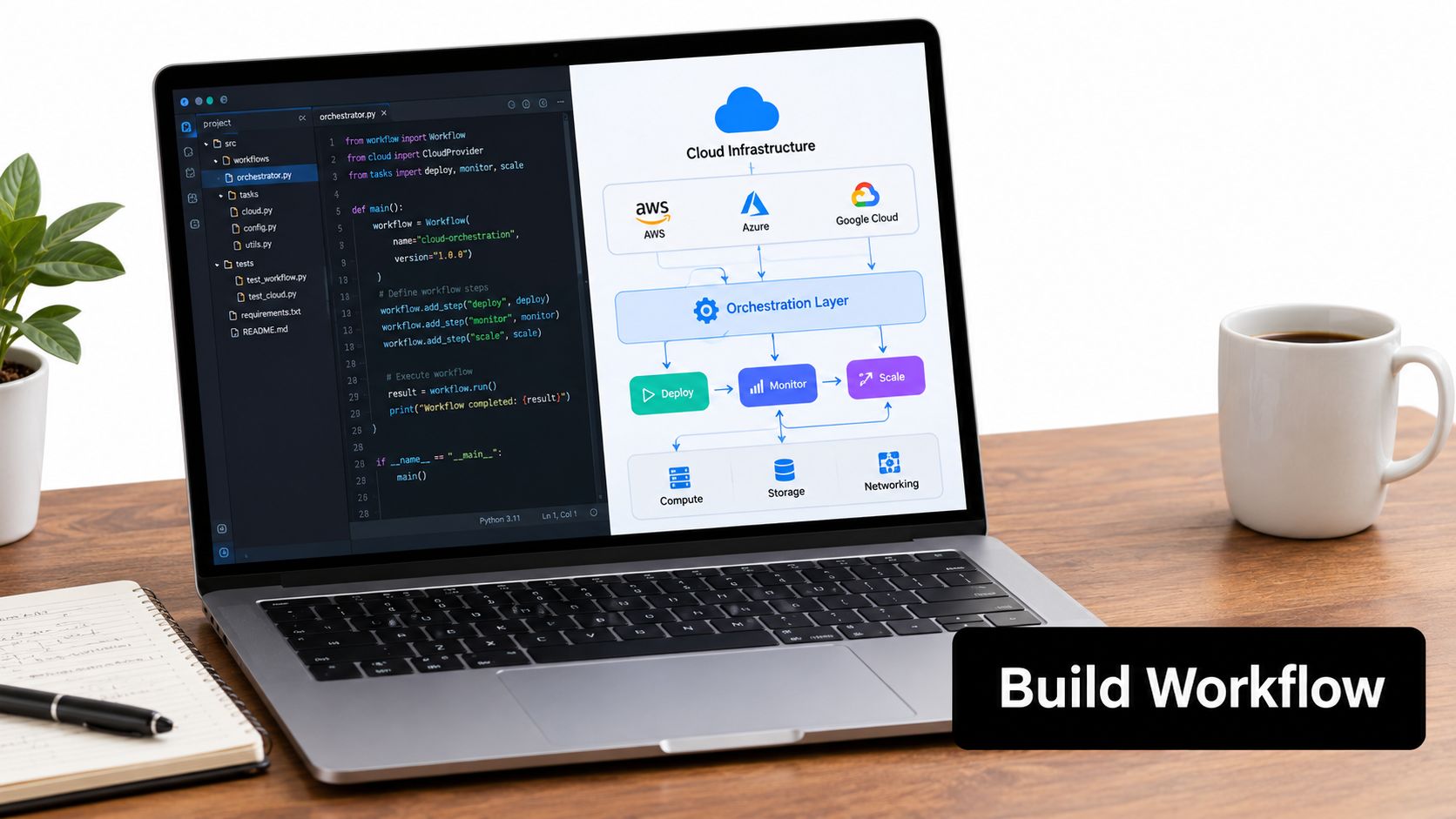
The six layers
The data substrate starts with Snowflake as the system of record for workflow context. Streams capture changes on raw tables, dynamic tables produce curated features, and secure views expose only the fields the agent is contractually permitted to read. The semantic layer should define business meaning, not merely rename columns. An invoice amount, supplier identity, purchase order status, and payment eligibility need clear ownership and lineage.
The trigger layer detects work. Snowpipe Streaming or scheduled Tasks can bring fresh records into the workflow, while webhooks capture events from procurement, ERP, and document-management systems. Every trigger needs an idempotency key so a repeated event doesn't create a second payment instruction.
The orchestration layer acts as the conductor. Airflow, Prefect, LangGraph, or a durable workflow engine can sequence data retrieval, agent calls, validation, approval, and writeback. This layer owns retries and timeouts. It shouldn't ask the LLM to remember where the workflow stopped.
The agent decision layer handles interpretation. An LLM can classify an invoice, explain a discrepancy, select an approved retrieval tool, or draft an exception summary. Snowflake Cortex functions and vector search can provide controlled access to relevant context, but every tool needs a strict input and output schema.
The action layer limits side effects. Writing an approved status is different from creating a payment instruction. The workflow should separate analysis from execution and place deterministic checks between them.
Human governance includes approval gates, policy enforcement, audit trails, and escalation queues. A reviewer should see the source records, retrieved evidence, agent reasoning summary, validation failures, and proposed action, not just a green or red label.
A single invoice might land in a Snowflake raw table, trigger a stream, and enter a task graph. A curated dynamic table adds supplier and purchase-order context. The agent classifies the invoice and calls a permitted retrieval tool. A validator checks required fields and policy conditions. A human approves an exception, then the workflow writes the final status and records the decision lineage.
The architecture is easier to operate when each layer has one job. The agent interprets. The orchestrator coordinates. Snowflake supplies governed context. Deterministic validators decide whether the next action is structurally and policy-wise possible.
The visual workflow below shows the same progression from data storage through agent action.
Building the Workflow From Snowflake to Agent Action
Start with durability, not prompt wording. Temporal is a strong choice when a workflow must survive long waits, service outages, and process restarts. Airflow fits data-heavy task graphs and scheduled dependencies. LangGraph is useful when the agent itself needs explicit state transitions and controlled branching. The correct choice depends on how long the workflow runs, how costly a duplicate action would be, and how much state must survive a worker failure.
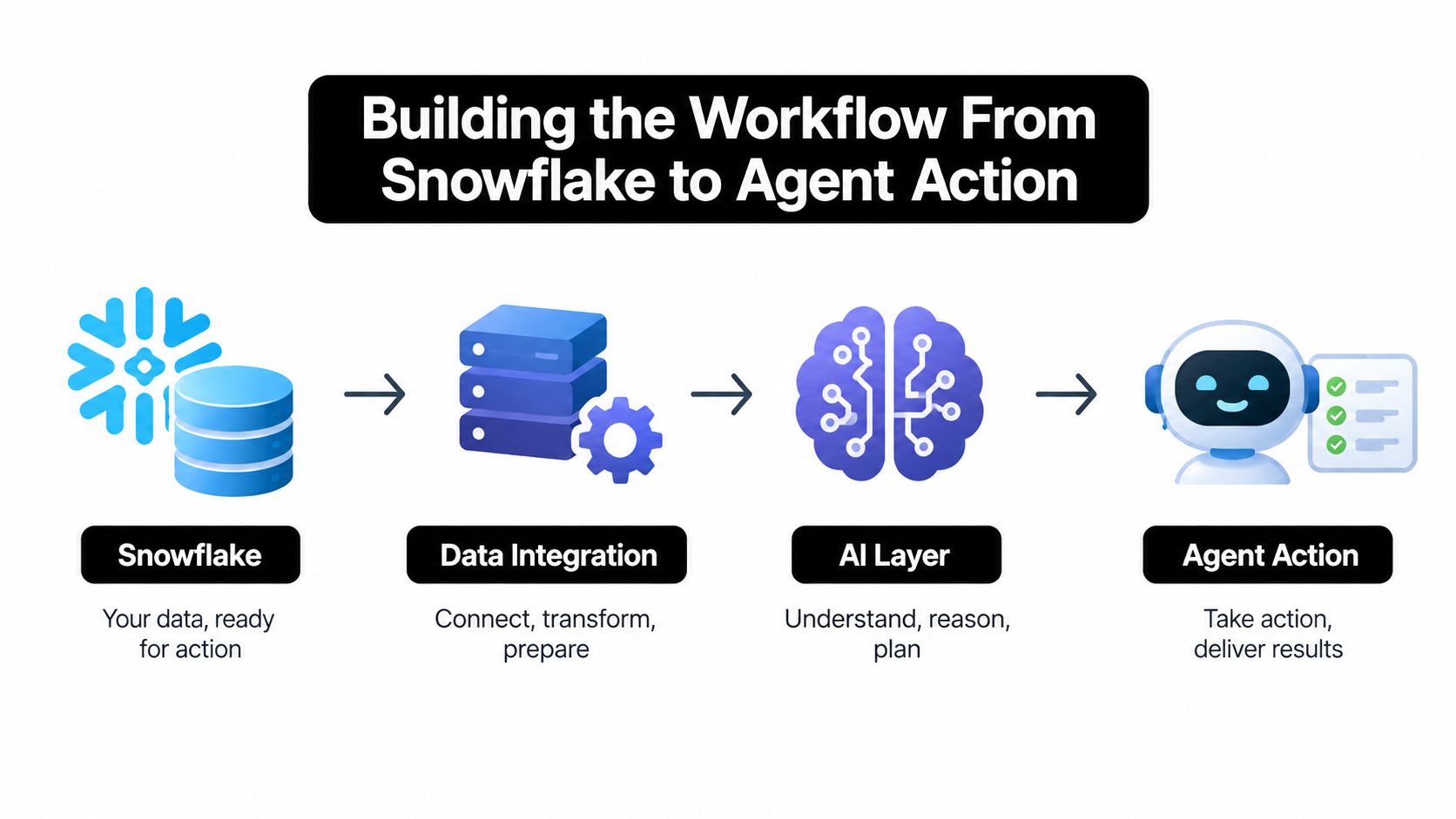
Snowflake Streams and Tasks can feed fresh records into the orchestration layer without turning the agent into a polling service. A stream identifies changed rows, a task applies deterministic preparation, and the orchestrator receives a bounded work item. Dynamic tables are useful for building agent context because they can maintain a curated representation of customer, transaction, or operational state while keeping transformation logic outside the prompt.
Use secure views for retrieval rather than giving an agent broad table access. The view should expose the minimum context required for a decision and preserve source identifiers. That design makes a response traceable. It also makes permission reviews practical because the security boundary is visible in SQL and access policy rather than hidden inside application code.
Prompts and tools are release artifacts
Treat the prompt template like application code. Store versions, define expected output fields, record the model and retrieval configuration, and test changes against a fixed fixture set. A prompt that says “approve if appropriate” is not a business policy. The workflow must translate policy into deterministic checks, permitted tool calls, and explicit escalation conditions.
Tool wrappers need the same discipline. A tool that searches invoices should accept a typed supplier identifier and date range, then return a predictable result shape with source references. A tool that writes to an ERP should reject incomplete inputs and require a workflow-owned idempotency key. The agent may choose among approved tools, but it shouldn't invent parameters or bypass the wrapper.
For teams formalizing multi-agent coordination, this guide to designing team agent pipelines is useful because it focuses on roles, handoffs, and bounded responsibilities rather than treating every agent as an unrestricted generalist. A Snowflake-centered implementation can apply the same principle by assigning retrieval, validation, and action to separate capabilities.
Exceptions belong in the design
A task graph should gate every irreversible action. If a supplier match is ambiguous, send the case to a human queue. If a required field is missing, stop and request enrichment. If an upstream API times out, retry the read operation, not the payment action.
State should live in the orchestration system and durable workflow tables, not in conversation history. Record the event identifier, attempt count, prompt version, tool calls, validation results, approval state, and writeback status. Use idempotent writes and transaction boundaries so a restarted worker can safely determine whether an action already completed.
Snowflake patterns are most valuable when they make failure visible. A curated context table, a secure retrieval view, and a task graph that gates writeback give operators a place to inspect what happened. Teams exploring time-series architectures can also review this Snowflake time-series data implementation for a related example of structuring operational data for downstream use.
Where AI Workflow Automation Actually Pays Off
The strongest use cases share three traits: high volume, structured context, and an unambiguous escalation route. They don't ask an agent to run a business from end to end. They give it a bounded decision, approved tools, and a measurable handoff.
Customer support triage is a good example. The agent can classify intent, retrieve account context, identify policy-relevant details, draft a response, and route sensitive cases to a specialist. PwC's AI agent survey reports that among organizations adopting AI agents, 66% report increased productivity, 57% report cost savings, 55% report faster decision-making, and 54% report improved customer experience. Those outcomes align with workflows where the system can shorten queue time without removing human ownership of difficult cases.
Document and contract processing also works well when extraction is separated from approval. An agent can identify clauses, normalize fields, compare terms with a governed reference, and prepare an exception packet. It should not automatically authorize a financial or legal commitment based on an unsupported interpretation.
Sales enrichment and internal IT or HR routing have similar characteristics. A system can enrich a prospect, classify an access request, or assemble onboarding tasks from structured records. The agent's value comes from reducing handoffs and preparing the next action, while policy and identity systems retain control.
Anthropic's 2026 report on AI agents identifies data analysis and report generation as an impactful task for 60% of respondents, while 48% cite internal process automation. That emphasis explains why knowledge-heavy, repeatable work is a better starting point than unconstrained creative generation.
AI automation workflow ROI by use case cluster
Use Case ClusterAdoption RateAvg Payback (months)Key Success FactorCustomer support triageNot provided in the cited dataNot provided in the cited dataCross-system orchestration with human escalationDocument and contract processingNot provided in the cited dataNot provided in the cited dataSource-grounded extraction and approval controlsSales prospecting enrichmentNot provided in the cited dataNot provided in the cited dataClean account identity and CRM writeback rulesInternal IT and HR routingNot provided in the cited dataNot provided in the cited dataClear policies, permissions, and request schemas
The contrast is sharp in customer operations. Talkdesk's report on agentic automation in customer experience says 98% of organizations have deployed AI in the customer journey, but only 15% combine agentic AI with cross-department orchestration. It also reports that 85% lack the orchestration needed to connect agents, humans, data, and workflows across enterprise systems. The report says organizations using that combined orchestration are four times more likely to report major CSAT or NPS gains.
Use cases underperform when the workflow has no stable definition of completion. Free-form content generation can produce useful drafts, but its output quality is harder to tie to a controlled business outcome. End-to-end financial close is risky when reconciliations, approvals, and audit evidence span systems with different ownership. The limiting factor is usually auditability and governance, not the agent's ability to generate text.
Teams evaluating candidates can use this catalog of AI agent use cases to broaden their options, then filter each idea through data availability, exception handling, and measurable completion criteria. For an operational example involving connected environments and automation signals, see this smart building AI transformation story.
Redesign the Process Before You Add the Agent
Layering an agent onto a broken process preserves every unnecessary handoff and makes each ambiguity harder to diagnose. A legacy workflow may contain manual checks that existed only because one system refreshed slowly, approvals that compensate for unclear ownership, or spreadsheet transfers that conceal missing data. An agent inherits those constraints unless the team removes them first.
Deloitte's 2026 analysis reports that only 11% of organizations are actively using agentic systems in production, while 30% are exploring them and 38% are piloting solutions (Deloitte's agentic AI strategy analysis). It also says 42% are still developing an agentic strategy roadmap and 35% have no formal strategy. Those findings support a redesign question that teams often skip: should the process be automated as written, or should its decision rights and data flow be rebuilt first?
Data readiness is part of that question. Deloitte reports that 48% cite data searchability and 47% cite data reusability as challenges to their AI automation strategy. In Snowflake, redesign might mean creating a canonical entity model, replacing ad hoc joins with governed secure views, or publishing a dynamic table that represents the business state an agent needs.
A pre-pilot diagnostic
- Remove latency work: Identify manual steps that exist only because a person had to wait for another system or team.
- Clarify decisions: Give each decision one owner, one policy source, and one permitted action.
- Collapse confusing handoffs: Combine steps that require the agent to repeatedly re-identify the same customer, case, or transaction.
- Expose provenance: Make every retrieved value traceable to a source record and version.
- Define exceptions: Write the conditions that stop automation and send a case to a named queue.
- Set the baseline: Measure the existing cycle time, cost per case, rework, and escape errors before testing the agent.
Design principle: Redesign the workflow around accessible data and explicit decision rights. Then decide where an agent adds judgment.
This approach often improves cost, latency, and error control at the same time. A shorter process needs fewer tool calls. A canonical context reduces retrieval ambiguity. A clear boundary prevents the model from making decisions that belong to a policy engine or a human approver.
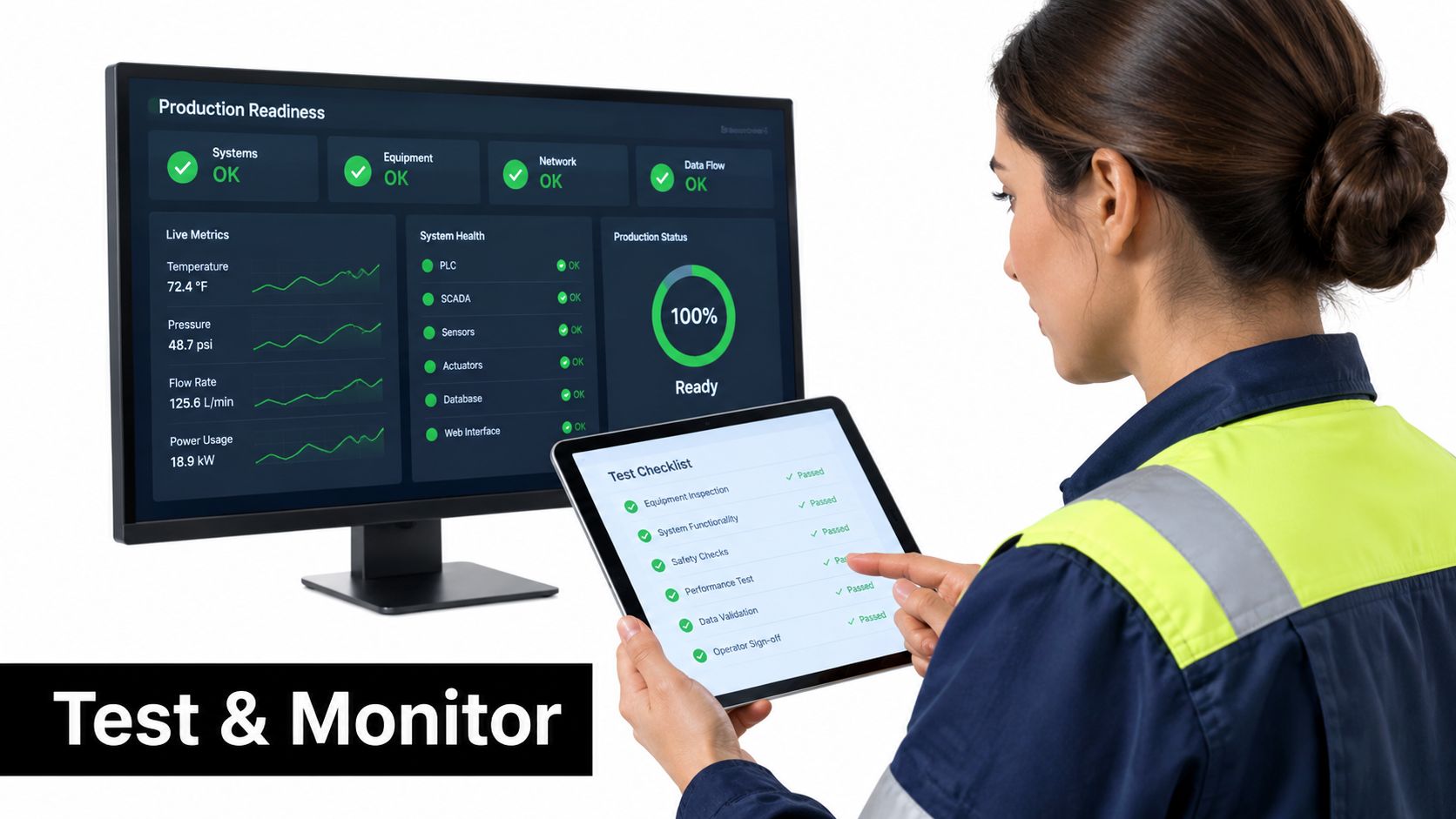
Testing, Monitoring, and Operator Checklist
Production readiness starts before the first live action. Test prompt templates and tool wrappers with deterministic unit tests. Run golden-set evaluations against Snowflake-sourced fixtures, then replay edge-case agent traces in regression suites. Shadow mode should process live traffic without committing side effects before the router sends real actions downstream.
Operators need visibility at the run level. Monitor latency, token spend, structured-output validation, feature-distribution drift in Snowflake, tool-call success, retry behavior, and the human-review queue by confidence band. A dashboard that shows only completed jobs hides the cases that require intervention.
The operating checklist
- Test the contract: Reject missing fields, invalid enum values, unsupported tools, and stale source references.
- Measure the workflow: Track cycle-time reduction against the legacy baseline, straight-through processing rate, cost per completed case, and exception escape rate.
- Review business outcomes: Tie a quarterly outcome score to the use case, such as resolution quality, approved-case accuracy, or employee request completion.
- Control changes: Version prompts, tools, retrieval views, policies, and model configurations. Require review before production release.
- Protect sensitive data: Redact PII from logs and restrict diagnostic access to the same role model used by the workflow.
- Preserve evidence: Record every agent decision, source reference, tool call, validator result, approval, and writeback.
These controls matter because a workflow must survive operational scrutiny, not just a successful demonstration. Orchestration reporting frames the enterprise-scale gap as an orchestration and governance challenge rather than an AI capability problem (Stonebranch's global IT automation report). That is the practical standard: an operator should be able to explain what happened, stop unsafe behavior, replay a failed case, and prove why a downstream system changed.
If your team needs help converting a fragile pilot into a governed Snowflake-centered workflow, Faberwork LLC provides agentic AI, workflow redesign, decision support, routing, monitoring, escalation, auditability, and Snowflake data engineering services. Start with one high-volume process, document its current state, and ask for an architecture review that covers data contracts, agent boundaries, human approvals, and measurable outcomes before expanding automation across the enterprise.
Talk with Faberwork about your candidate workflow and bring the process map, Snowflake tables, exception queue, and current performance baseline. A focused review can identify which steps should remain deterministic, where an agent can safely add judgment, and what must change before production deployment.


