
Only 11% of agentic AI use cases reached production in the prior year, even though 71% of organizations already use AI agents, according to SAPinsider's enterprise AI agents production-gap report. That gap changes the question. The hard problem in AI agent workflow automation isn't choosing a stronger model or polishing a prompt. It's designing a workflow that can absorb errors, preserve control, and produce an auditable business outcome.
The practical pattern is supervised automation first, selective autonomy later. A support agent can classify a ticket, retrieve account history, and draft a response without being allowed to issue a refund. A logistics agent can recommend a dispatch change while a dispatcher approves the write. A finance agent can prepare a journal entry while the controller remains accountable for posting it.
Why AI Agent Workflow Automation Demands an Operating Model
The production gap exists because organizations often treat an agent as a software feature instead of an operational participant. Teams prototype a capable assistant, connect it to a few tools, and then discover that nobody has defined who owns a failed action, which records must be preserved, or how the workflow should stop when data is incomplete.
A durable operating model has three layers.
Decision rights between people and agents
Start by assigning authority at the action level. Reading a customer record, classifying an inquiry, or drafting a response usually carries less risk than changing eligibility, approving a payment, or updating a clinical schedule. Each tool should declare whether the agent may invoke it autonomously, invoke it only after approval, or never invoke it directly.
This is especially important in regulated environments. Human approval shouldn't be a vague “review if needed” step. The workflow should specify the approver, the evidence they'll see, the response time, and the fallback when approval doesn't arrive.
Observability across every tool call
A final answer isn't enough to investigate an agent run. Production traces should preserve the input, retrieved records, tool arguments, tool results, policy checks, model decision, and final action. Without that chain, an operations team can't distinguish a bad retrieval from a bad classification or an authorization failure.
Teams designing revenue-focused workflows can also review workflow automation for revenue recovery for a useful perspective on connecting automation to measurable business processes rather than isolated assistant interactions.
Lifecycle controls from sandbox to sunset
An agent needs promotion criteria, versioning, rollback, and retirement rules. Treat prompts, tool contracts, policies, evaluation sets, and model versions as deployable assets. A workflow that can't be safely paused or rolled back isn't ready for unattended execution.

Practical rule: If you can't describe the agent's authority, evidence trail, escalation path, and rollback action on one page, you have a prototype, not an operating model.
Picking Use Cases That Actually Pay Back
A useful automation backlog starts with business friction, not an AI capability. Score each candidate on decision complexity and exception rate. Rule-heavy work with predictable inputs is a strong starting point. Judgment-heavy work with frequent exceptions belongs later, after the organization has better controls and evaluation data.
That immediately changes the shortlist. Support ticket triage and entitlement resets can work when policies are explicit. Logistics teams can start with load matching or exception coding, provided the agent can route uncertain cases. Finance teams can use an agent for invoice three-way match or journal entry preparation while reserving posting authority for an approved human.
Before writing code, capture the baseline process. Measure how long a case takes, how often staff resolve it without escalation, and what an error costs in rework, customer impact, compliance exposure, or missed revenue. The baseline doesn't need to be perfect. It does need to be stable enough to compare against.
Use Case Scoring Matrix
DimensionWhat to MeasureTarget for First AgentRed FlagDecision complexityNumber and clarity of rules, policies, and judgment callsBounded decisions with explicit policiesAmbiguous authority or high-stakes judgmentException rateFrequency of missing data, unusual cases, and manual escalationExceptions have a known queue and ownerExceptions trigger improvised handlingCycle timeElapsed time from intake to completed actionA process with visible waiting or handoff delayNo reliable start or end timestampDeflection or auto-resolutionCases completed without manual interventionA measurable subset can close safelySuccess requires informal tribal knowledgeError cost avoidedRework, customer impact, compliance risk, or leakageErrors can be detected and containedA wrong action creates irreversible damage
A simple payback model is:
Payback value = resolved volume × time or error value per case, minus implementation and operating cost.
Keep the first release narrow. A practical 90-day scope should define the exact trigger, allowed systems, tool permissions, human checkpoint, exception queue, baseline KPIs, evaluation cases, rollback procedure, and owner for production support. It should also state what the agent will not do.
For a complementary example of applied AI in an operational environment, see this AI transformation of smart buildings. The lesson isn't to copy the use case. It's to connect automation to a measurable operating process.
Choosing the Right Agent Architecture
Architecture should follow the organization's governance appetite, not the novelty of the model. Most enterprise teams ship one of three patterns.
A single agent with tool use fits a narrow task with clear inputs and bounded outputs. An entitlement lookup is a good example. The agent can identify the account, call an approved service, apply a policy, and return the result. The risk is tool sprawl. As teams keep adding capabilities, the agent's decision space expands and its behavior becomes harder to test.
A multi-agent design with a supervisor and worker roles fits cross-system orchestration. An incident triage workflow might use separate workers for ITSM records, observability data, and communications, with a supervisor coordinating the sequence. This separation can improve specialization, but coordination introduces latency, state-management complexity, and more failure points.
A human-in-the-loop pattern works when the agent can prepare work but shouldn't own the final write. Refunds, clinical scheduling, and journal postings commonly belong here. The agent gathers evidence and drafts the action. A named employee approves or rejects it.
Agent Architecture Decision Table
PatternBest FitLatency BudgetAudit PostureCommon Failure ModeSingle agent with toolsNarrow, well-instrumented taskLow to moderateTrace each tool call and resultTool sprawl and unclear authoritySupervisor with workersCross-system orchestrationModerate to highRecord delegation, state, and handoffsCoordination overhead and partial completionHuman-in-the-loopRegulated or irreversible write actionDepends on approval queueCapture evidence, approver, and decisionApproval fatigue and rubber-stamping
Tool interfaces matter as much as agent roles. An integration standard such as the Model Context Protocol overview can help teams think clearly about discoverable tools and context boundaries, but protocol support doesn't replace authorization design. Every exposed capability still needs a purpose, input schema, output schema, timeout, and failure behavior.
The strongest design often combines patterns. A single agent may classify a request, a specialist may retrieve policy evidence, and a human may approve the final action. That arrangement is less dramatic than full autonomy, but it gives operators a controllable blast radius and a clear accountability chain.
Grounding Agents in Enterprise Data and Snowflake
Enterprise data should be exposed as a governed tool interface, not pasted into a prompt. Raw tables contain irrelevant fields, inconsistent records, and sensitive information that an agent doesn't need to see. A better design maps the business domain into a small object catalog, such as customer, claim, shipment, invoice, or incident.
In Snowflake, parameterized SQL tools can retrieve governed records, while Cortex Search can support semantic lookup where exact matching isn't enough. Streamlit or external functions can expose derived metrics without forcing the agent to reconstruct calculations from raw data.
Build the data boundary deliberately
Start with semantic views or curated features as the source of truth. Then define typed tools with explicit inputs, outputs, and failure modes. A get_customer_claims tool might accept a customer identifier and date boundary, return a typed claim summary, and return a clear null state when no authorized record exists.
Snowflake Horizon controls, including role-based access and column-level masking, should sit beneath those tools. The agent shouldn't receive a masked value and then be asked to infer the original. It should receive only the fields required for the task, under the identity and permissions assigned to that workflow.
This pattern protects PII from prompts, supports different access policies for regulated and non-regulated workloads, and makes lineage easier to inspect. A reviewer can identify which view supplied the evidence, which role accessed it, and which tool result influenced the decision.
Organizations evaluating implementation partners may find this Snowflake collaboration guidance useful when aligning data engineering, governance, and application delivery.
Data grounding checklist
- Object catalog: Define the approved business objects and their owners.
- Tool contracts: Specify inputs, outputs, permissions, timeouts, and failure modes.
- Row and column policies: Apply least-privilege access and masking below the agent layer.
- Evaluation set per tool: Test normal, missing, conflicting, and unauthorized retrievals.
- Null off-ramp: Stop or escalate when retrieval returns no usable evidence.
- Lineage record: Preserve the view, query parameters, role, and returned fields for each run.
The most important rule is simple: an agent must never turn missing data into confident action. A null result should produce a controlled handoff, not a plausible-sounding guess.
Orchestrating Pipelines, Retries, and State
The orchestration layer determines whether a pilot survives contact with production. Treat every workflow as a durable pipeline, with deterministic validation and routing around non-deterministic classification, drafting, or decision steps.
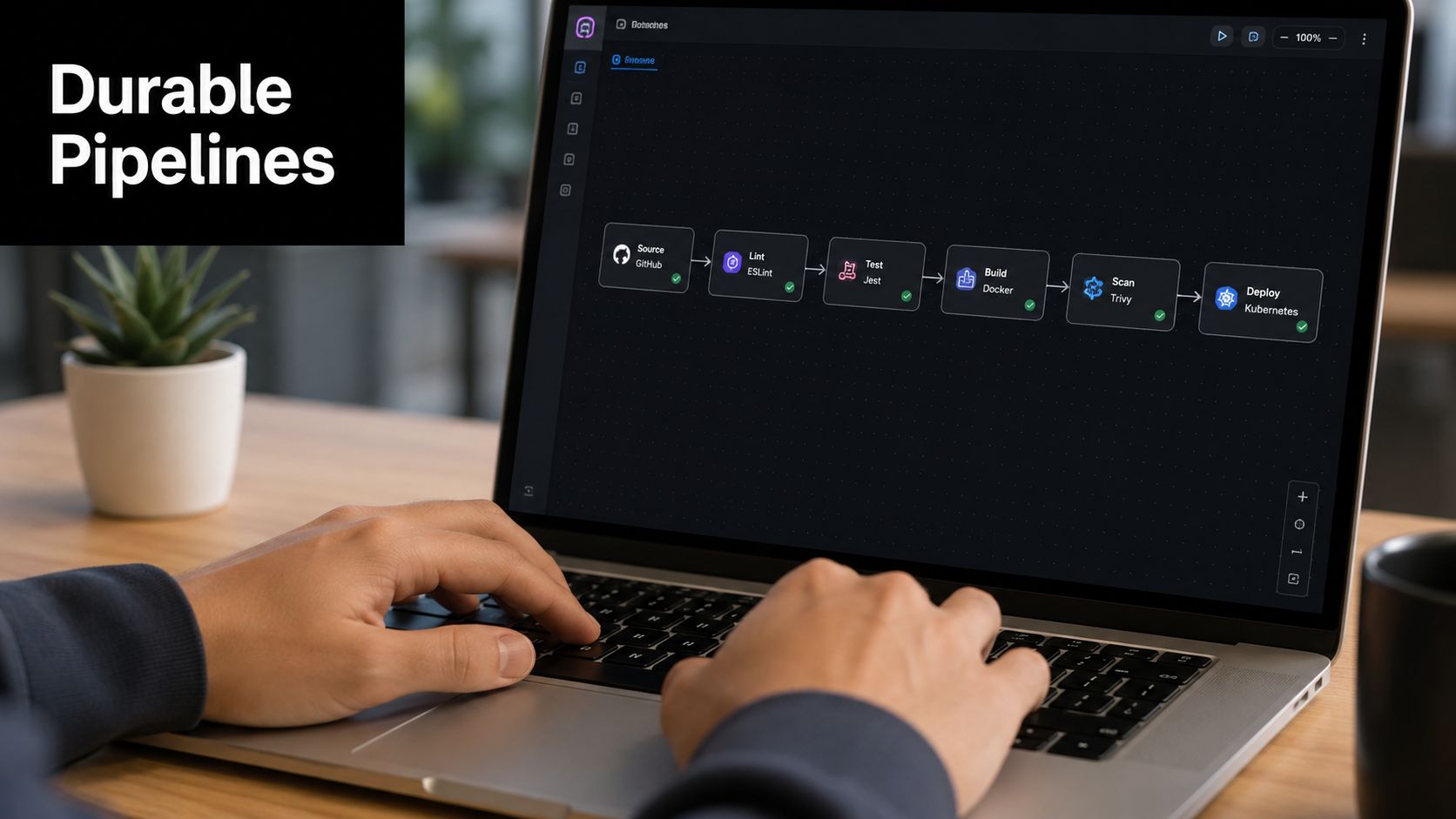
A support triage pipeline might begin with a deterministic trigger that validates the ticket payload. The agent classifies the issue, queries Snowflake for account history, drafts a response, and queues the result for human review. A deterministic gate then checks that the draft contains required fields, uses an approved policy path, and includes evidence before a support specialist sends it.
The intermediate state matters. Persist the ticket classification, retrieved records, draft, policy result, reviewer decision, and action status in a durable store such as Snowflake or object storage. If a downstream system times out, the workflow should resume from the last successful step rather than repeat every action.
Production rule: Retries must be safe to repeat. If an action isn't idempotent, wrap it with a deduplication key or use a compensating action.
An EMS-style operations flow illustrates the harder case. An agent may recommend a dispatch decision, write it to an operations system, and trigger notifications or downstream updates. If the notification succeeds but the dispatch write fails, the workflow needs a known recovery path. It might reverse the notification, mark the event for operator reconciliation, or place the entire transaction in a dead-letter queue.
Reusable scaffolding improves consistency. In a benchmark covering 15 diverse web automation tasks, agents without guidance achieved 24.2% success, while synthesized reusable workflows reached 70.1% success, a 45.9% gain over no-workflow execution according to the reusable workflow benchmark. The benchmark also tested success traces and high-level plans, but the practical lesson is broader: parameterized workflow structure gives agents boundaries that free-form execution lacks.
Teams looking for a conceptual treatment of autonomous AI agent orchestration should focus on the control plane, not just the agent runtime.
State-machine checklist
- Trigger: Define the event and validate its payload.
- Deterministic gates: Check identity, policy, required fields, and duplicate status.
- Agent step: Bound the model's task and available tools.
- Human checkpoint: Route decisions that exceed the autonomy policy.
- Retry policy: Use timeouts, backoff, deduplication, and idempotent writes.
- Dead-letter handling: Give failed runs an owner, reason code, and recovery path.
Testing, Monitoring, and Proving Outcomes
Vibe checks don't establish production readiness. Test the end state the business cares about, then trace every step that produced it. A support workflow might target lower average handle time, higher auto-resolution, or fewer escalations. A finance workflow might focus on exception handling and posting accuracy. A revenue workflow might measure recovered value without allowing the agent to create uncontrolled credits.
AutomationBench offers a useful evaluation model because it uses 47 real tools across six business functions, Sales, Marketing, Operations, Support, Finance, and HR, and checks the final state programmatically through its AutomationBench benchmarks. The methodology is relevant even if your stack isn't the same. Define the target function, create representative cases, score the final state, measure cost and latency, and test again after model, prompt, schema, or tool changes.
AutomationBench Six-Function Testing Methodology
FunctionWhat It MeasuresExample MetricSalesWhether the workflow completes the intended customer or pipeline actionCorrect record updateMarketingWhether campaign or content operations follow the requested policyApproved asset or status transitionOperationsWhether operational records reach the correct stateCorrect routing or dispatch statusSupportWhether the issue is handled with the right resolution pathResolution accuracyFinanceWhether financial preparation follows control rulesValid match or approved entry draftHRWhether employee workflows preserve permissions and policyCorrect case or task outcome
Production traces should capture prompts, retrieved rows, tool calls, tool outputs, policy decisions, and final writes. Alert on schema drift, retrieval null rates, unauthorized tool attempts, and policy violations. Store enough context to debug the run without exposing unnecessary PII.
A weekly scorecard should compare agent results with the baseline process. Use explicit promotion gates rather than informal confidence. If accuracy falls, human overrides rise, or cost per resolved case exceeds the approved threshold, pause expansion and investigate the failing step.
Every program should report three KPIs consistently:
- Functional accuracy: Did the workflow reach the correct business state?
- Cost per resolved case: What did each completed case consume in model, tool, infrastructure, and review cost?
- Human override rate: What percentage of cases required a person to correct or replace the agent's result?
PwC's survey found that nearly two-thirds of organizations adopting AI agents saw increased productivity, making productivity the clearest measurable outcome tied to deployment in its AI Agent Survey. That result still requires local validation. Productivity gains don't justify a workflow if the agent creates expensive errors or forces reviewers to inspect every low-value action.
Security, Governance, and a Maturity Roadmap
Most enterprises aren't handing every workflow to an autonomous agent. G2's 2025 research reports that agentic workflows account for only one-third of workload in most enterprises, with the remaining two-thirds still human-gated, as documented in its AI Agents 2025 insight report. That makes supervised augmentation the practical starting point, especially for healthcare, finance, telecom, energy, logistics, and manufacturing.
Security controls should map to the agent's surfaces. Snowflake row and column policies protect data access. Scoped tools limit what the workflow can invoke. Prompt and tool allowlists reduce unexpected behavior. Action entitlements constrain writes. Audit trails preserve accountability. PII redaction reduces unnecessary exposure in prompts, traces, and review interfaces.
Compliance requirements become design decisions. SOC 2 evidence means preserving access, change, and execution records. HIPAA-sensitive workflows need minimum-necessary data access, controlled disclosure, and reviewable handling of protected information. EU AI Act obligations may affect risk classification, documentation, human oversight, and transparency. Legal teams should interpret the applicable requirements, while architects translate them into permissions, evidence, escalation, and retention behavior.
Agent Automation Maturity Roadmap
StageEntry CriteriaExit KPIsRequired GuardrailsAdvisorRead-only data access and defined user audienceUseful recommendations and trace completenessNo writes, scoped retrieval, visible evidenceCopilotStable tool contracts and named reviewersOverride rate trends downward, cycle time improvesHuman approval, allowlisted tools, audit trailSupervised automationReliable evaluation set and exception queueApproved throughput with an agreed error budgetMandatory checkpoints, rollback, policy gatesSelective autonomyProven low-risk paths and operational ownershipLow override rate, stable cycle time, contained errorsAction entitlements, idempotency, monitoringContinuous agent operationsOngoing evaluation, drift detection, and governance cadenceSustained outcome KPIs and controlled changeVersioning, red-team tests, retirement process
Governance should expand with autonomy. A model-risk forum can review evaluation results and error budgets. A data council can approve objects, masking, and lineage. Security reviewers can assess identities, tool permissions, and trace retention. Operations leaders should own the queue, service levels, and rollback procedure.
A practical 90-day rollout is deliberately narrow:
- Days 1 to 30: Select one bounded workflow, document the baseline, classify data, define decision rights, and create a read-only evaluation harness.
- Days 31 to 60: Add governed tools, durable state, human approval, trace capture, and representative historical cases.
- Days 61 to 90: Run supervised production traffic, publish the scorecard, review overrides and exceptions, and promote only the path that meets its agreed gates.
Adoption is growing faster than process maturity. The competitive advantage won't come from owning the most agents. It will come from engineering workflows that know when to act, when to ask, and when to stop.
Start with one workflow that has a clear owner, a measurable baseline, and a safe human checkpoint. Map its data objects, tool permissions, escalation path, and rollback behavior before selecting a model. If you need help turning that design into a governed Snowflake-centered implementation, contact Faberwork to scope a practical pilot across agent orchestration, secure data access, and production testing.


